
The Definitive OLED Frequently Asked Questions (FAQ)
Disclaimer: this article includes sponsored promotion by MSI and the inclusion of various QD-OLED monitors in the round-up used as examples in the relevant places. All content, opinions and commentary are our own.
Introduction
Because we get more and more questions about OLED monitors every day, we wanted to provide a comprehensive FAQ to hopefully cover all the common questions we receive, and that we see posted online about buying and using OLED monitors. Many of these questions are relevant across different OLED panel technologies, whether that’s QD-OLED or WOLED, but we will hone in on some specifics for each technology as well.
You can use the index at the top to jump to relevant sections as well if you want. We hope it’s useful for everyone researching their next monitor, or just wanting to learn more about OLED monitors and technology.
To provide some real-life examples as we go through the FAQ, MSI kindly offered to sponsored this piece, and so throughout the article we will provide some examples of different monitors from MSI’s extensive QD-OLED range to help bring it to life a bit more. Other OLED monitor manufacturers are of course available. If you have other questions you think we’ve not covered here and that you think we should add in, please get in touch.

OLED basics
What is OLED?

OLED stands for “Organic Light-Emitting Diode”. It is a display technology where the emissive electroluminescent layer is an organic compound film that emits light in response to an electric current. Light is emitted per individual pixel which removes the need for a separate backlight that would be used in traditional LCD displays. So instead of filtering a single bright light source across millions of pixels as LCD’s do, each pixel can produce its own light.
What are the advantages of OLED?
- Amazing contrast and blacks: Because each pixel can create its own light, that also means each can be turned off individually. This results in perfect/true blacks when a pixel is turned off, leading to a basically infinite contrast ratio. This makes the technology ideal for high contrast content and HDR. LCD panels on the other hand have much lower contrast ratios as the backlight is always shining through the panel, although modern local dimming backlights (e.g. Mini LED) can help here in dynamic content.
- Per-pixel level dimming: because each pixel can be individually controlled, you don’t need to worry about halos or blooming during usage like you would on LCD screens, where even the highest number of local dimming zones for the backlight can’t cover each pixel separately. As Mini LED zones are brightened, it can lead to blooms of light on the screen around the intended bright object. You don’t get this on OLED as each pixel is controlled separately.
- Near-instant response times: Individual pixels react nearly instantly, which is ideal for fast-paced gaming and fast moving content. This results in true <1ms G2G response times (you will see specs of 0.03ms G2G commonly), and that paves the way for super-high refresh rates and amazing motion clarity.
- Wider viewing angles – OLED panels provide very wide viewing angles with a nice stable image, wider than even the best LCD technologies like IPS. They are also free from issues like “IPS glow” where you get a pale glow on darker content when viewed from an angle.
- Design flexibility: Because they don’t need backlighting, OLED panels can be made incredibly thin, curved, bendable or even foldable.
- Huge investment and development – OLED is the fastest evolving segment in the monitor space right now with rapid improvements in technology, new sizes, specs and features being launched. You’ll see the most exciting improvements for monitors in this space right now.
What are the disadvantages of OLED?
- Image retention and burn-in risks: this is the most talked about negative with OLED panels and a draw back of using organic materials. These have a finite life-span and are prone to sticking of images in some situations. Image retention is when you are left with a ghost image on the screen where certain images are stuck or retained even when the image changes. This might be temporary and may gradually fade in time, or with the screen turned off for a while. However there is a risk that if this become too severe it might result in permanent burn-in of the ghost image, leaving permanent traces of images or graphics on your screen.
- See also: Lifespan and burn-in FAQ section
- See also: Lifespan and burn-in FAQ section
- Lifespan: The brightness of OLED elements directly correlates to the strength of the current being applied. OLED lifespan decreases as current increases and current increases with higher brightness output. Over time displays may not reach as bright, might see colour shift or dark spots forming. A lot of development has gone in to making panels more robust, improving longevity and lifespan though.
- See also: Lifespan and burn-in FAQ section
- See also: Lifespan and burn-in FAQ section
- Inferior text clarity (in most cases): OLED monitor panels typically have a non-standard layout of their sub-pixels, at least as far as Windows OS is concerned. These non-standard layouts can lead to loss of image and text clarity, and issues like fringing on text. This varies between WOLED and QD-OLED panels for different reasons, and some more recent panels have looked to address this through changes to the sub-pixel layout and panel design. Nevertheless, it is a potential disadvantage on many OLED panels still.
- More limited brightness: Because OLED pixels are individually lit, it is not as easy to make them as bright as an LCD display where a large backlight unit can shine through the panel. This is especially true if you compare OLED monitors to high-end Mini LED backlit LCD’s which can push really high brightness. There is also a consideration around life-span and image retention risks, so balancing brightness with these areas is a challenge.
- See also: Are OLED monitors bright enough?
- See also: Are OLED monitors bright enough?
- ABL dimming: The power consumption of OLED panels is highly dependent upon the content displayed. With a pure white image, every pixel must be lit, while with a pure black image every pixel is off. Real images sit somewhere in between. For darker overall scenes more power can be allocated to smaller image highlights to increase their brightness, but as the scene gets brighter overall, that power needs to be shared across the panel more evenly, and that reduces that potential brightness. ABL, or Automatic Brightness Limiter, is a feature which dims the display according as the content changes, as part of its power distribution limits. This can result in varying brightness or noticeable shifts in some situations. It’s generally not a challenge on LCD screens as the backlight brightness is independent of the content being shown on the screen.
What are the different OLED technologies I hear about?
In the monitor market the two key technologies you will hear about are QD-OLED (“Quantum Dot OLED”) from panel manufacturer Samsung Display, and WOLED (“White OLED”) from LG Display. There are other manufacturers who are starting to invest in alternative OLED panel options, but these are by far the two leading OLED panel options right now.
OLED use cases
Is OLED good for content creation and colour-accurate work?
It certainly can be, subject to considerations about image retention and burn-in from static content. OLED monitors offer wide colour space coverage, making them suited to a wide range of use-cases. That might be SDR content and the standard sRGB colour space (>99% coverage typically), HDR content creation or consumption (>99% DCI-P3 coverage typically), or even photography and professional applications (high Adobe RGB coverage typically). QD-OLED panels normally provide a wider colour space than WOLED, although the most recent Tandem WOLED panels have improved things for that technology in recent times. Look out for specs and measurements for any relevant colour space you might want to work with.
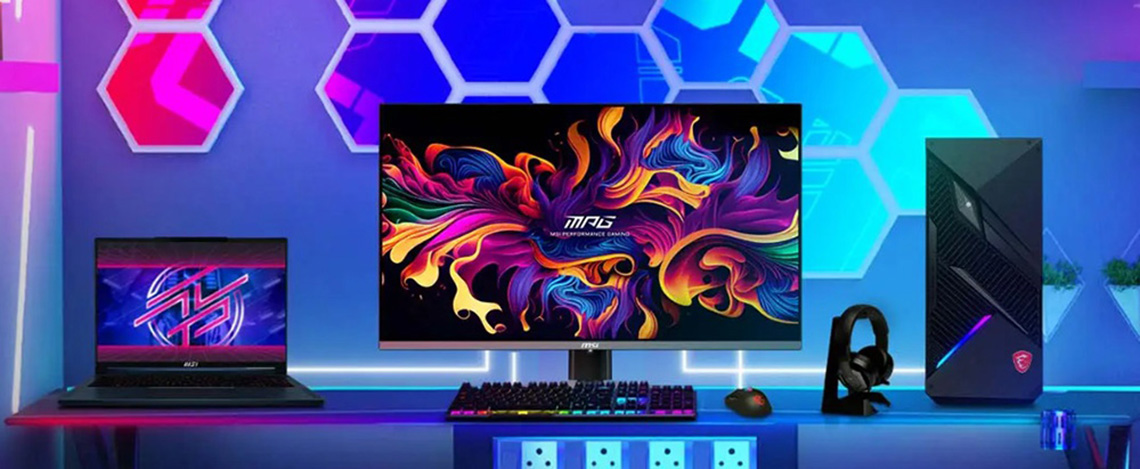
Higher end OLED monitors typically offer multiple colour space emulation preset modes, to allow you to more accurately work with different content and targets. On-screen menu controls for things like gamma, colour temp, brightness, contrast etc are also provided on most OLED monitors. For instance MSI’s OLED monitor range offer emulation modes for not only sRGB content, but also DCI-P3 and Adobe RGB. They’ve also recently added further menu control over settings like gamma, giving you better customisation options.
Beyond colour gamut, the panels also normally come factory calibrated in certain preset modes for accuracy, have 10-bit colour depth support for 10-bit capable workflows and apps, and have wide viewing angles for a stable and reliable image. They’re also really well-suited to HDR content and high contrast images thanks to their amazing contrast and deep blacks. Some OLED monitors may even offer advanced features like hardware calibration, although that’s usually reserved for professional-grade screens.
Do OLED monitors offer consistent brightness or should I worry about dimming?
Due to the way OLED monitors work, a feature called Automatic Brightness Limiter (ABL) is used to control screen brightness and power distribution. On most OLED monitors this is usually only needed for HDR, although it’s often hard to see this in action during dynamic content anyway. With SDR, most OLED monitors offer “uniform brightness” behaviour.
For example, all of MSI’s OLED monitors all offer uniform brightness behaviour in SDR, meaning consistent brightness as you change content or move windows around which is definitely preferrable for desktop apps.
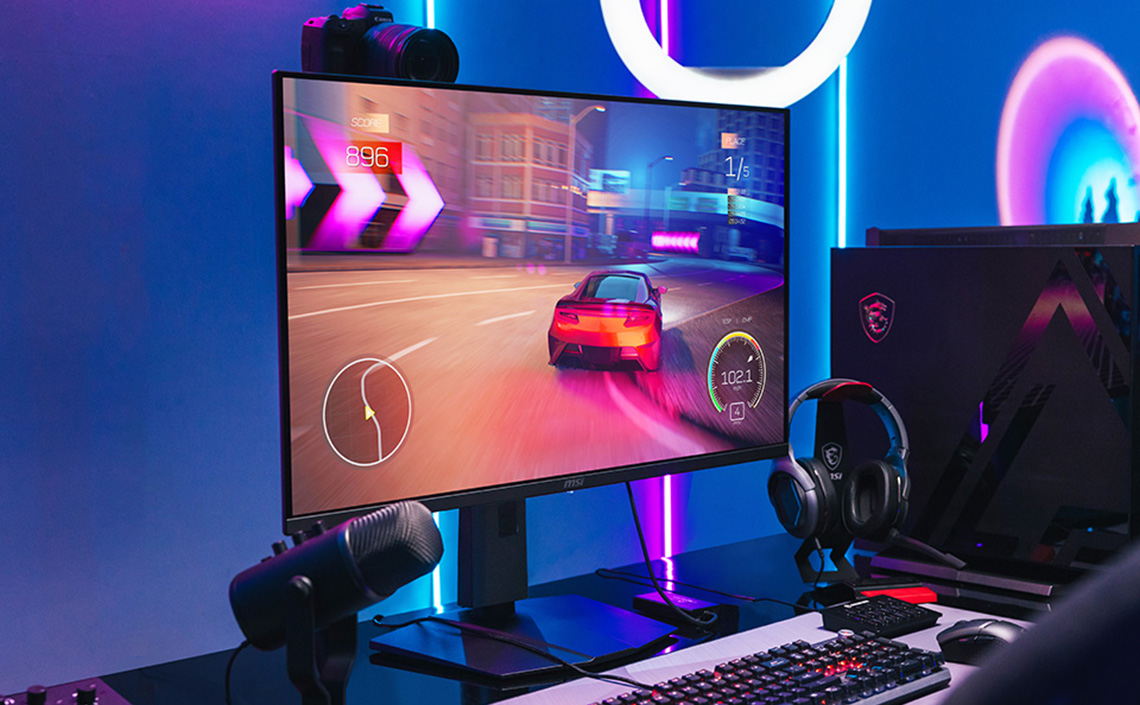
MSI also offer a setting on some of their most recent monitors called ‘dynamic’ brightness, which can give you a further boost in brightness capabilities for dynamic SDR gaming and movies, as long as you don’t mind living with some ABL dimming in certain situations. As we say, that’s usually a lot less noticeable in dynamic content anyway, so this mode can be useful to some people who like to maximise brightness.
Are OLED monitors bright enough?
For most people, yes they are. Brightness capabilities have improved quite a lot over the last few years for both SDR and HDR content. We’ve seen standard SDR luminance specs go from 250 nits up to 300 – 350 nits commonly in the last year or so. HDR certifications have also improved over time for brighter HDR performance.
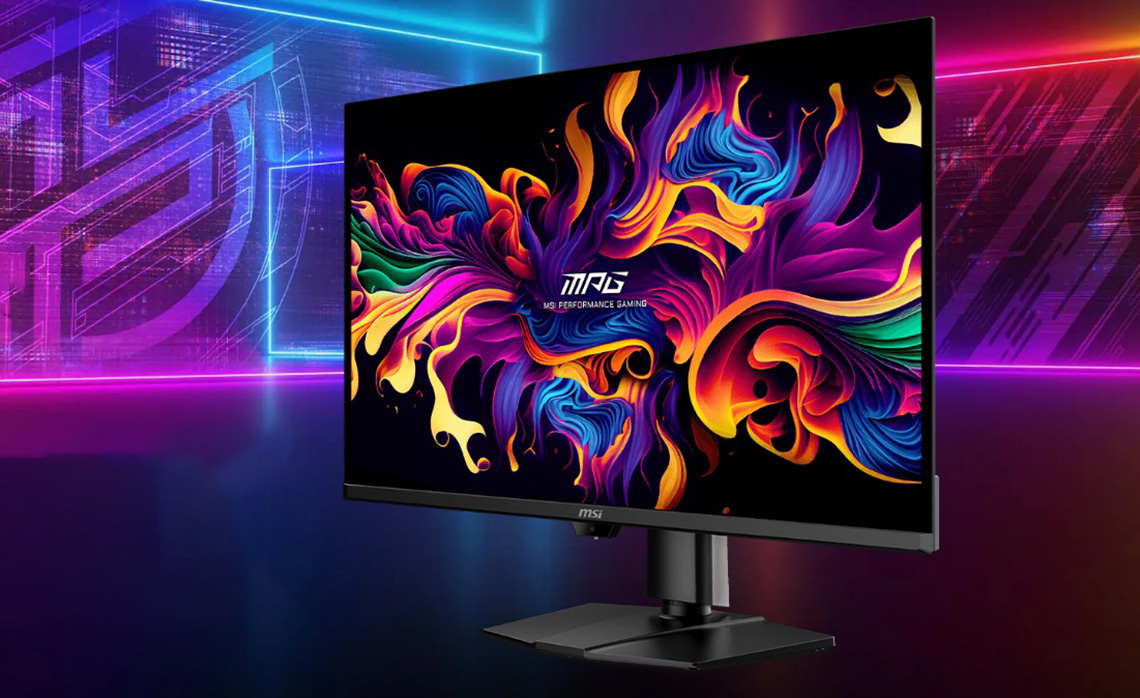
including 300 nits for SDR and True Black 500 certification for HDR.
Usually when people complain that a monitor is not bright enough, they mean for day to day usage, office apps, browsing and maybe SDR gaming. If you’ve been using an LCD monitor with a high brightness spec like 400 – 500 nits and you’ve been using it on a high brightness setting, perhaps you will find the move to an OLED a challenge. Otherwise if you’ve been using an LCD at a more modest brightness level, or it just has a more modest and typical spec of 250 – 350 nits, you shouldn’t have a problem.
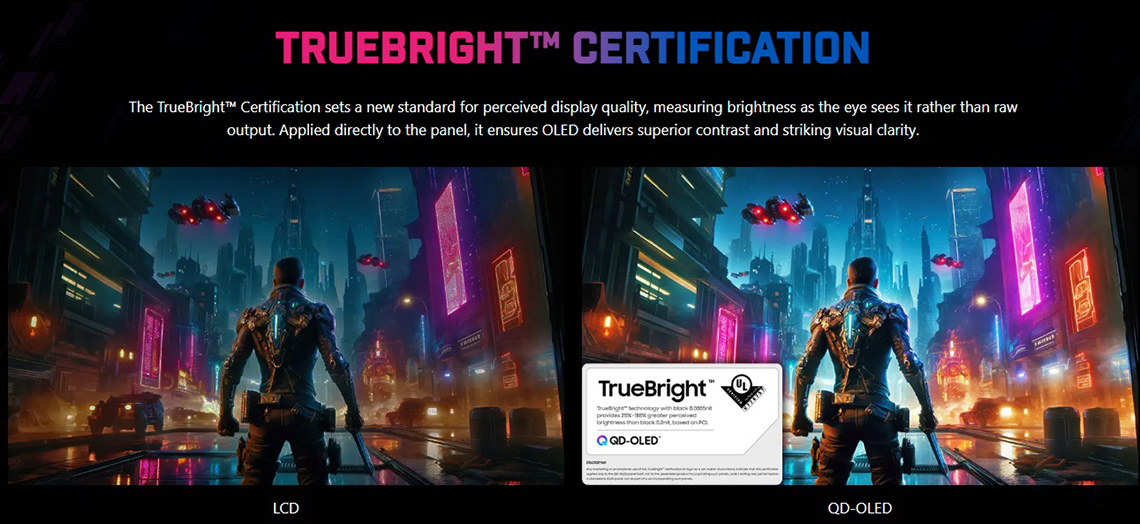
You should also keep in mind that OLED monitors can actually look perceptually brighter than LCD monitors with the same luminance spec, and that’s because of their amazing contrast. In a topic we explored in depth here, a certification scheme called ‘TrueBright‘ was introduced to articulate these benefits and provide a guide which shows what a given OLED luminance spec would look like perceptually compared with an LCD panel. That makes a big difference and should be accounted for beyond just bare luminance specs on paper.
- See also: In our experience, a LOT of the time when people complain about a dark desktop experience it’s because they have configured things wrong – see this very important FAQ point!
- See also: What is the difference between different HDR certification tiers?
Can I use an OLED monitor for office work without burn-in?
Despite significant advances in panel longevity and robustness over the years, improvements in OLED care functions and the introduction of extended warranties which include burn-in cover; using an OLED screen for lots of static content is not without its risks and caution is advised. You really need to gauge your static vs dynamic content usage and decide if it’s worth the risk, or if your individual usage should be fine. Warranties give you some peace of mind for an extended period, and generally if you’re a little more careful, mindful of the risks and use the provided OLED care features you should generally be ok in many cases. No one can say for sure, but we think in many situations this is certainly less of an issue than it used to be.
- See also: Lifespan and burn-in FAQ section
Should I be worried about text clarity and text fringing?
This very much depends on your usage. Text clarity problems and fringing issues stem from the non-standard sub-pixel layouts used on most OLED panels which Windows OS does not expect. For gaming and multimedia, this shouldn’t be an issue in the vast majority of cases , but for office work, desktop apps etc it may present problems. There are two ways that these issues can be tackled:
- Approach 1: Increasing pixel density – as pixel density increases, the issue becomes a lot harder to see and fringing gets masked. “Standard” and common density panels like 27″ 1440p for instance (~110 PPI) will show more noticeable fringing than 32″ 4K panels (~140 PPI), which in our opinion largely resolve the issue through their improved pixel density. Those panels which push even higher densities like 27″ 4K (166 PPI) are even better. The vast majority of people will not see any issue with those higher densities, even with the non-standard pixel layouts.
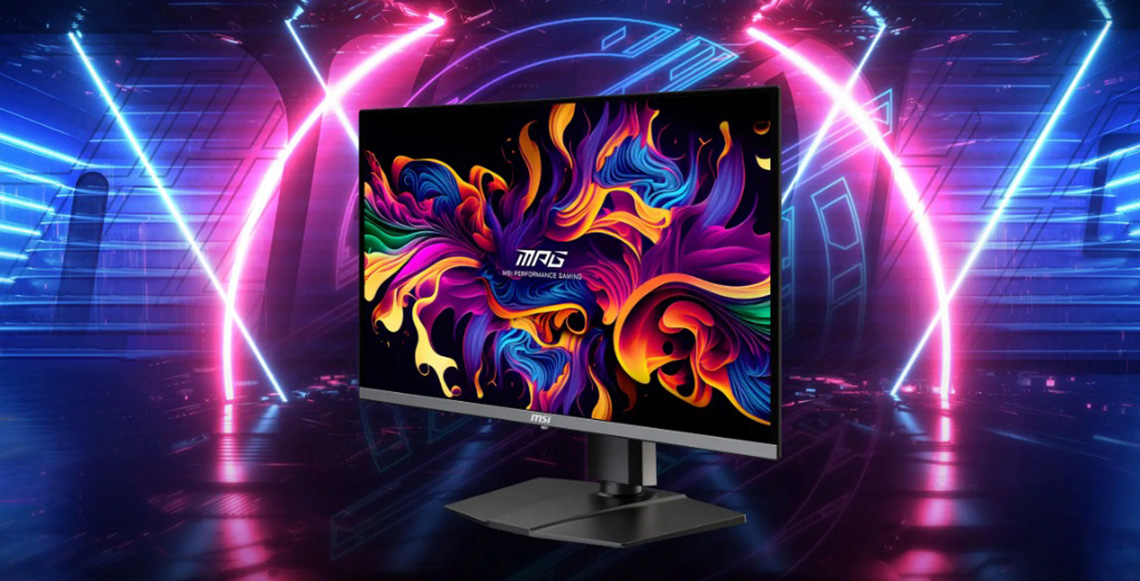
As an example the MSI MPG 272URX (reviewed) offers a 27″ 4K QD-OLED panel and despite the user of a triangular pixel layout, the high pixel density really hides any text fringing issues and text looks super-sharp. The pixel density really helps here.
- Approach 2: Improved pixel layouts – over the years both Samsung Display and LG Display have made alterations to their panels which have helped improve text clarity a bit as well. That might be by changing the shape of the sub-pixels, or re-arranging their order for more optimal performance. The most recent key change here though comes with a shift to “RGB-stripe” panels, which resolve the issue entirely and offer a layout that is expected and recognised by Windows OS.
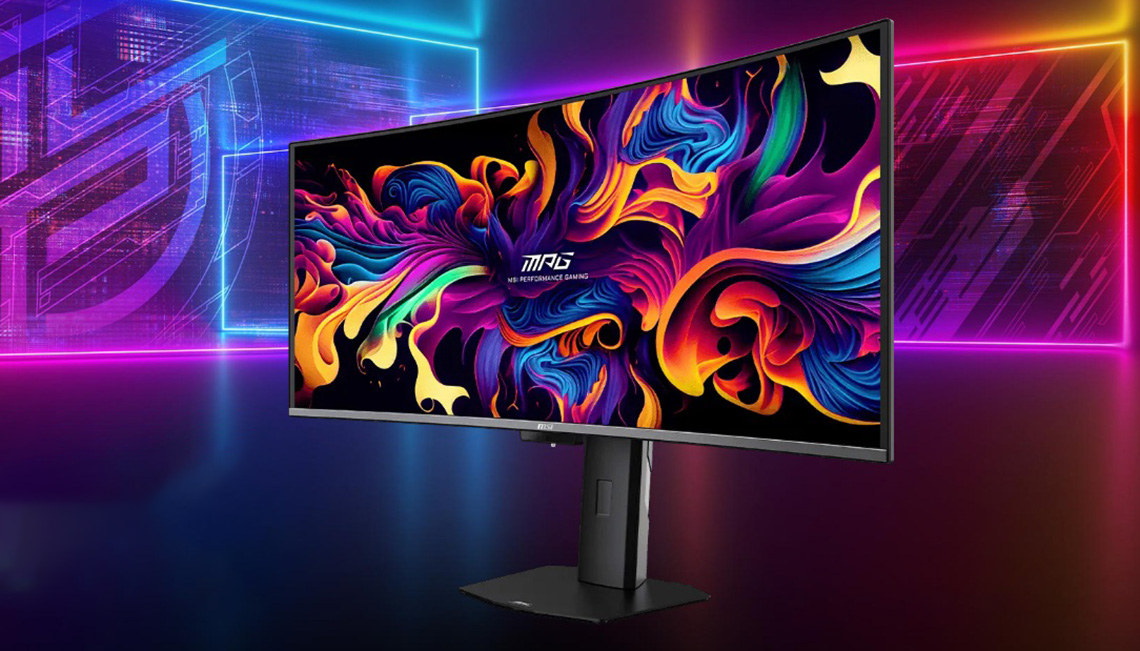
As an example the MSI MPG 341CQR X36 (reviewed) helps overcome the challenges of text clarity and fringing by switching to a standard “RGB-stripe” sub-pixel layout. This is especially relevant and useful on a lower density panel like this (~110 PPI). If you’re planning to use the screen for a lot of text work or are concerned about this issue then you may want to consider getting an RGB-stripe OLED monitor, and also aiming for the higher pixel densities for the sharpest and clearest images.
- See also: What are RGB-stripe OLED panels?
- See also: (article) OLED RGB-stripe Panels Explained – Should You Wait?
Buying an OLED monitor
Is OLED a noticeable upgrade over an LCD monitor?
For gaming and immersive media, OLED will generally offer superior performance to LCD panels. You get all the benefits of OLED technology that we talked about earlier including their near-instant response times, amazing motion clarity, per-pixel level dimming, amazing contrast, deep blacks and excellent HDR capabilities. If you’re gaming or watching movies and videos, OLED offers an amazing picture quality.
If your usage is for more static content, office and general work etc then an LCD may still suit you better. You don’t have to worry about image retention and burn-in and they don’t suffer from text clarity issues either.
Is upgrading to a higher refresh rate worth it?
This very much depends on your usage. Even the “slowest” OLED monitors will generally offer you a refresh rate in the range of 165 – 240Hz which is more than adequate for most average users and most gamers too. If you’re primarily using your screen for desktop apps, movies, some slower paced casual gaming etc, then these kind of refresh rates will be perfectly fine.
Thanks to their near-instant response times, the motion clarity of OLED monitors is excellent. There is about a 1.5x relationship between an OLED and a good LCD in motion clarity, so for example a 240Hz OLED would look roughly equivalent in practice to a 360Hz LCD.
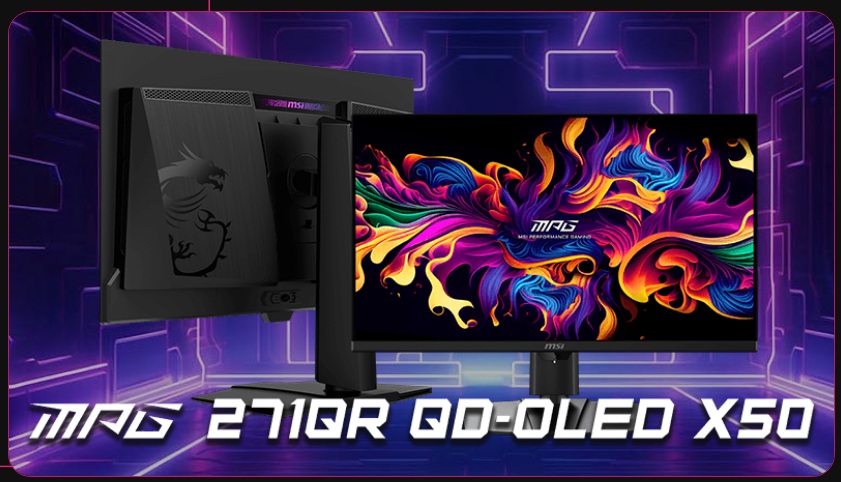
If you’re a serious or competitive gamer then there are some small incremental benefits available from pushing to the higher refresh rates available in the market, like 360Hz or even something like 500Hz / 540Hz that is now available. You will get small improvements in motion clarity, as well as improvement for other gaming areas like the stroboscopic effect and overall system latency. Only the really competitive gamers are likely to notice these kind of small improvements though, but every little helps in those situations.
As an example MSI offer a couple of options in their OLED range with a very high 500Hz refresh rate. The MSI MPG 271QR X50 (reviewed) and MSI MAG 272QP X50 (also reviewed) are 27″ in size with a 1440p resolution and are well-suited to competitive gamers.
Keep in mind also that your system will need to be able to power the higher frame rates in the games you play (and the game must support them too!) in order to get that additional benefit. If you’re only pushing 240fps on a 500Hz monitor, it would be the exact same performance as if you have a 240Hz monitor anyway. You can obviously save money as well looking at the more modest refresh rate screens if you decide you don’t need the absolute fastest models.
What’s the most affordable way into the OLED market?
You will find many budget-friendly OLED monitors available now, with a particular effort from many leading manufacturers to offer price points that make OLED more accessible to the masses. From a panel point of view Samsung Display have also introduced a variant of their panel technology which they call “QD-OLED Edge” which has some reduced specs, mostly with brightness of the panel, but can help monitor manufacturers offer even better price points.
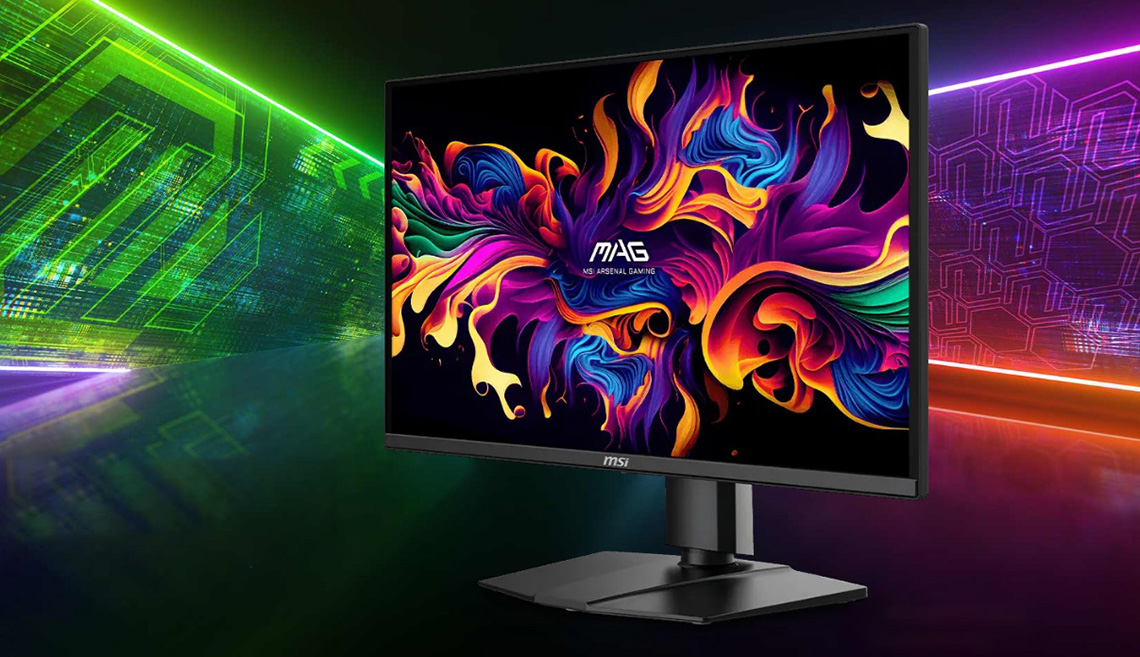
Also look out for brands who have different ranges in their line-up. MSI are a good example as they have OLED monitors in their more entry level MAG series, as an alternative to their premium MPG series. The MAG series may cut back on a few features, usually there’s slightly lower spec connectivity, but these models normally use the same panels as the more expensive MPG series and are a great choice if you’re looking to save some money. Sometimes lower tier models also have a lower refresh rate, again making them more affordable for those who perhaps don’t really need the higher refresh rates for their gaming.
As an example, MSI offer the MSI MAG 272QP X24 which is a budget-friendly 27″ 1440p 240Hz QD-OLED Edge monitor, which is also part of their more affordable MAG series.
What does a more expensive model give me that a cheaper OLED doesn’t?
This varies between manufacturers but let’s use two recent variants of an MSI model as an example. The MAG 321UP X24 and MPG 322UR X24 both use the same 32″ 4K QD-OLED panel with a 240Hz refresh rate, but their feature set varies somewhat, along with their price.
| Model | MPG 322UR X24 | MAG 321UP X24 |
| Price | $1,099 USD £799 GBP | $899 USD £799 GBP |
| DisplayPort ver | 2.1 (UHBR 20) | 1.4 |
| USB Type-C power delivery | 98W | 15W |
| USB data ports | 2x | None |
| KVM switch | Yes | No |
| Software support | Gaming Intelligence app | None |
| Care sensor | Yes | No |
| Ambient light sensor | Yes | No |
This is a similar story across other MAG vs MPG comparisons so you can decide if you want and need any of those features, or would rather save some money. Look out for occasions where the MAG series screen also offers a lower refresh rate too (not in this example).
- See also: our review of the MSI MPG 322UR X24 (including comparison with MAG model).
What panel coating should I choose? Matte or glossy?
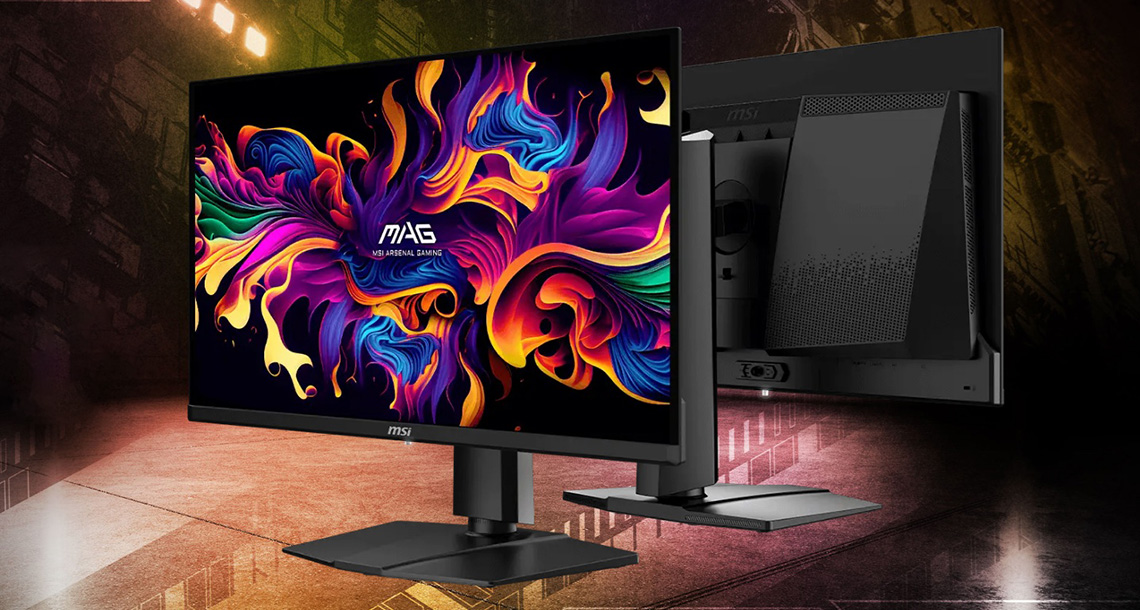
This is a very subjective choice. Glossy panel coatings can provide a sharper and clearer image, free from any visible grain and offering an image which “pops” more. They don’t diffuse light across the panel and so can retain their black depth and contrast better than matte anti-glare coatings in many cases. However, reflections and glare can become a problem, especially in more brightly lit rooms or where you have light sources which are in front of the screen.
Matte anti-glare (AG) coatings handle reflections and glare a lot better and are more suitable for well-lit rooms as a result. However, they can look less clear and often have a slight grainy texture as well. They also diffuse external light sources which can cause reduced contrast and blacks to become more raised, although that may be preferrable to mirror-like reflections in many cases.
MSI’s OLED monitors typically feature what is referred to as a “semi glossy” finish, a standard offering for QD-OLED panels. This has a glossy appearance with all the benefits of a clean and clear image, but also has some added anti-reflective (AR) properties which help reduce reflections a bit. It’s a good middle ground.

Some of MSI’s PRO MAX series OLED monitors, designed for professional users and more well-lit office environments, have an added matte anti-glare coating instead, helping significantly with glare and reflections. MSI market this under the brand name ‘VisiClarity’ on their screens.
If OLED is so great for HDR, should I use HDR mode all the time?
No! This is a very common issue we still see all the time, and leads to all kinds of problems with image quality. It can make images look washed out, less colourful, crush contrast, cause excessive power consumption and lock many settings in the OSD menu as well. See our detailed video for full rationale and guidance:
OLED panel technology questions
What is the difference between QD-OLED and WOLED?
Both competing panel technologies offer the key features we talked about earlier. They differ in their design and panel structure though which leads to some different performance characteristics.
Note: there are some nuances to some of these comparisons with different panels and options, but these are the general rules of thumb:
- Panel options: one fundamental difference between the two competing panel technologies is in the available panel and monitor sizes. While there is overlap from both technologies for the most common sizes like 27″ and 32″, QD-OLED dominates the 34″ ultrawide and 49″ super ultrawide sizes, while WOLED dominates 39″ and 45″ ultrawide spaces.
- Panel design: The QD-OLED panel stack (from Samsung Display) produces blue light, and then adds red and green quantum dots to produce relevant colours. The panels themselves are made up of individual red, green and blue sub-pixels. On the other hand WOLED panels (from LG Display) produce white light from their stack, hence the name “White OLED”, and that is filtered through red, green and blue filters to produce colours. The vast majority of WOLED panels consist of not only red, green and blue sub-pixels, but also an additional white sub-pixel which is added to boost brightness potential.
- Panel coating: each panel manufacturer nowadays offers both matte anti-glare (AG) and glossy panel options. You will often see QD-OLED glossy panels referred to as “semi glossy” because along with their glossy appearance, they also offer some added anti-reflective properties. WOLED glossy options on the other hand are currently “full glossy” without those added AR properties.
- Brightness and colours: Because QD-OLED panels are made up of individual red, green and blue sub-pixels (without the added white sub-pixel) they typically offer great colour saturation, colour gamut and colour volume. This tends to be superior to WOLED panels although their absolute overall brightness potential is often less because of it. The added white sub-pixel in WOLED can lead to higher overall brightness in most cases, but can lead to some washout of colours in the brightest highlights in dark scenes; with their panels generally having a smaller colour gamut and colour volume. QD-OLED panels also tend of exhibit more “panel dimming” in their brightest HDR modes, while WOLED panels tend to be more stable.
- Black depth and contrast: one advantage WOLED has over QD-OLED is in how the panels handle ambient lighting and external light sources. In brighter lit rooms, with light sources that are in front of the screen especially, these lights can cause the blacks to become raised on QD-OLED panels, resulting in reduced contrast. Some of their panels also show a purple tint in these conditions. WOLED panels on the other hand retain their blacks and contrast better in brighter rooms. Some of this varies depending on panel coatings, and some advancements have been made in recent times with special films added to QD-OLED to help, but the general rule of thumb still applies.
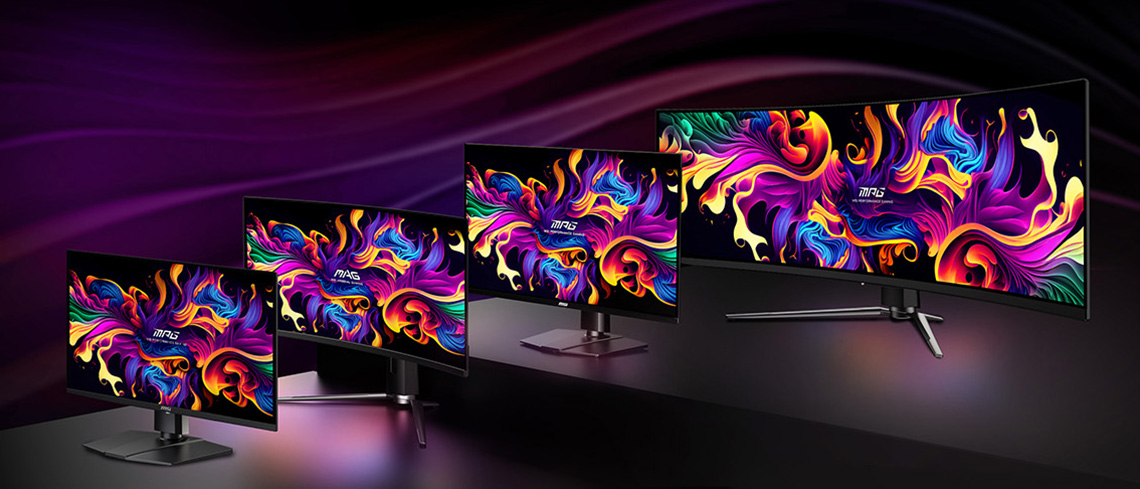
What are Tandem OLED panels?
“Tandem” is the current buzz-word when it comes to OLED monitors and panels it seems, with both LG Display and Samsung Display promoting their latest generations and panel technology under this banner.
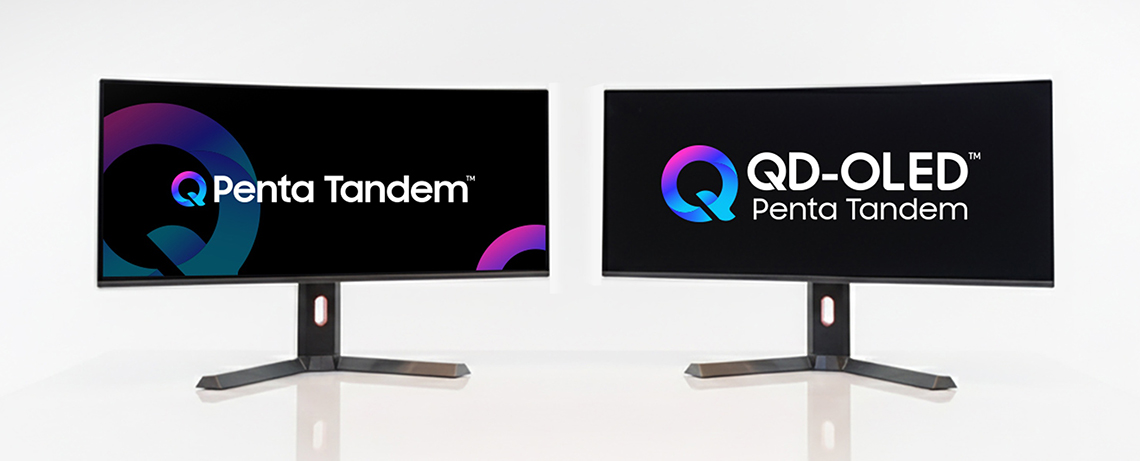
- Penta Tandem QD-OLED is a branding that Samsung Display introduced in early 2026 to represent their latest panels which use their new 5-stack (“penta”) structure and their latest OLED EL 3.0 (Electroluminescence layer) material. It’s brighter than earlier generations and offers better longevity too.
With the latest Penta Tandem panels, Samsung also introduced two optional coating choices for monitor manufacturers to adopt. The first they call “QuantumBlack film”, although it’s marketed under various brand names by different monitor manufacturers. This does two things. Firstly, it improves panel hardness from 2H to 3H, improving scratch resistance by 2.5x. Secondly, it improves ambient light handling, helping to retain black depth and contrast in more well lit rooms and also eliminating the purple tint that impacted earlier QD-OLED panels.- See also: you can find out loads more about QD-OLED panels in our video here.

- Tandem WOLED is a branding from LG Display for their latest WOLED panels, introduced in 2025. It represents a 4-stack structure of light emitting layers, offering improvements in brightness and longevity compared with their earlier generations. It also helps improve colour gamut, colour volume in HDR and ambient light handling and black depth.
- See also: you can find out loads more about WOLED panels in our video here.
What is Inkjet Printed OLED?
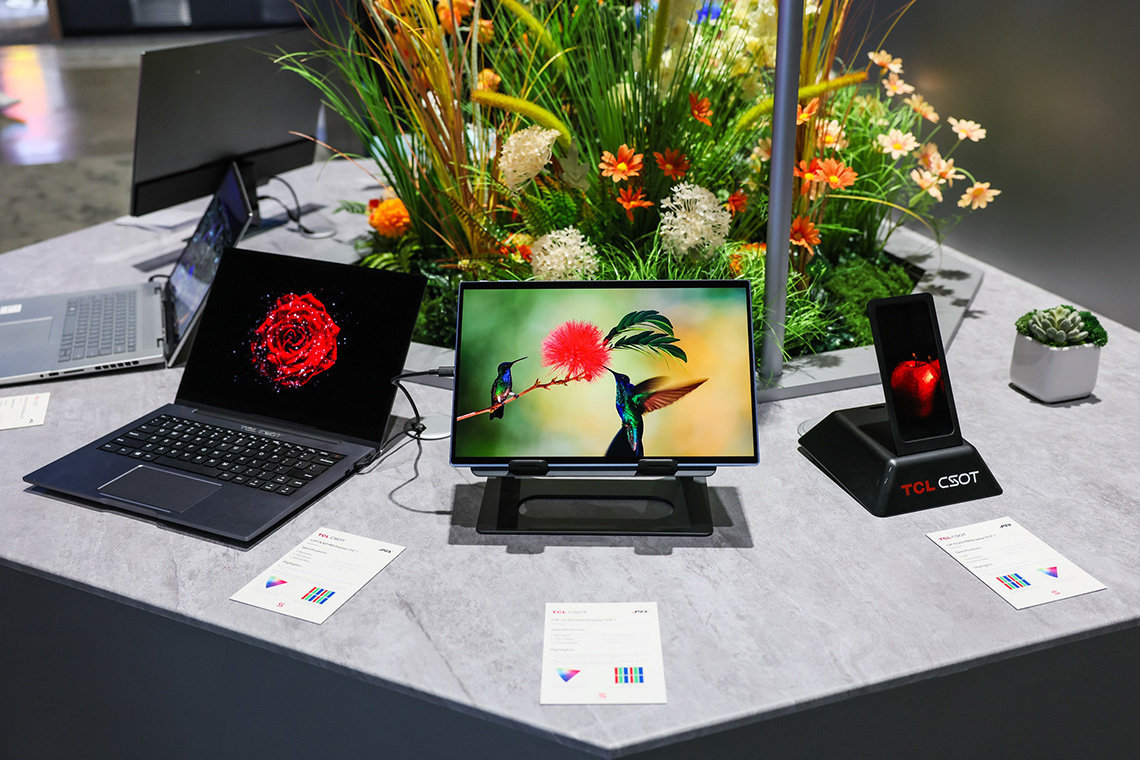
Inkjet printed OLED (or “IJP OLED” for short) is an innovative manufacturing process that deposits organic light-emitting materials with high precision onto substrates using advanced printing techniques. It delivers excellent colour performance, high resolution, energy efficiency, and cost-effectiveness, making it ideal for a wide range of applications from small devices to large panels. In the long run it is hoped that this process will improve production efficiency and volume, helping to bring down costs and therefore monitor pricing.
At the moment this process is only being used by a new panel manufacturer to the OLED market, TCL CSOT (TCL China Star Optoelectronics Technology). They are a Chinese based panel manufacturer who are now offering an alternative to the panels from Samsung Display (QD-OLED) and LG Display (WOLED) that have so far dominated the OLED monitor market. They’ve been producing monitor LCD panels for a long time, but now they’re branching out in to the OLED space.
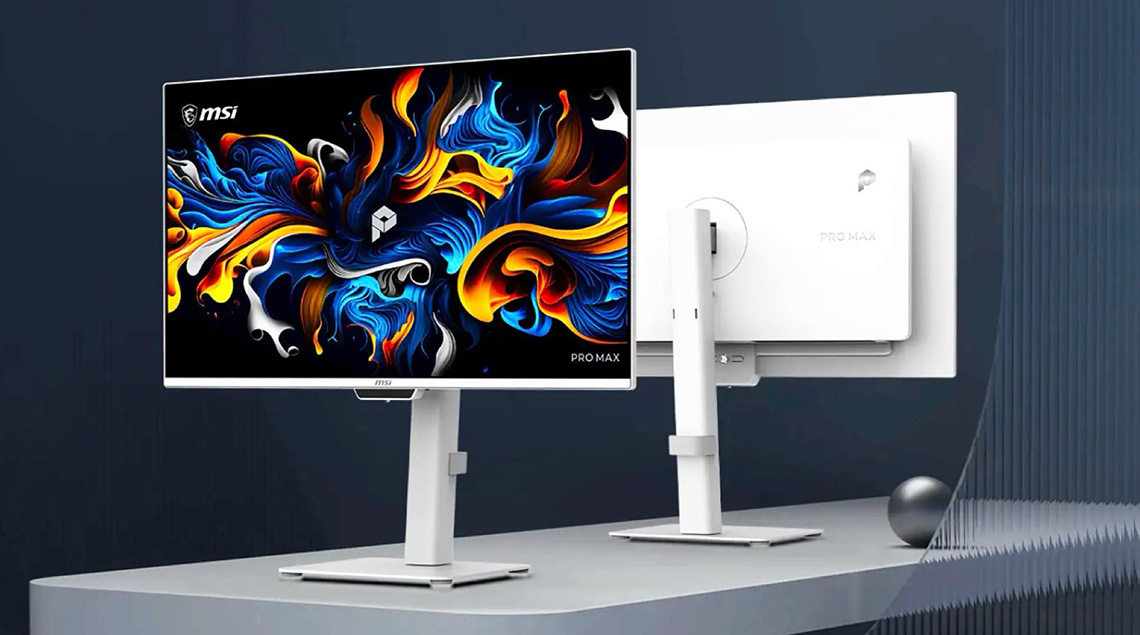
MSI primarily offer QD-OLED monitors across their range, but they are also now branching out in to other technologies to broaden their portfolio. For instance, they are using the new panel from TCL CSOT for their MSI PRO MAX OLED 271UPJW12 pictured above which will be the World’s first monitor to use this new panel technology.
- More information: The Future of OLED Panels? MSI’s new Inkjet Print (IJP) OLED Explained and Hands On
What are RGB-stripe OLED panels?
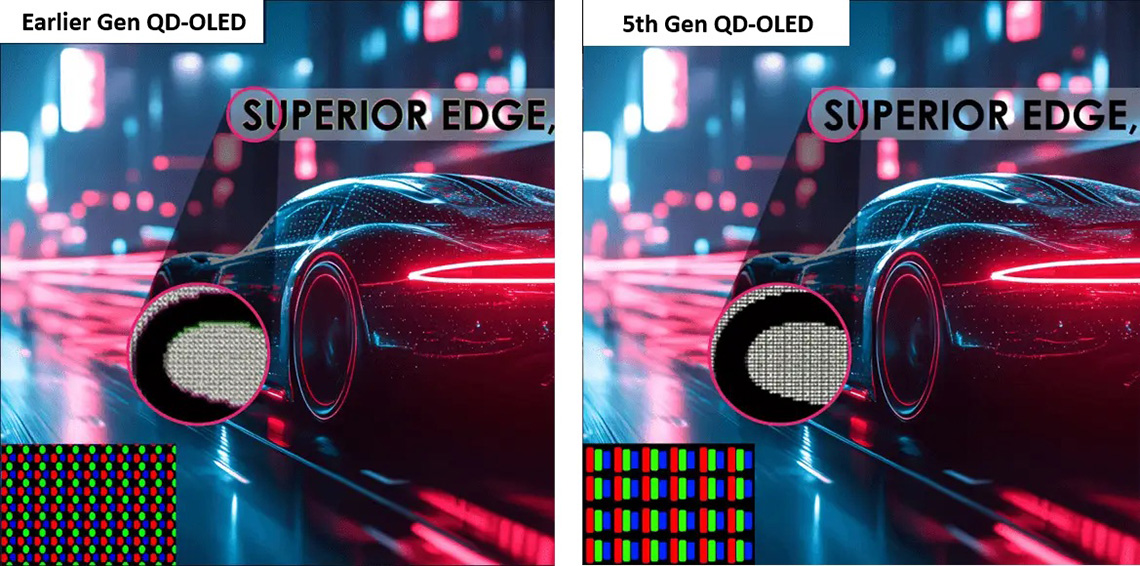
We talked earlier on about the disadvantages of OLED technology, and one particular issue which is text clarity and text fringing. Since the first mainstream OLED monitors were introduced in 2022, both WOLED and QD-OLED panels have had an unusual layout of their sub-pixels, not matching the standard RGB stripe that Windows OS expects. This leads to problems with text clarity and fringing especially, on lower pixel density panels.
Since 2026 RGB-stripe panels are now starting to be introduced by both Samsung Display and LG Display for many of their new panels, shifting to a true RGB layout and therefore resolving the issues that were faced before. For lots more information on RGB-stripe, the pros and cons, and which panels feature this update, check out our detailed article here.
- See also: should I be worried about text fringing?
What is the difference between different HDR certification tiers?
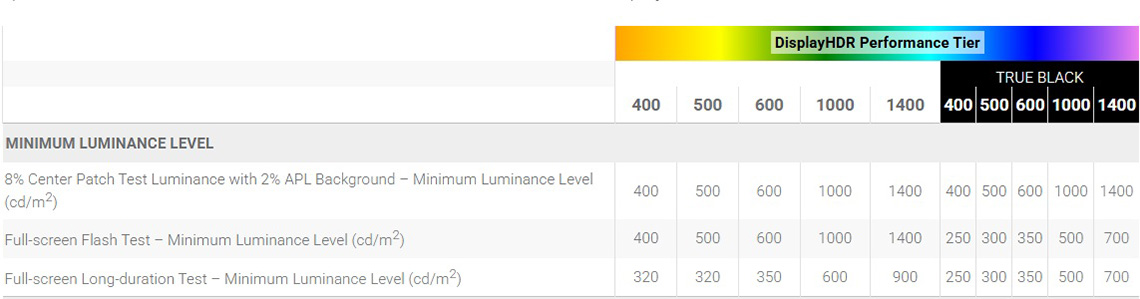
For desktop monitors, VESA introduced a certification scheme called ‘DisplayHDR‘ which aims to classify the different HDR capabilities that a panel may offer. For OLED panels the relevant certifications fall under the ‘True Black‘ tiers, and there are various levels available depending on the brightness capabilities of the panel. While the scheme also includes other requirements for black depth, colour gamut etc, the key difference between each tier is their brightness, which increases as you move up through the tiers.
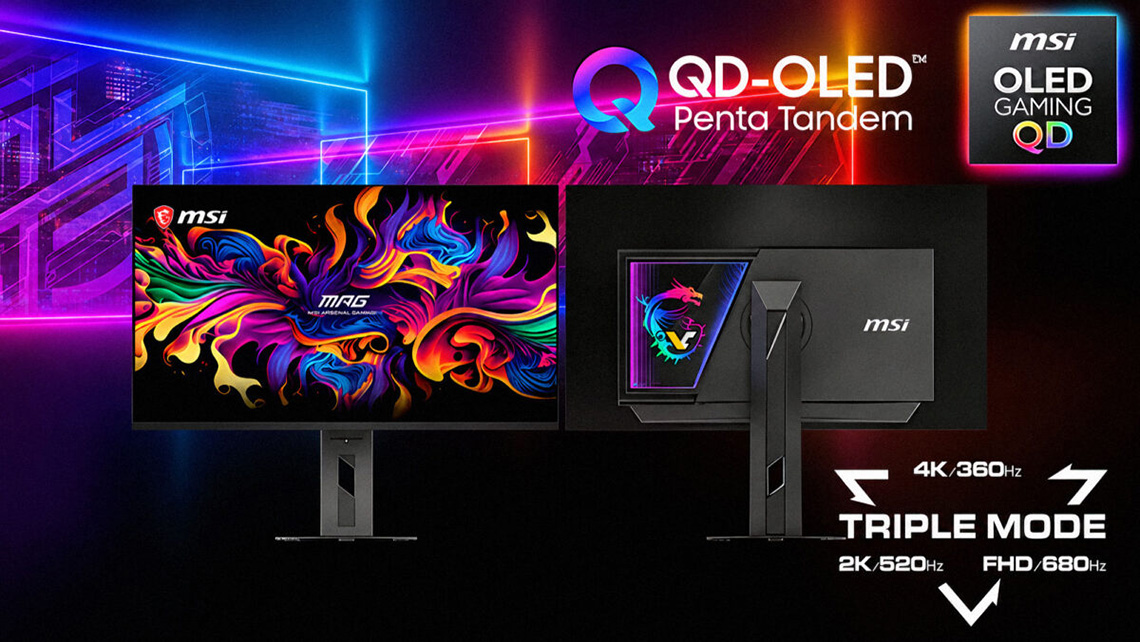
The vast majority of OLED monitors are certified under the VESA DisplayHDR True Black 400 (TB400) tier, although over the last year we’ve started to see more TB500 certified screens released and that’s now becoming common. For example there’s the MSI MPG 341CQR X36 and MSI MPG 322UR X24 which are two QD-OLED monitors we’ve reviewed recently with TB500 certification.
In June 2026 we saw the first TB600 tier monitors announced, including the very impressive looking MSI MPG 322URDX36. There are also further tiers already in place, primarily used for certifying other OLED devices like laptops right now, but which will be applicable for future monitors too. We even saw a prototype of a TB1000 capable monitor panel at Computex 2026 which gives a feel for what will come later on.
Do OLED monitors support G-sync and FreeSync?
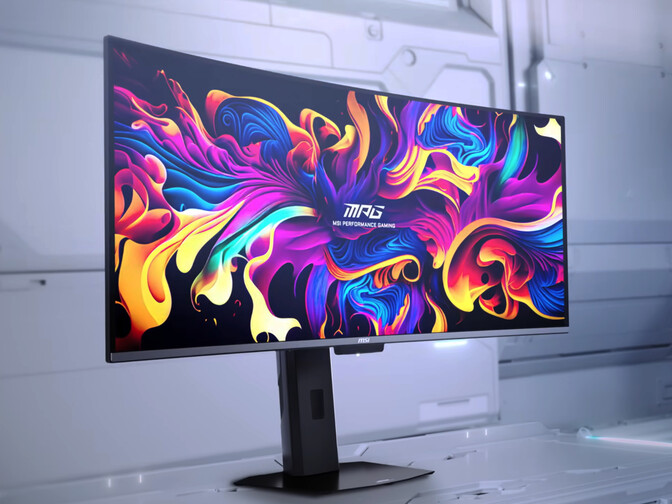
Yes, they do. Basically all modern desktop OLED monitors use VESA adaptive-sync to support variable refresh rates (VRR). They then typically go through certification with NVIDIA, AMD and VESA for relevant G-sync Compatible, FreeSync and AdaptiveSync schemes too.
Do OLED monitors flicker?
Not in the traditional sense of having a backlight that flickers due to PWM dimming. Since there is no backlight, there’s no backlight flicker to speak of and from that point of view OLED monitors are “flicker free”.
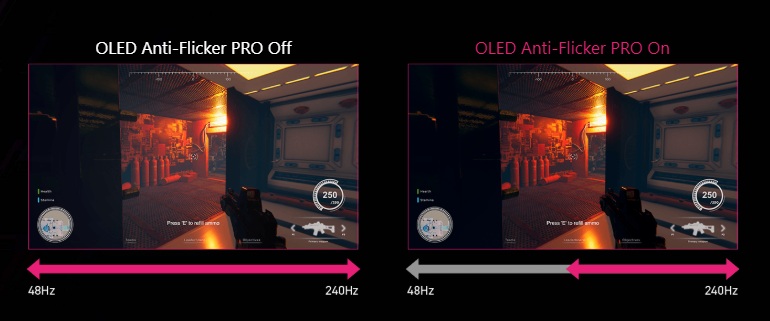
However, in variable refresh rate (VRR) situations OLED monitors can show flicker, a phenomenon that impacts all OLED monitors, although to varying degrees. This varies a bit between WOLED and QD-OLED monitors in how/why they flicker, and some models are better than others. We include extensive VRR flicker testing in our reviews to measure this.
Some monitor manufacturers include VRR anti-flicker modes on their OLED monitors too which can help reduce flicker in a number of ways, often by reducing the VRR range. For example, new 2026 MSI monitors now offer a setting called ‘OLED Anti-flicker PRO‘ which aims to reduce VRR flicker when enabled.
- See also: Exploring and Testing OLED VRR Flicker
Do OLED monitors offer blur reduction modes?
Many leading OLED monitor manufacturers have introduced blur reduction modes on their monitors using a feature called ‘Black Frame Insertion‘ or BFI for short. In the absence of a backlight, it’s not possible to strobe the screen off and on rapidly like you would for blur reduction modes on LCD monitors. Instead, black frames are inserted to “clean” the eye, and improve perceived motion clarity.
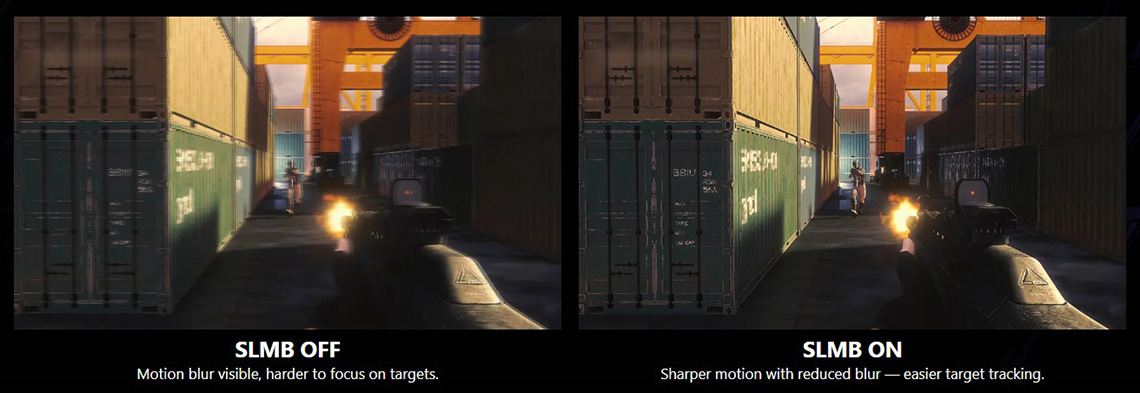
These modes go by many names, MSI call theirs “SLMB” (Super Low Motion Blur) for instance (previously called “MPRT”). These functions work at up to half the native refresh rate, so for instance on a 240Hz OLED the screen would be set to run at 120Hz and then the other 120Hz would be made up of black frames.
These work really well to improve motion clarity, and 120Hz + BFI actually ends up looking the same as native 240Hz. The great thing is though you only need to power up to 120fps from your system to reach that motion clarity, it’s a free boost from using the BFI mode.
I’ve heard about grey banding on OLED, what is that?
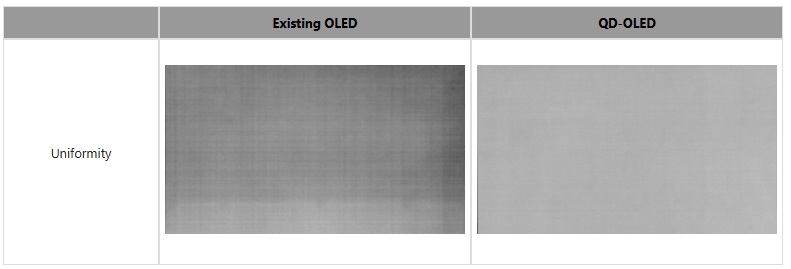
This is an issue which some users report with the uniformity of the OLED panel, most often a challenge in very dark scenes and evident on dark grey backgrounds, dark mode apps and in dark games. Also sometimes referred to as the “dirty screen effect”, it can manifest itself as visible bands and streaks across what should be a solid block of colour.
We’ve explored this issue in depth and evaluated it across many different panels. From what we’ve seen, the issue seems to impact Tandem WOLED (LG Display) panels the most, especially as refresh rate increases. Earlier-gen WOLED panels were a little less impacted, and QD-OLED panels tend to be largely free from the issue. If you’re especially concerned about this issue, or have experienced problems, then a QD-OLED monitor may be a more sensible choice.
I’ve heard about black crush on OLED panels, what is that?
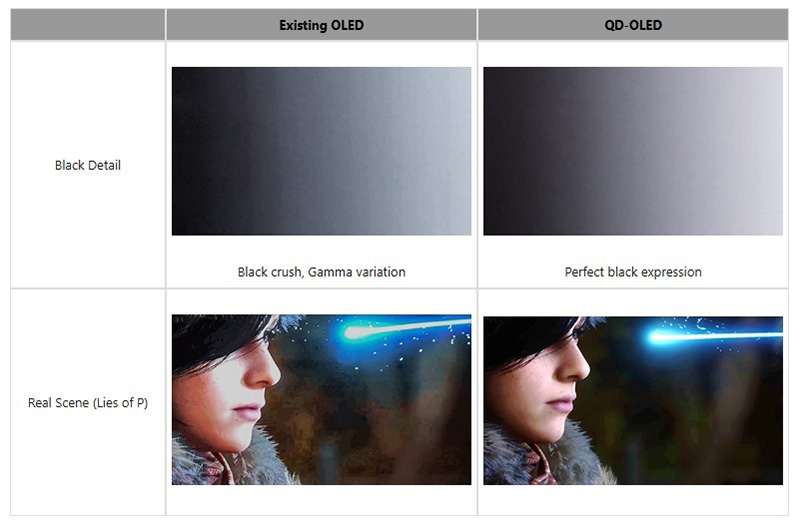
This is another issue you may see discussed, where detail in dark content can become crushed to black and hard to see. Calibrating OLED monitors in the factory can be difficult due to their perfect black capability, but there’s additional challenges with WOLED panels. These panels show a variable gamma depending on the refresh rate of the screen, and while they are generally calibrated nicely at 60Hz, the gamma can shift and cause black crush at higher and native refresh rates. QD-OLED panels don’t exhibit that same variable gamma and so have more consistent shadow detail. You can still see black crush on QD-OLED if the screen is not well calibrated, but it is generally a simpler process to get right and they offer more consistent performance during usage.
Lifespan and burn-in
Will my OLED monitor get burn-in?
This is a very tricky thing to answer and the easiest answer is that it will probably depend on your usage. Image retention risks increase with panel brightness, and with how long you leave static content on the screen. The general advice for OLED monitors is that they are most suited to lots of dynamic content, like movies and gaming. Caution is advised for prolonged static work, like lots of text and office use. If you are in the habit of using the screen at max brightness for lots of static work, you will increase the risk of burn-in and image retention.
Having said that, things have improved quite a lot over the years since the first OLED monitors were released in 2022. Panel technology has improved a lot, with regular improvements to longevity and robustness with each generation. OLED Care features have also improved and become more capable over those years. Most major monitor manufacturers, as a result of seeing low rates of problems and returns, and having increasing faith in panel robustness, now offer extended warranties and burn-in cover for their OLED monitors.
We think that for the vast majority of users as long as you have varied usage and you’re not using the screen for very long periods of static content, you use the OLED care features appropriately, and you’re perhaps a little more mindful than you might be on an LCD; burn-in shouldn’t be an issue nowadays.
What warranties are offered with OLED monitors?
This really varies between different manufacturers, but it’s pretty common now to see 3 year warranties for OLED monitors. As panel technology improves and cooling capabilities are enhanced, we may start to see more manufacturers extend to longer periods. Some of this will also be related to issue/return volumes they see, as it’s still a new segment so it’s quite early to know real-world return rates in many cases.
Does my warranty cover burn-in?
Again this varies, but many leading OLED monitor manufacturers will include burn-in cover in their warranty, for a period of 3 years typically. Be wary of manufacturers who don’t explicitly list this or give mixed messages. 3 years should give you added peace of mind.
What is OLED Care and what does it do?
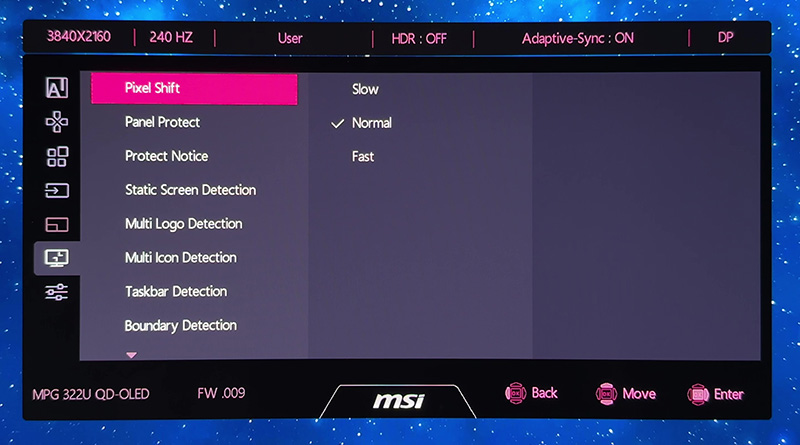
OLED Care is a general term for a set of monitor features and settings which are designed to protect an OLED screen from image retention and burn-in. These typically include common features like a pixel refresh cycle, which periodically “cleans” the panel. It may also include common features like pixel shift, which moves your image a few pixels at a time every now and again, to help reduce the risk. This is useful as it can move edges/borders and so on.
Many leading manufacturers provide an even more robust feature set nowadays for even better OLED Care. MSI for instance provide the following features on their latest OLED monitors which dim luminance for various elements to help prevent image retention:
- Multi-icon detection: automatically detects static app icons
- Boundary detection: dims high-contrast boundaries between images and backgrounds after a set duration
- Taskbar detection: identifies the taskbar areas and lowers its brightness
- Multi-logo detection: detects multiple static logos
- Static screen detection: automatically dims the entire screen when a static image is displayed for a prolonged period
What do OLED Care sensors do?
OLED Care sensors are a fairly new feature, found on some higher end OLED monitors and can help reduce your risk of image retention over time. The key function is that the sensor will detect when you move away from the screen and turn it off to help reduce the risks of image retention from leaving it on static images. It will then detect when you return and turns the screen back on.
The most advanced sensors will offer features like the ability to detect whether there’s human presence or something else which might trigger the sensor. They can also sometimes do fancy things like dim the screen when you look away from it, or control the screen brightness dynamically depending on your ambient light conditions. Some sensors can even be integrated in to Windows 11 and controlled through Windows built-in features.
Should I be concerned about privacy with monitor motion/care sensors?

The most advanced sensors use a small detection sensor and CMOS chip. However, all visual data is processed locally and in real time by an NPU-based chip, instantly converted into digital signals without any storage. No images are saved or transmitted, ensuring complete on-device privacy and protecting user data at all times.
- Further information: MSI’s AI Care Sensor
Do OLED monitors have a fan for cooling, or are they silent?
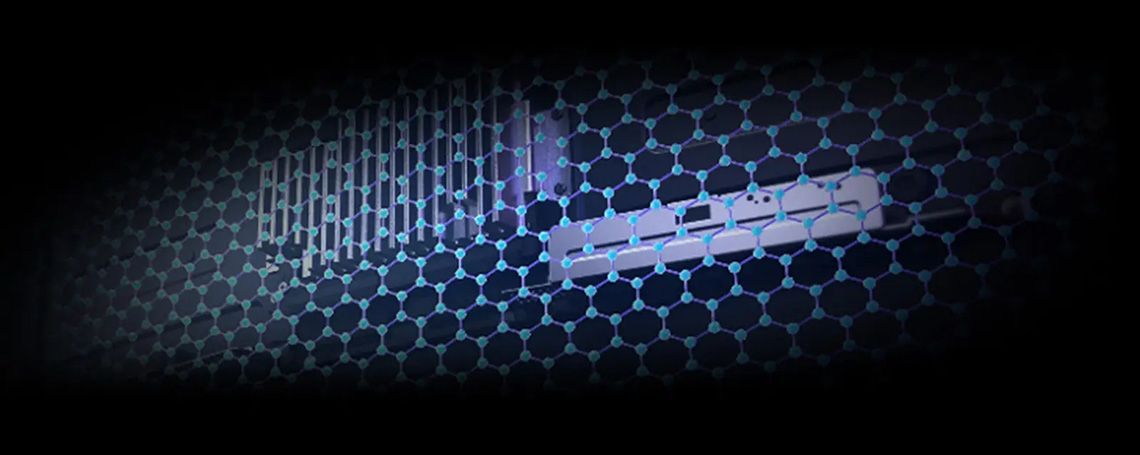
OLED panels need to be sufficiently cooled to help reduce the risks of heat-related image degradation and burn-in. Approaches to cooling varies between different manufacturers. Some use “active cooling” and a small internal fan, which could cause concern for those who have a silent office, or perhaps are worried about longer term failure.
Others use custom heatsink and sometimes graphene film back-panels to dissipate heat silently, and without the need for a fan. MSI for instance offer this across their entire OLED monitor range.
We may earn a commission if you purchase from our affiliate links in this article- TFTCentral is a participant in the Amazon Services LLC Associates Programme, an affiliate advertising programme designed to provide a means for sites to earn advertising fees by advertising and linking to Amazon.com, Amazon.co.uk, Amazon.de, Amazon.ca and other Amazon stores worldwide. We also participate in a similar scheme for Overclockers.co.uk, Newegg, Bestbuy , B&H and some manufacturers.
Stay Up To Date
 |  |  |  |
| Subscribe on YouTube | Follow us on X | Support Us | Browser Alerts |