
Exploring the “Grey Banding” Issue Affecting Some Tandem WOLED Panels
Introduction
Since the first Tandem WOLED technology panels were launched in Q4 2025 there’s been lots of people who’ve been enjoying all the advancements and improvements that this latest generation of WOLED brings – higher brightness, improved blacks, better ambient light handling, improved colours and higher refresh rates to name just some of the improvements we’ve seen. We’ve provided plenty of content in the past about the benefits, specs and improvements, including in our most recent 2026 OLED video that’s available here.
We, and many other reviewers, have tested and recommended several new monitors over the last few months which feature these new Tandem WOLED panels as well, including the Gigabyte MO27Q28G, Asus ROG Strix XG27AQWMG and Asus ROG Swift PG27AQWP-W for instance. Loads more models have been announced, including a new wave of other panel sizes and monitors unveiled at CES 2026 recently.
But, not everyone has been entirely happy with their new purchase, and we’ve seen various user reports online about a “grey banding” issue, something which seems to impact some, but not all samples of these new screens, and to varying degrees. People have complained about this issue and even returned their new screens in some cases too. We’ve been speaking to various WOLED monitor manufacturers about this issue to gather some feedback, as well as a more technical understanding of what is causing it, and so we wanted to explore that a bit further in this article.
We’ve also spoken to fellow display reviewers including Tim at Monitors Unboxed, the team at Rtings.com, Vincent at HDTVtest and Adam at PCmonitors.info to get their take on the situation and share our findings and observations.

What is the “grey banding” issue?
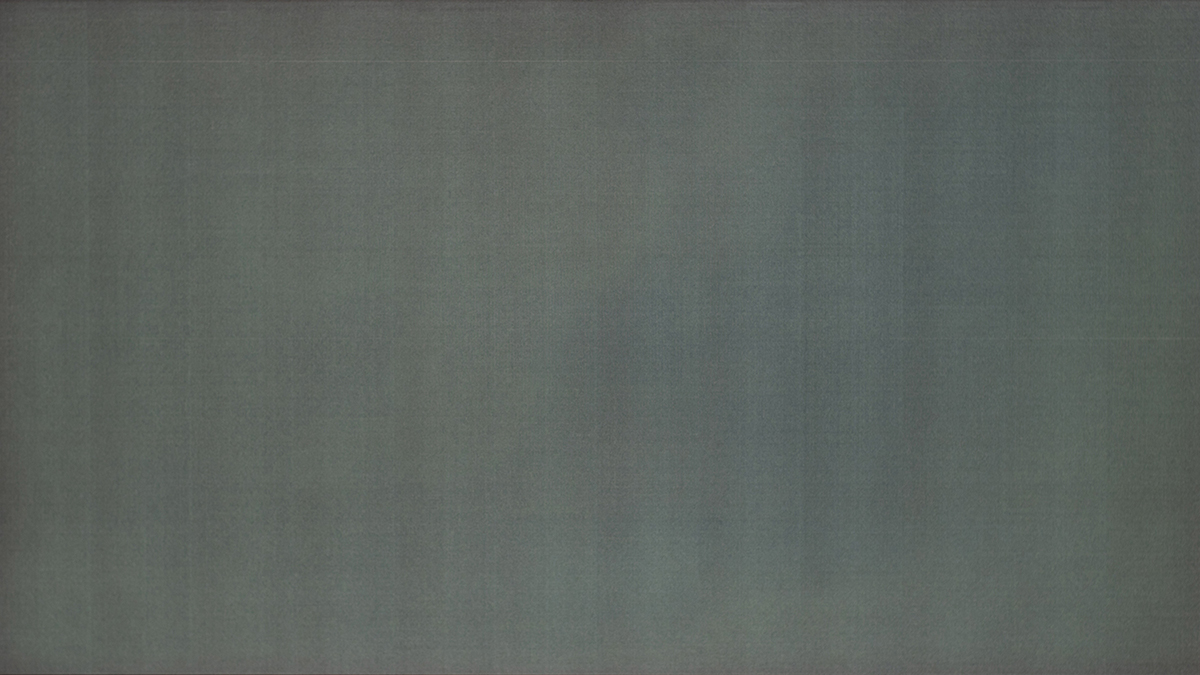
Firstly, it’s useful to summarise what this issue is. It’s best described as banding or stripes visible on the screen, giving unwanted patterns and artefacts to the image. It typically appears as vertical or horizontal lines, and may be accompanied by a general “dirty-screen-effect” (DSE) pattern. This issue is especially visible in dimly lit environments, in dark content with solid colour areas, like when using Windows and other apps in dark mode, and when playing darker games or when watching content with night scenes. The most common time the issue becomes visible is when the screen is tested using a uniform dark-grey or near-black test pattern. Dark, solid areas of grey are the key really.
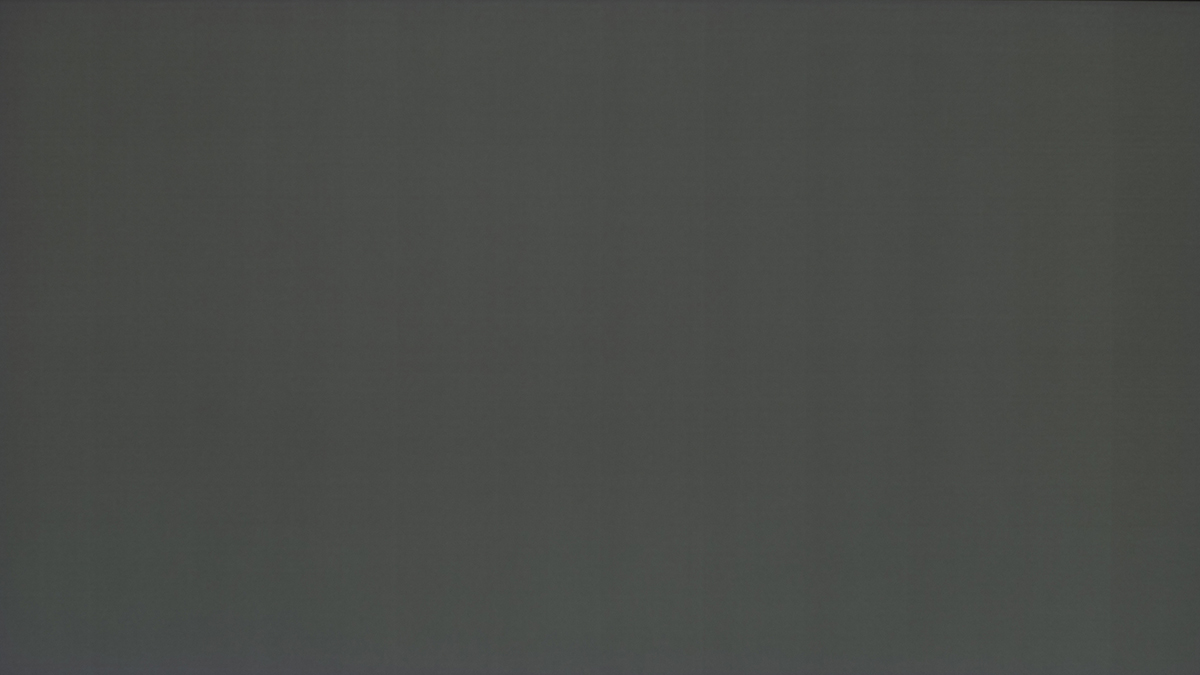
Here’s a good example courtesy of Rtings.com from their Gigabyte MO27Q28G review, capturing the issue on a dark grey test image. We’ll talk more about test scenarios and photos you might see online later in more detail:
Capturing and measuring the issue is tricky
We should address this up front, it’s very difficult to accurately capture an image of the issue which is fair and representative of what you see in real usage. You’ll see all kinds of photos on Reddit and elsewhere from users attempting to show this issue, captured with different cameras, in different lighting conditions, with different exposures and so on. The common practice seems to be to view this test video (timestamped) and especially the “95% grey” image towards the end of the video.
We should keep in mind that this test is designed to be a very dark grey test, under 1 nits of luminance, and so we’re talking hear about very dark, near-black situations.
From the 756K views of this video so far, you can see the most popular segment in the video is in these dark grey shades near the end:
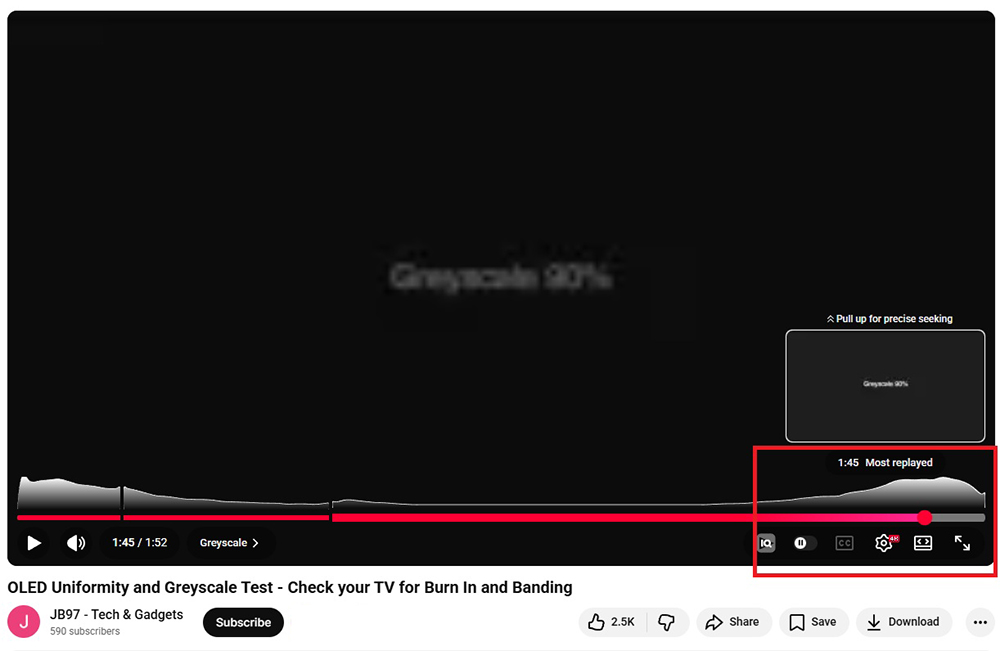
A word of caution though. This shade of grey is not going to be the same on every monitor, and will be impacted by many variables including the brightness setting, gamma, preset mode and so on. To truly compare different screens you have to have a standardised luminance level for measurement on each screen, otherwise the darkness of that grey test will vary each time.
Take the photos that you see online with a pinch of salt, as there’s a lot of variables at play. We’re not saying that issues aren’t there, but the camera could well be exaggerating what you see in many cases.
In this article we’ve captured various photos that are each configured to a defined luminance level of 0.2 nits, in a dark studio environment and with the resulting photo representing as closely as possible what we see with the naked eye. They aren’t perfect, but they’re about as fair a reflection as we can capture.
What causes the issue? – a technical explanation
After speaking with Asus, who partner very closely with the panel manufacturer of Tandem WOLED panels, LG Display, we have been provided with some technical information and a detailed explanation about what causes this issue on some of these panels. It’s good to see a detailed explanation, not just a PR statement about this topic and it shows that manufacturers are aware of the issue and listening. Below are the explanations and conclusions jointly confirmed by both parties:
Technical Root Cause: Low-Luminance Driving Characteristics of Tandem OLED DAC Control
This phenomenon originates from the inherent physical characteristics of the Tandem OLED driving layer (DDI) when operating at extremely low luminance levels. Under near-black brightness conditions, the DAC (Digital-to-Analog Converter) outputs extremely small driving currents. Measurements show a fixed, minor micro-current variation between different driving channels.
- At higher luminance levels (e.g., 32 Gray, ~4.82 nits) – this variation translates to a luminance difference of only ~1.2%, which is below typical human visual perception thresholds and therefore generally imperceptible.
- At very low luminance levels (e.g., 8 Gray, ~0.26 nits) – because the baseline luminance is minimal, the same absolute difference becomes proportionally amplified (approximately 31% variation). Under these specific boundary conditions, it may be perceived by the human eye as visible banding.
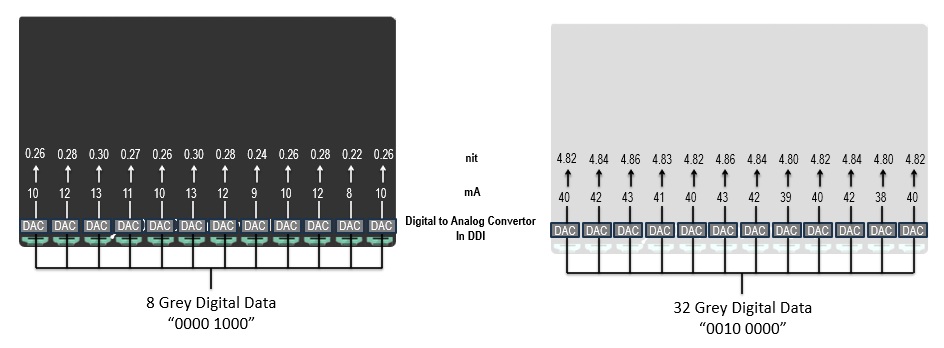
| 8 grey (dark) | 32 grey (light) | ||
| Min | mA | 8 | 38 |
| Luminance (nits) | 0.22 | 4.80 | |
| Typical | mA | 10 | 40 |
| Luminance (nits) | 0.26 | 4.82 | |
| Max | mA | 13 | 43 |
| Luminance (nits) | 0.30 | 4.86 | |
| Delta (max – min) | 0.08 | 0.06 | |
| Typ. Variation (max-min/typ) | 31% | 1.25% |
So, that explains the cause of the banding. We are told that “this behaviour reflects a known physical characteristic of current Tandem OLED technology at very low grey-level driving, rather than a panel abnormality or quality defect.” i.e. this is a general characteristic inherent to the Tandem WOLED panels, as opposed to being a fault or a bad panel batch. It seemingly impacts different panel samples to varying degrees though.
[end of information provided by Asus and LG Display]
At low luminance levels other OLED panel variations are also more pronounced, and that can lead to artefacts as well:
- TFT Backplane Variability: Each OLED pixel is driven by a thin-film transistor (TFT) that regulates current. Microscopic variations in transistor resistance across the panel can result in uneven current delivery, especially at low luminance, manifesting as vertical or horizontal bands
- Deposition Process Artifacts: The organic layers are deposited using precision nozzles or masks. Inconsistencies in material flow or mask alignment can create regions with slightly different emission characteristics, leading to banding or grid-like patterns.
- Wear: banding and DSE are typically present from the outset and are not primarily caused by differential aging across a panel, although aging can exacerbate existing non-uniformity issues in some cases.
- Gamma and Tone Mapping: Non-linear luminance response, especially at low brightness, can accentuate banding if not properly managed. The activation of the white subpixel at certain thresholds can cause abrupt changes in luminance, leading to visible steps or “posterization” in gradients
Basically, it’s a big challenge to drive a very low luminance from OLED panels for dark content, where the OLED material has to switch from fully off (black) to “just turned on” (very dark grey). This also causes challenges with black crush and shadow detail which is a topic explored in our recent article here.
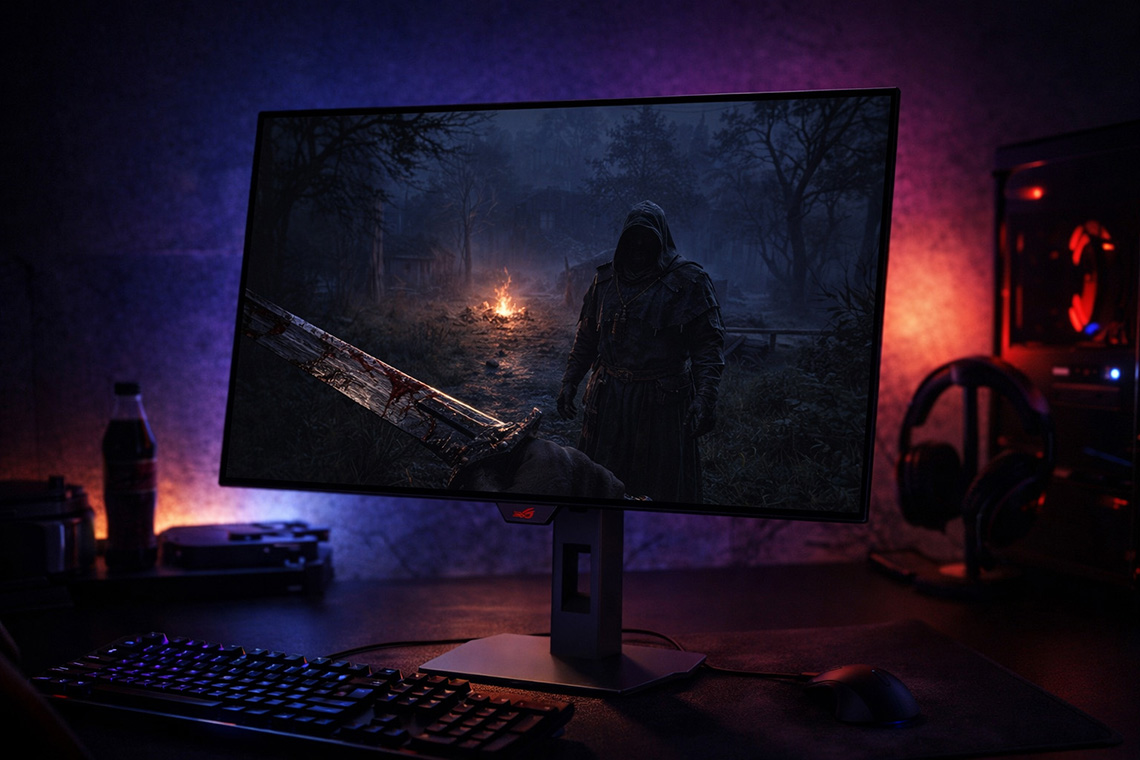
Testing of various Tandem WOLED panels
To our point earlier it is very difficult to fairly and accurately capture this issue with a camera, but in this section we’ve captured various photos that are each configured to a defined luminance level of 0.2 nits, in a dark studio environment and with the resulting photo representing as closely as possible what we see with the naked eye. They aren’t perfect, but they’re about as fair a reflection as we can capture.
Remember, these are extreme test scenarios of very dark grey shades near-black, and these issues may or may not be visible during normal real-world usage and content:
Before you draw conclusions about anything, please read on in this article beyond these initial photos. Let’s look at all the 280Hz Tandem WOLED panels first:
Asus ROG Strix XG27AQWMG
(27″ 1440p 280Hz Tandem WOLED, glossy) – TFTCentral review
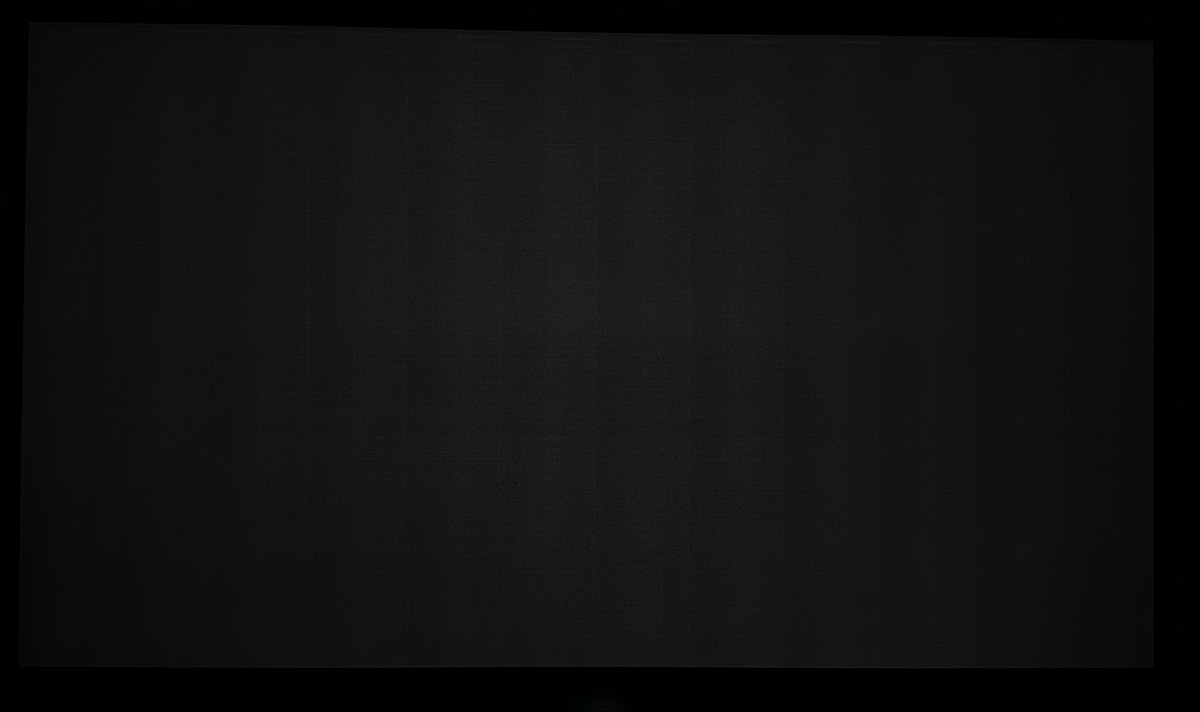
You can see uniformly spaced vertical bars of banding in certain test situations on this screen, and even some slight horizontal bars as well which give a rectangle grid shape pattern across the screen.
Gigabyte MO27Q28G
(27″ 1440p 280Hz Tandem WOLED, matte) – TFTCentral review
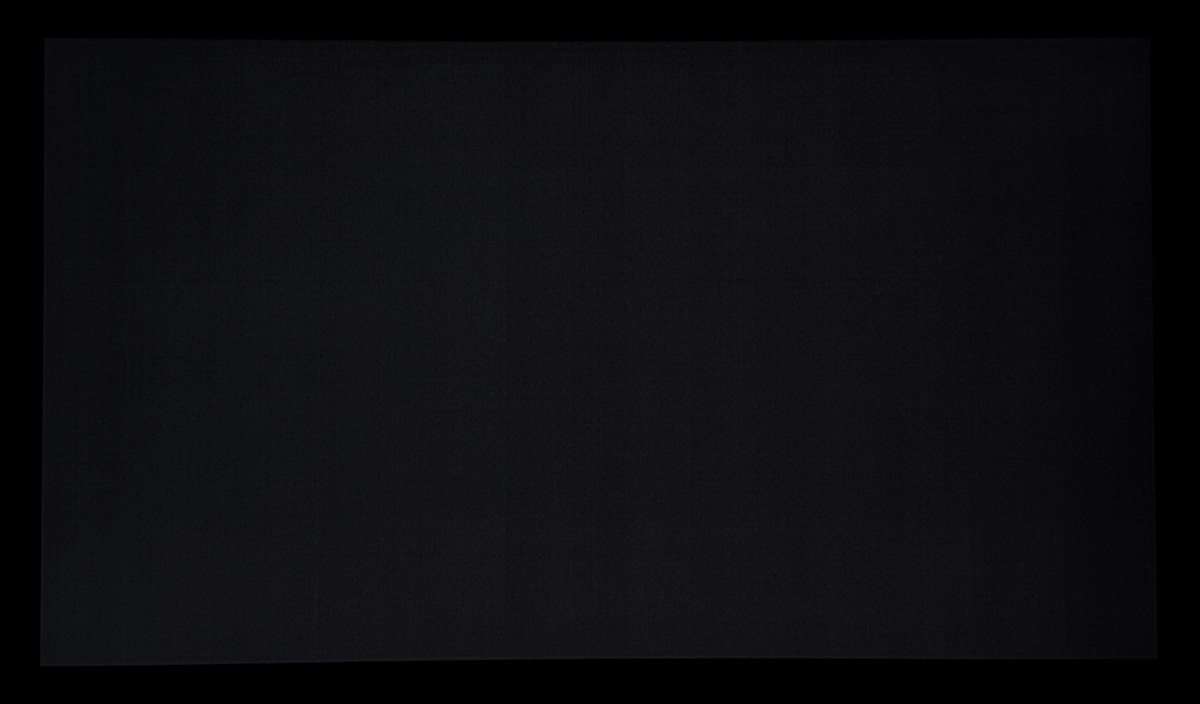
There are some detectable vertical bands on this screen although they’re very subtle on our sample and overall it looks good.
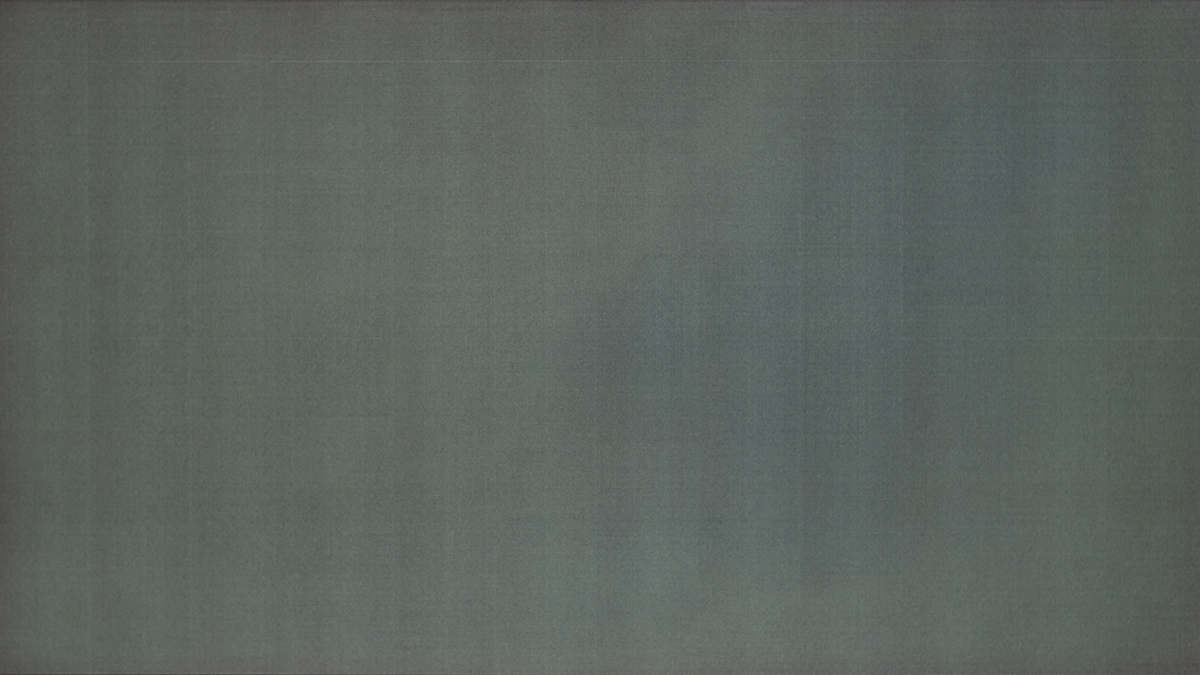
Here’s a few couple of examples from Rtings.com as well from the 280Hz Tandem WOLED panels they’ve tested so far. Note that the tested luminance level will be different to our tests but these are still a decent indication of visible banding:
Gigabyte MO27Q28G
(27″ 1440p 280Hz Tandem WOLED, matte) – Rtings.com review
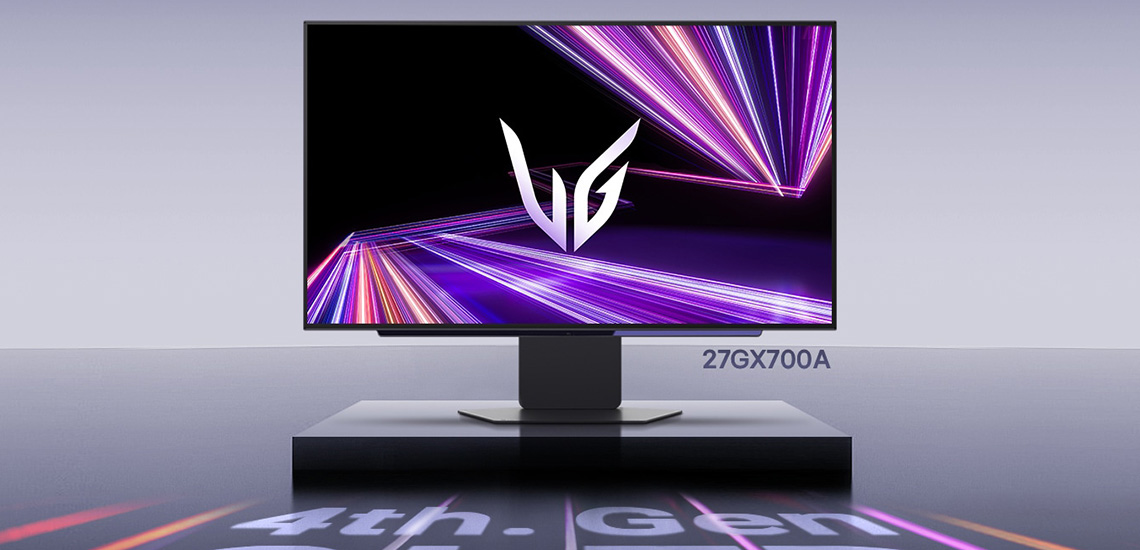
LG 27GX700A
(27″ 1440p 280Hz Tandem WOLED, matte) – Rtings.com review
We can also evaluate the 540Hz Tandem WOLED panel which is a different situation again given the higher refresh rate, for reasons we will discuss later on in loads more detail:
Asus ROG Swift PG27AQWP-W
(27″ 1440p 540Hz Tandem WOLED, glossy) – TFTCentral review
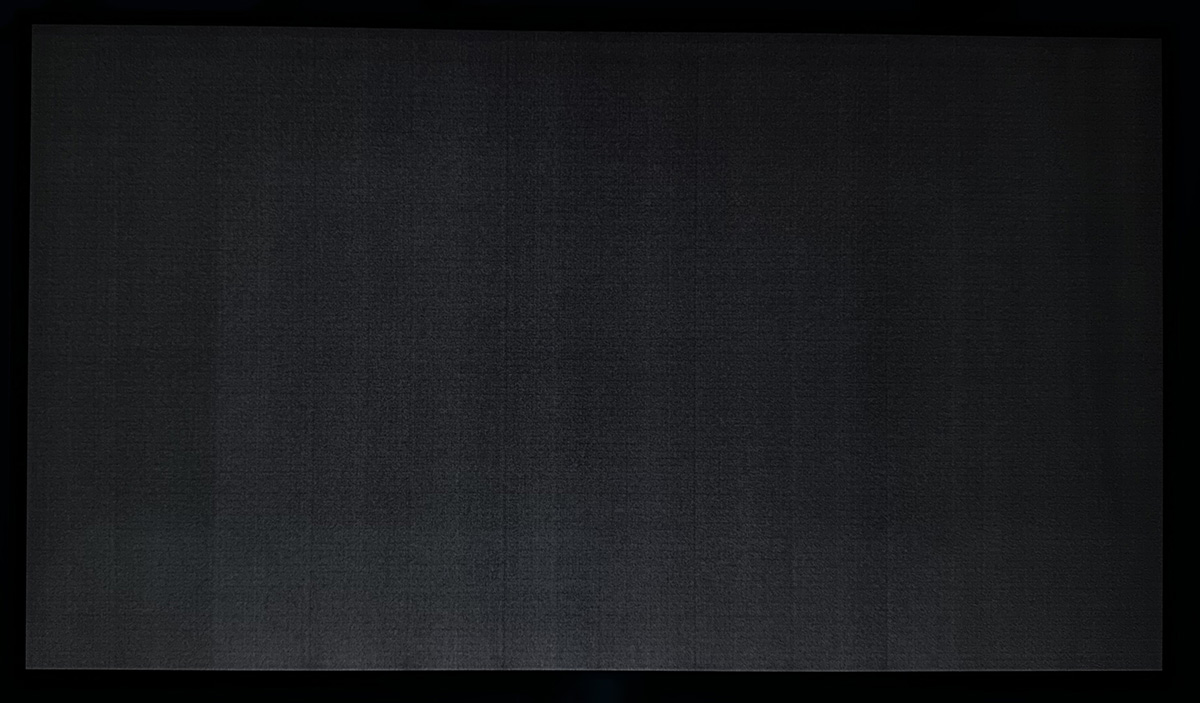
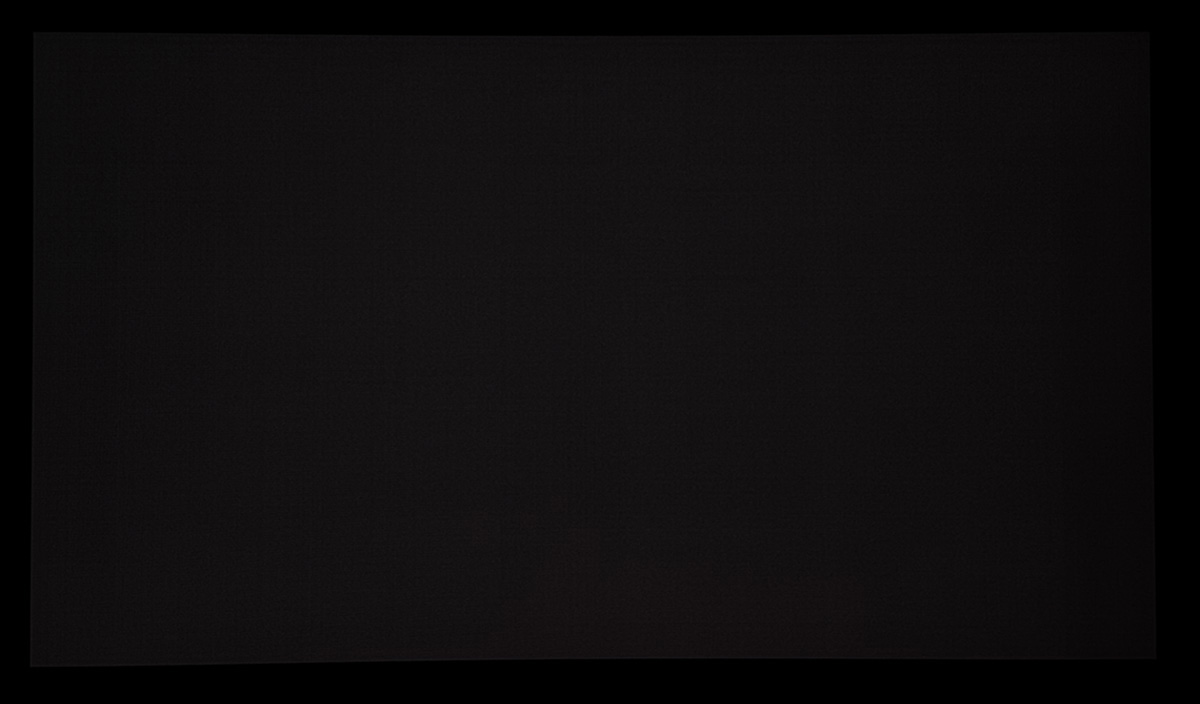
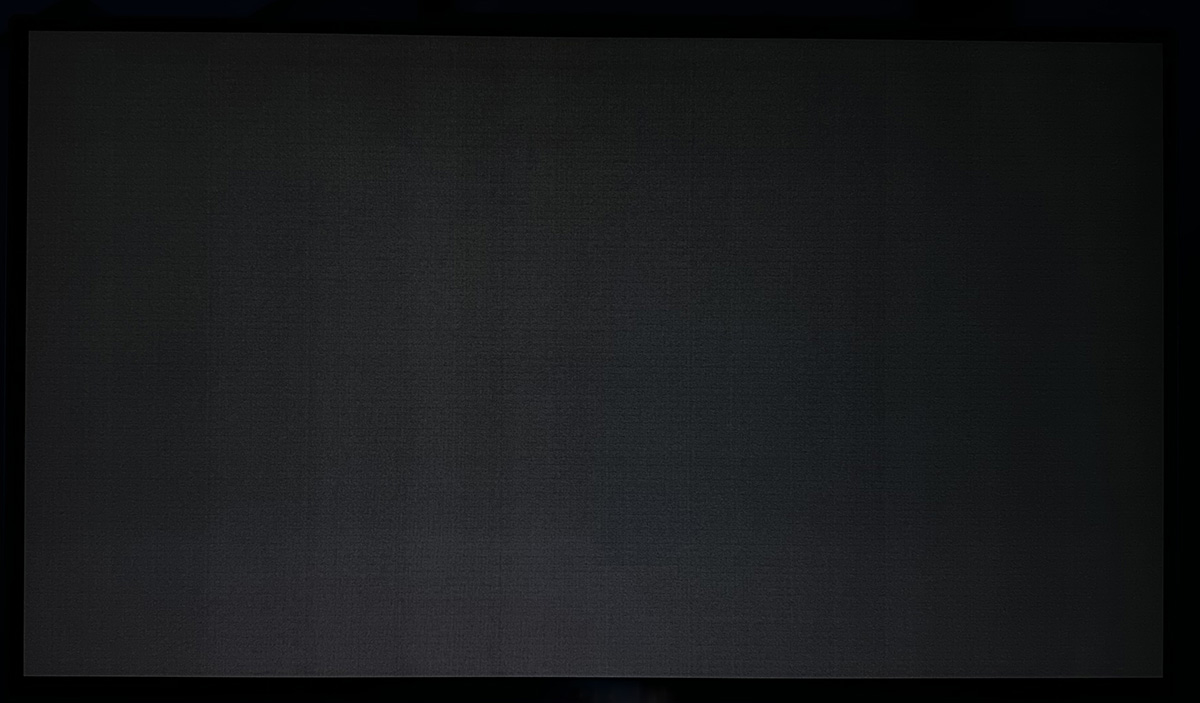
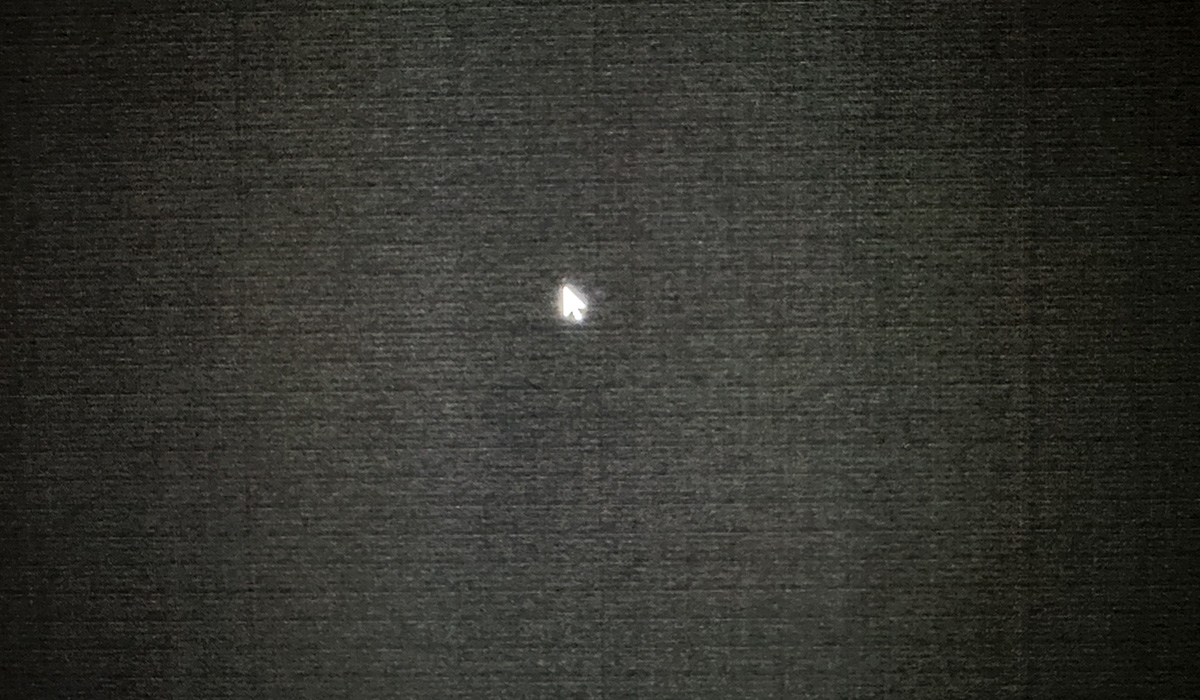
This 540Hz Tandem WOLED shows some visible vertical banding as well, but more noticeable on this screen is a strange “textured” pattern across the screen, almost like (and this is the best way I can think of to describe it), looking at a dark grey carpet up close. This screen shows a more dirty pattern across the panel at low luminance levels.
Previous Gen WOLED also suffer, but not as badly
Based on our own testing for this article, and having spoken to other reviewers (Monitors Unboxed, Rtings, PCmonitors) about this topic, the general consensus is that this issue also impacts earlier generation WOLED panels as well, although perhaps to a slightly lesser extent. It’s hard to judge entirely when we each have a single sample of each monitor to test and compare, but the issue doesn’t seem to be a new phenomenon with Tandem WOLED specifically.
However, based on the feedback we’ve seen online on Reddit and in the comments sections of our various OLED videos, this issue does feel like it’s a more prevalent and noticeable issue with the new Tandem WOLED panels, and doesn’t affect earlier gen WOLED panels as commonly or noticeably. User complaints about it certainly seem to have spiked since the Tandem WOLED models were released.
Perhaps this is because the issue is more noticeable on these new Tandem WOLED panels, or perhaps it’s because there’s now a much wider choice of screens, they’ve been released at more affordable price points making them more accessible to the masses, and there’s been a huge interest in the latest technology and panel updates. It’s hard to say, but we don’t believe this is particularly new, but it perhaps might be a bit worse on Tandem WOLED than it was on earlier generations.
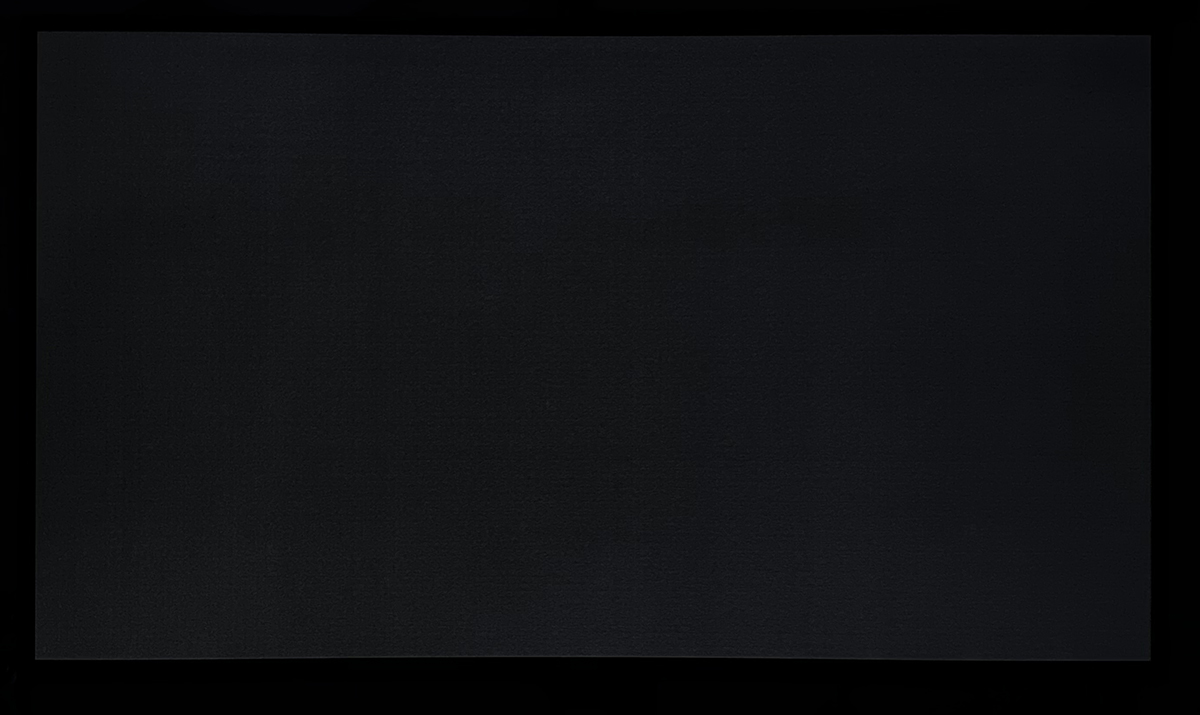
We tested a couple of earlier gen WOLED panels for comparison which are included below.
Asus ROG Swift PG27AQDP (480Hz. Gen 3 WOLED)
Asus ROG Strix XG32UCWMG (240Hz. Gen 3 WOLED)
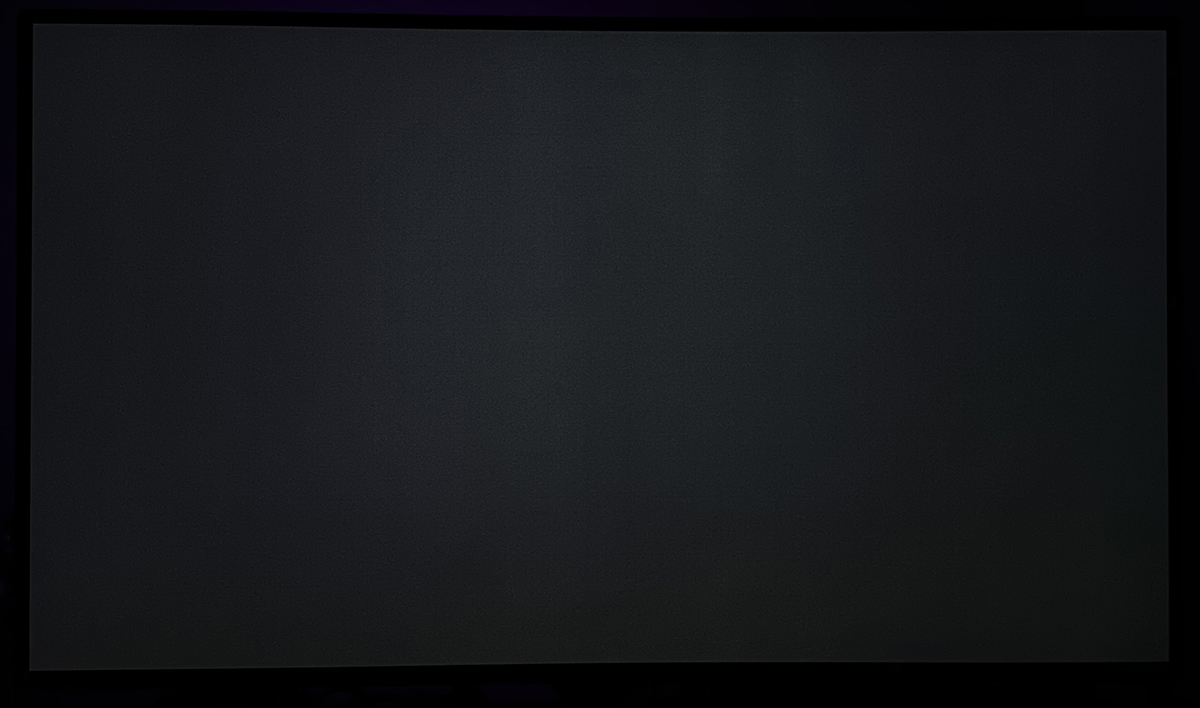
The banding seems to be less visible on these earlier Gen WOLED panel samples.
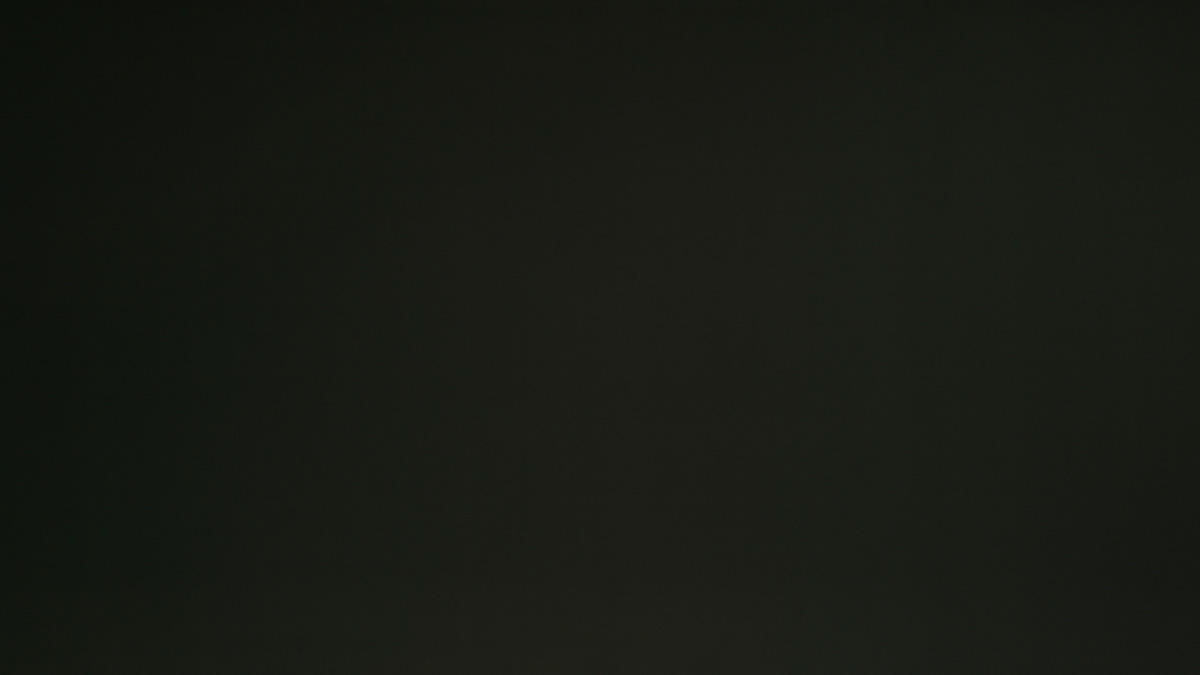
We’ve also compiled a few recent examples from Rtings.com below although note that these are not necessarily configured to the same luminance level as our tests. We include them here for the purposes of exhibiting any dirty screen effect artefacts on earlier Gen WOLED panels:
LG 45GX950A (165Hz. Gen 3 WOLED)
Asus ROG Strix XG32UCWMG (240Hz. Gen 3 WOLED)

You can see that in these examples there is some minor visible artefacts and dirty screen effect, but it’s less noticeable than on the Tandem WOLED samples from what we can tell. Perhaps some earlier Gen WOLED panels suffer really badly as well, but from what we’ve seen in our testing, and that from Rtings.com where they have documented it on different screens, it seems to be less severe and less noticeable.
What might be making it worse on Tandem WOLED?
If it is worse or more common on Tandem WOLED, why might that be? Our theory here is that it’s probably related to the 4-stack structure of the new panels. One often-promoted benefit of the new Tandem WOLED panels is that they can reach higher brightness levels, while also offering reduced power consumption. The increased number of layers from 3 to 4 makes this possible, but at the same time it seems like this might be introducing an additional challenge with the low-current operation of near-black, dark shades.
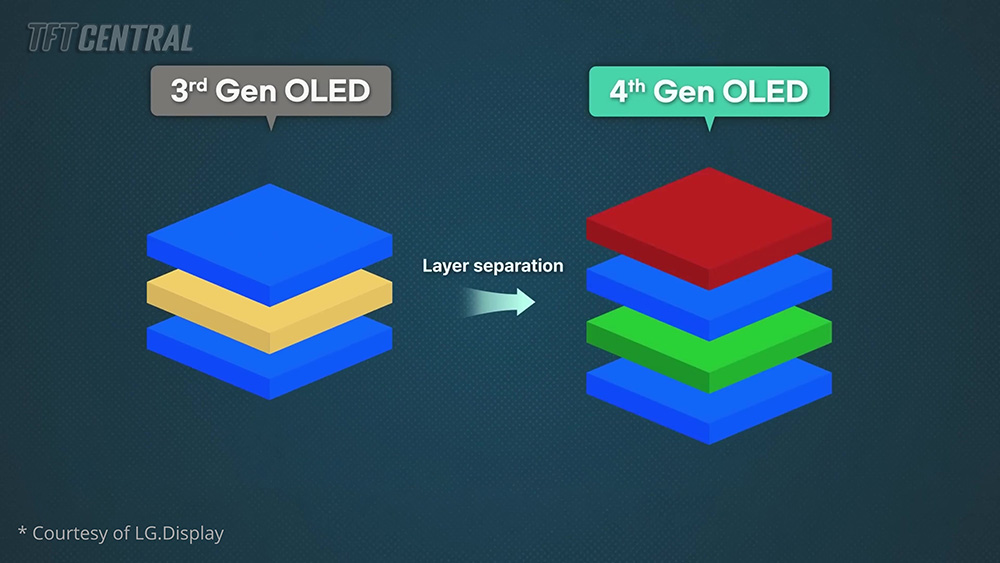
Tandem WOLED panels require a lower current than previous gen WOLEDs for the same brightness, which makes that low-current operation more complex, and prone to variations. These new tandem designs change the way subpixel driving currents and heat are managed across the panel and while this boosts brightness and lifespan, it may unintentionally exaggerate uniformity variation at low luminance in some cases.
This is the response we received from LG Display on this topic:
LG Display response
LG Display has developed 4-stack technology to address consumer demands for high brightness and high refresh rates in premium gaming monitors. This innovation has achieved a 20% reduction in power consumption and a 20% increase in brightness, along with the implementation of high refresh rate driving technology. We have developed high-efficiency components to achieve the high brightness of the 4-stack technology and driving technology to enhance charge rates for high refresh rate operation.
The efficient application of these 4-stack technologies requires extremely precise control of microcurrents, which is a highly advanced and challenging process. Consequently, there were challenges in stabilizing mass production, resulting in the phenomenon that TFT Central identified. However, the image quality is improving through the stabilization of 4-stack devices and the optimization of the manufacturing process for 4-stack devices. Furthermore, we are continuously reviewing the development of additional enhancement algorithms.
So, this confirms that the shift to a 4-stack Tandem WOLED structure has introduced further challenges as we suggested, but they do say that the manufacturing process is improving through “stabilization” and “optimization”, and they’re continuing to explore further ways to improve this. That’s good news of course, and we look forward to improvements in time.
Refresh rate has an impact on banding
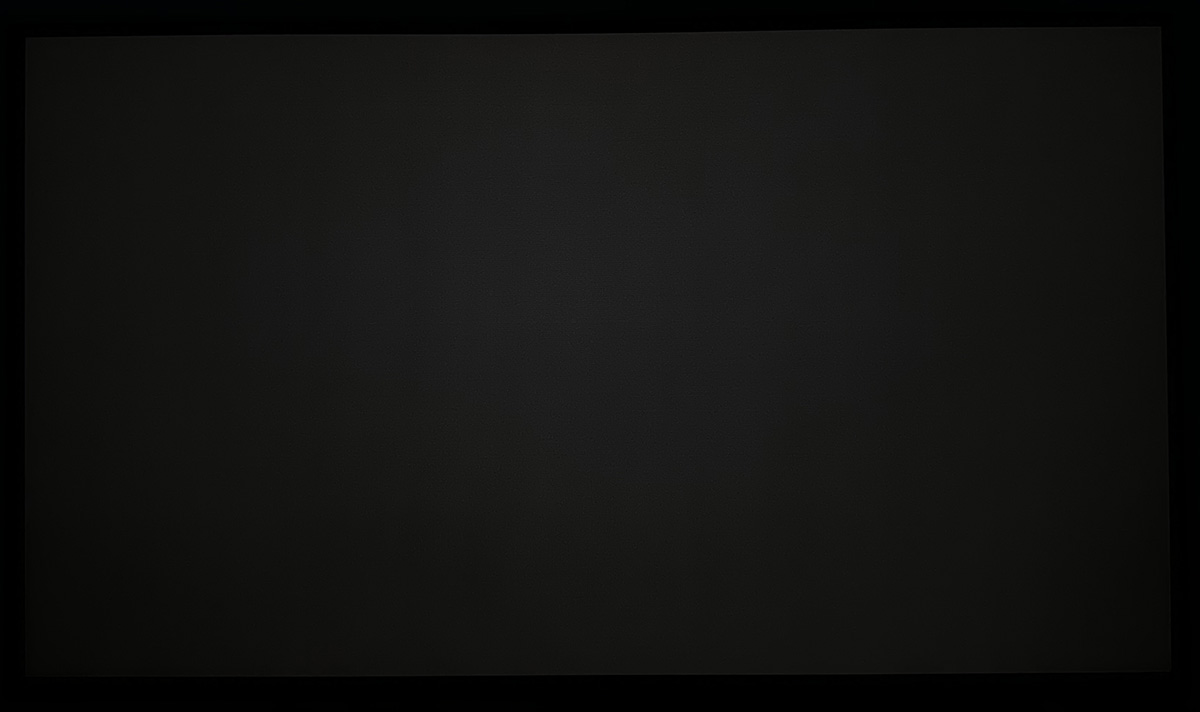
One especially odd observation from our testing was that this banding and dirty screen effect (DSE) seemed to vary depending on the refresh rate we set on the screen. We made sure to standardise the luminance for each test to 0.2 nits, but you can see this quite easily in the examples below. Again, these photos are as fair a reflection of what we see in real use as possible:
Asus ROG Strix XG27AQWMG – TFTCentral
280Hz native
60Hz
Gigabyte MO27Q28G – TFTCentral
280Hz native
60Hz
Asus ROG Swift PG27AQWP-W – TFTCentral
540Hz native
270Hz
60Hz
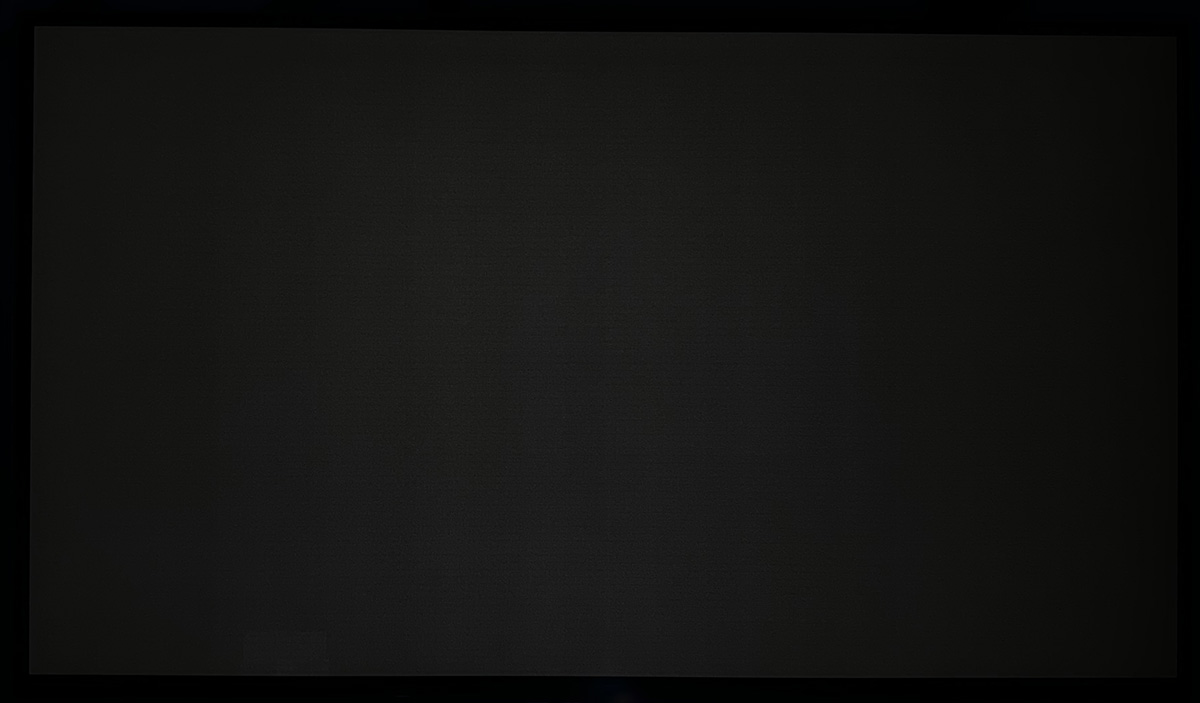
In this example you can see how the DSE effect and especially the textured pattern reduces as you lower the refresh rate, being significantly better at 60Hz than the native 540Hz.
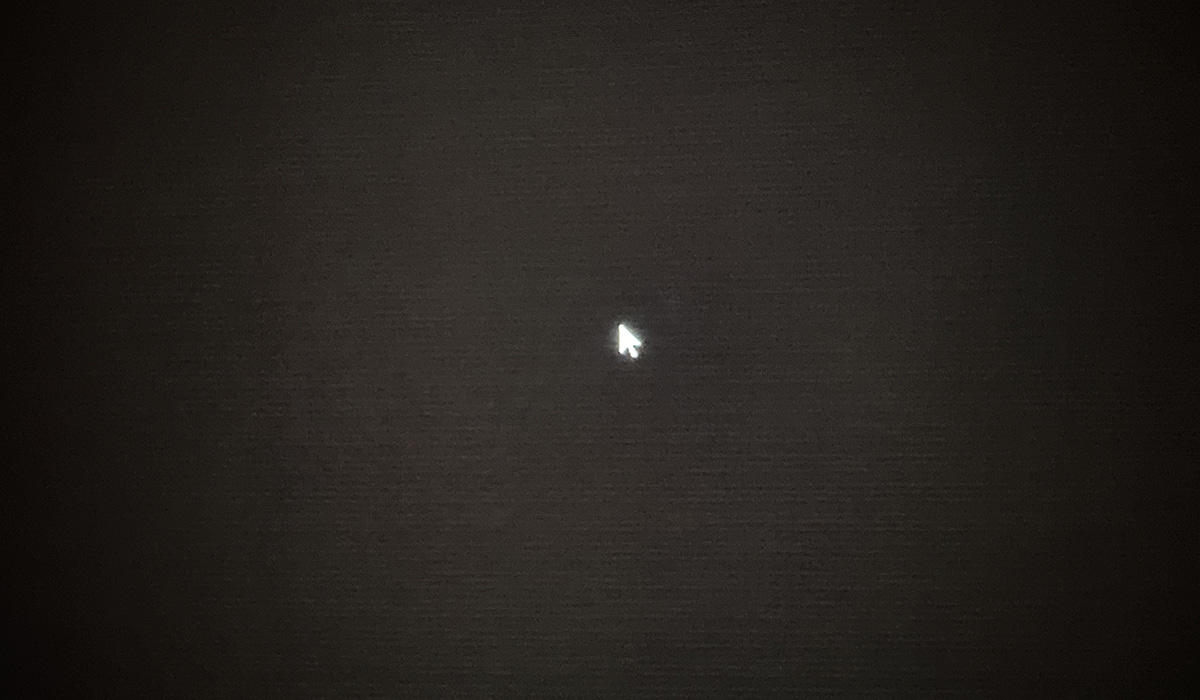
We’ve captured this as best we can from a more close up position, with Windows cursor arrow for scale:
540Hz native (close up)
60Hz (close up)
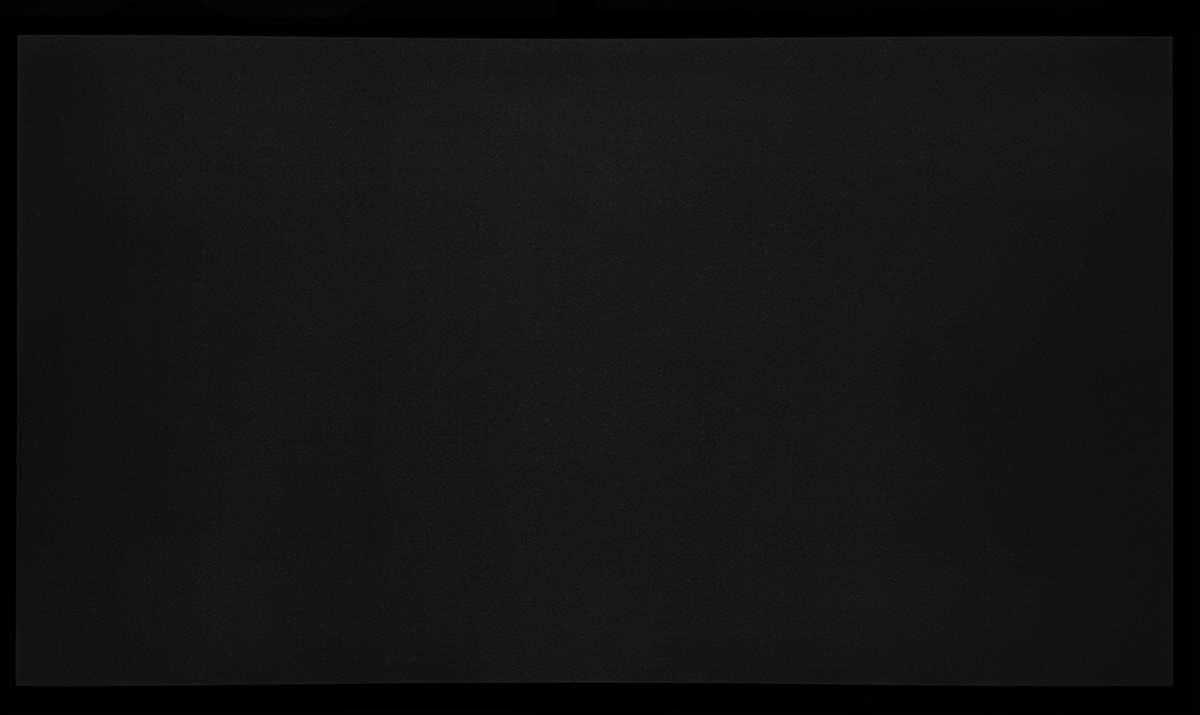
For good measure below are a few examples from the earlier Gen WOLED panels as well, which showed less banding/DSE at native refresh rate than Tandem WOLED panels anyway, but showed further improvements at lower refresh rates:
Asus ROG Swift PG27AQDP (Gen 3 WOLED) – TFTCentral
480Hz native
60Hz
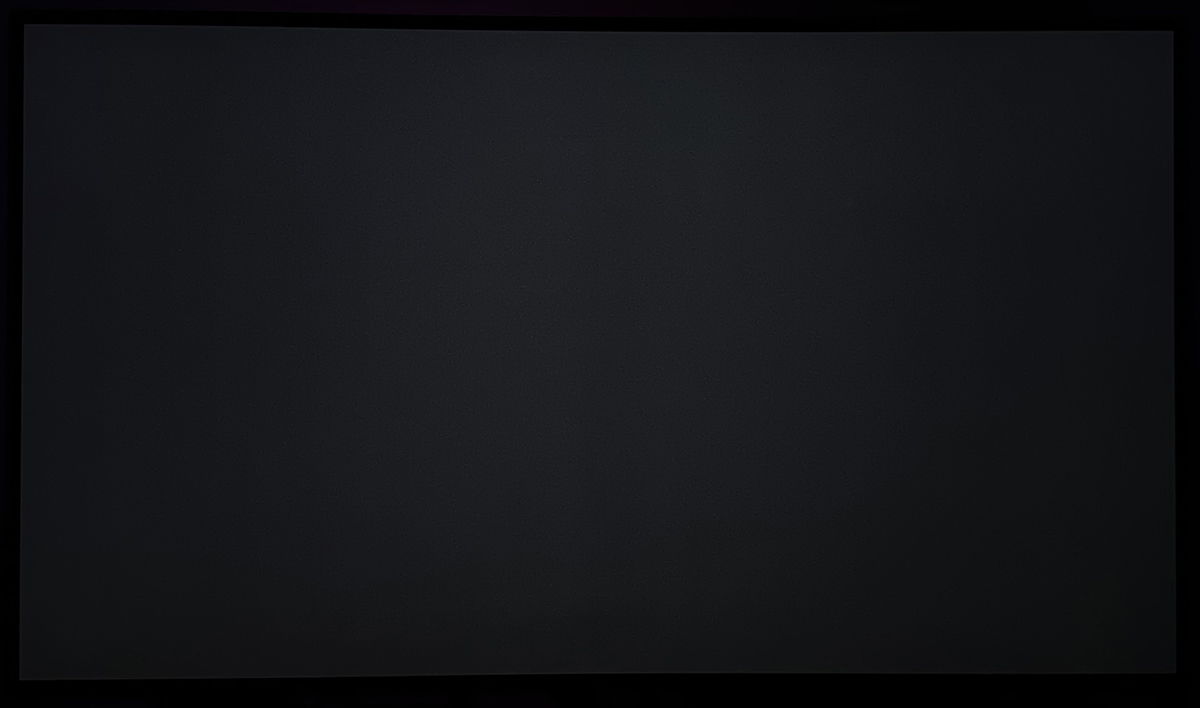
Asus ROG Strix XG32UCWMG (Gen 3 WOLED) – TFTCentral
240Hz native
60Hz
We spoke to the team at Rtings.com to validate this finding and they confirmed they observed the same behaviour on their two Tandem WOLED screens.
What this means for real world usage is that you will likely see less noticeable banding if you are using the screen at a lower fixed refresh rate, like for instance at 60Hz or 120Hz from a console. It may also be less apparent during VRR situations at lower frame rates, although you’re also then having to contend with issue like VRR flicker and associated gamma shifts.
The cause of this variation in banding at different refresh
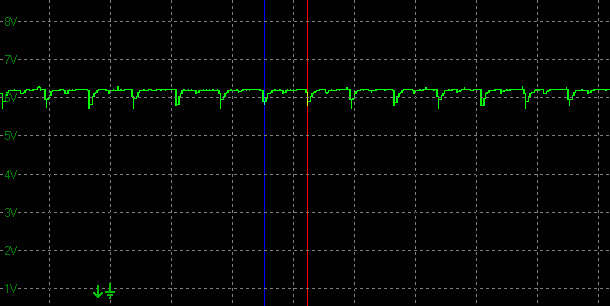
Having spoken to Asus about this issue and sharing our theories on why this might be happening, we’ve confirmed that this variation is to do with the minor brightness fluctuations you see on OLED panels, that are in sync with the active refresh rate. Here’s some graphs from our oscilloscope, measuring a consistent white image on the screen at a fixed luminance level, but at 3 different refresh rates:
540Hz

280Hz
60Hz
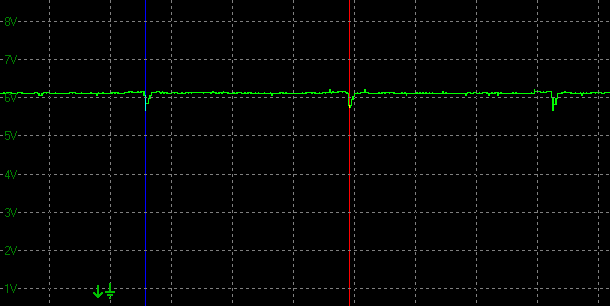
You can see that there are small dips in the luminance that are in sync with the refresh rate. So at 540Hz there’s a small dip every ~1.85ms, at 280Hz there’s a small dip every ~3.57ms, and at 60Hz the dip is only every ~16.67ms.
The explanation behind this challenge lies in the interaction between Pixel Charging Time and Luminance Efficiency. As OLED technology is pushed to higher refresh rates, the charging time window (the bit in between each dip) for each pixel shrinks significantly. Simultaneously, the luminance efficiency fluctuates due to the rapid on/off switching cycles. When these two factors combine, it becomes exponentially more difficult to maintain precise current control at near-black levels (under 1 nit).
This is why we see even more noticeable patterns and DSE on the higher refresh rate 540Hz Tandem WOLED panel, and why all the WOLED panels show improvements as you lower their refresh rate. Basically, the higher the refresh rate and the more frequent those dips and variations are, the more noticeable the banding is likely to be – and that’s what we’re observing in our testing.
This doesn’t seem to affect QD-OLED panels to the same extent
While no OLED technology is immune from this issue, QD-OLED monitor panels do seem to fair better from the samples we’ve tested, those measured at Rtings.com and based on anecdotal user feedback across the web. This is the consensus from my conversations with other review outlets as well.
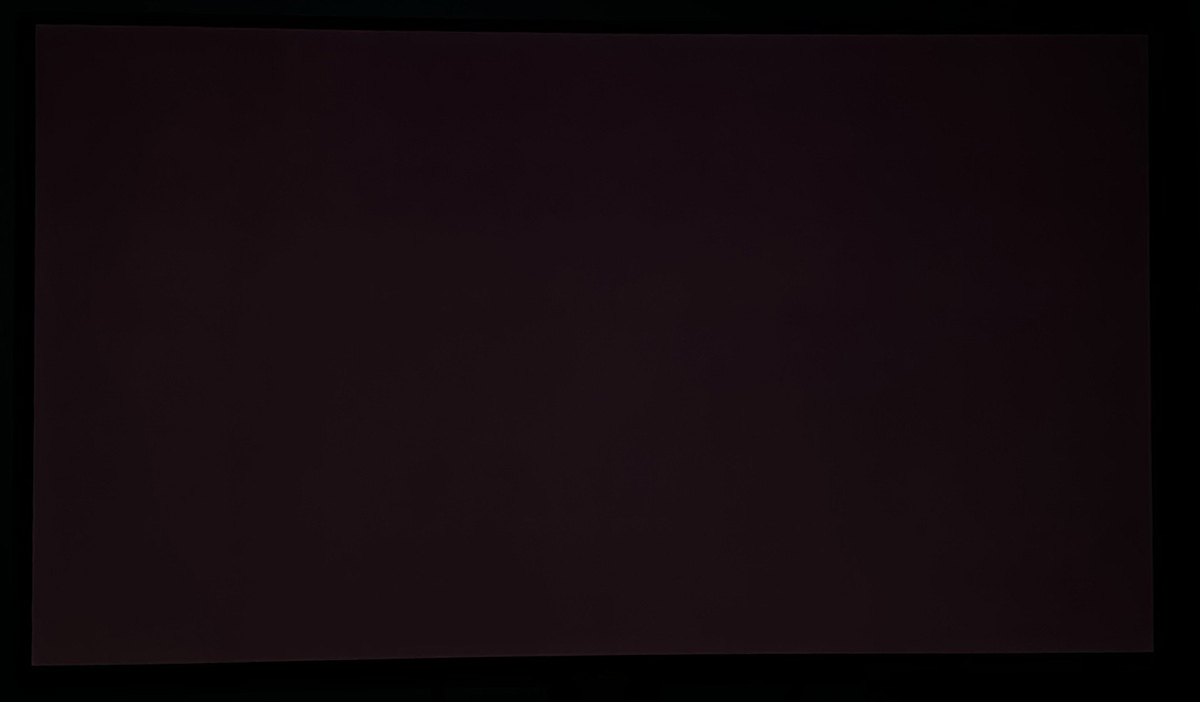
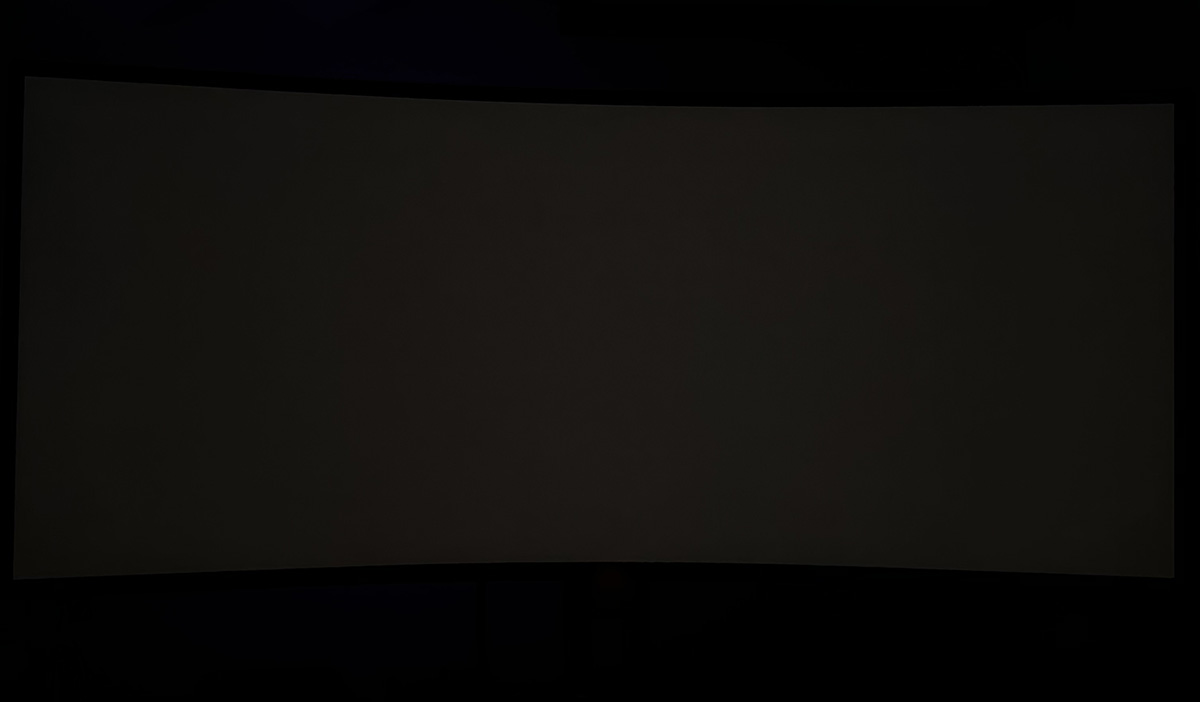
Here’s a couple of QD-OLED panels we’ve tested for this article:
Asus ROG Swift PG27UCDM (240Hz. Gen 3 QD-OLED)
Asus ROG Swift PG34WCDN (360Hz. Gen 5 QD-OLED)
And a couple of examples from Rtings.com:
Dell S3225QC (120Hz. Gen 3 QD-OLED)
Dell Alienware AW3425DW (240Hz. Gen 2 QD-OLED)
You can see in all these examples that the screens are much better in grey uniformity and low luminance conditions even at their maximum native refresh rate, and this seems to confirm that it’s a more pronounced challenge with WOLED than it is with QD-OLED.
Why is this seemingly less of an issue on QD-OLED panels than WOLED?
These panels still show that small dip in luminance in sync with the refresh rate that we talked about earlier, but the banding issue doesn’t seem to manifest itself to the same degree. We already know from our previous testing of VRR flicker and of shadow detail / black crush that the behaviour is different between WOLED and QD-OLED as well, and our theory is that this is probably related to the additional white sub-pixel. That’s a fundamental difference between the two technologies, and the way the brightness is handled varies between the two.
It’s likely that the driving current control for near-black / low luminance is a little different, and perhaps behaves more uniformly. But we expect the addition of the 4th sub-pixel (white) on WOLED also adds complexities and makes it harder to control electric current level in low luminance conditions. If we get any further technical detail from Samsung Display on the topic, we will update this article accordingly.
If you are especially concerned about this banding issue or have experienced problems yourself already, then it may be better to consider one of the wide range of QD-OLED monitors available.
This doesn’t affect every sample in the same way
It’s important to acknowledge that this issue doesn’t seem to impact every sample of a given screen to the same degree. There’s plenty of very happy owners out there who don’t experience these issues or find them noticeable. The presence and severity of the issue seems to vary between different samples – some are much better than others. This is likely down to some of the variations we discussed earlier such as backplane variability, deposition process artefacts and so on.
LG Display tell us that “this behaviour falls within normal manufacturing tolerances, and perceptibility may vary slightly from unit to unit” which supports the observations around sample variability. They went on to tell us that “global cumulative shipments of this model have exceeded 30,000 units. Based on current after-sales feedback and service data, the rate of formal complaints or returns related to this phenomenon remains relatively low.”
We’ll discuss some ways to potentially improve the situation later, and what you can do if you’re affected by this issue.
Consider real-world usage, not just test patterns
It is important to distinguish between test conditions and real-world usage here, and users should consider whether the issue is visible for them during actual, normal, day to day usage. The phenomenon is most regularly observable when displaying static, uniform (solid-colour) test patterns at brightness levels below approximately 8 Gray (~0.26 nits). That’s very dark content near-black. It’s likely in many cases that in everyday scenarios such as video playback, gaming, and dynamic content, normal motion and image detail effectively mask this effect or render it a non-issue.
We’d advise against going searching for this issue using random test patterns, and instead consider whether it is noticeable or problematic during your real-world usage. It still could be, on darker backgrounds and app dark modes, in dark movies and games. But, the important thing here is considering the impact for actual usage, instead of basing decisions on one-off test patterns.
What not to do!
The standard buyer behaviour at the moment from new owners is to unpack their new screen, plug it in and immediately go looking for this issue using dark grey test patterns. This is something we would strongly advise against doing! Our point above about considering real-world usage instead of random very dark test patterns stands, but also important are the below points:
“Bedding in” and settling is needed on a new screen
Some users report improvements in this issue over time as usage hours on their monitor increases, allowing for a “bedding in” period or usage. That’s not uncommon on any OLED monitor really. Settling of the organic materials and components is needed after periods of storage, transportation, changing temperatures and environments etc. Users should try and allow some bedding in time with any new OLED monitor before worrying about potential issues, at least a couple of weeks would be advised. Our advice would be to not go immediately searching for this issue when you receive the new screen, it’s not a good idea.
Panel refresh cycles can commonly help
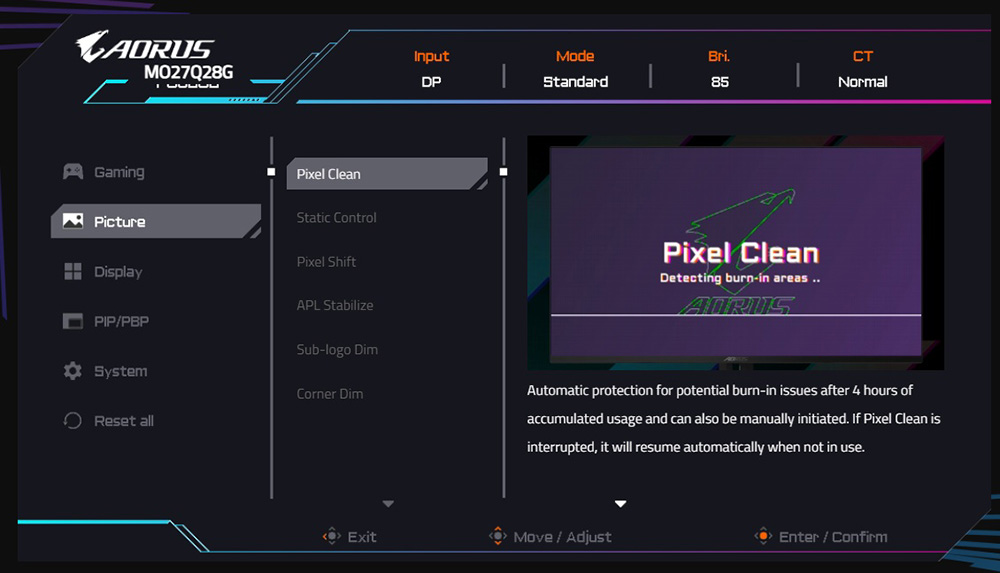
The other thing which can sometimes help is to manually run a couple of panel refresh/pixel clean cycles from the OLED care OSD menu section. This isn’t widely known, but this is actually generally advisable for any new OLED monitor when you first receive it, but in the case of this banding issue it has also been shown to improve things in some cases. It probably won’t eliminate the issue, but it can improve things in some cases according to various reports and based on our own findings and those documented at Rtings.com as well. Not everyone has luck with this approach though but it’s advisable to run a couple of cycles when you first get the screen especially, and give it some decent bedding in time, before you worry too much about the potential issue.
Asus ROG Strix XG27AQWMG – TFTCentral
Before
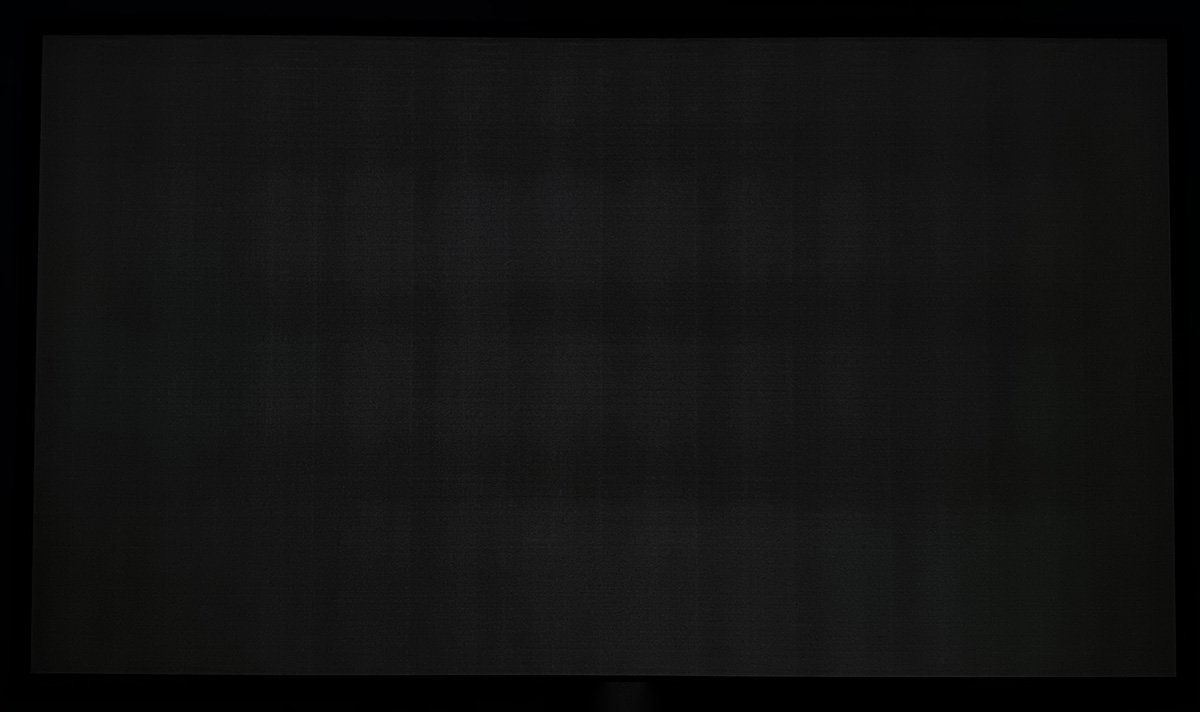
After panel refresh
And a couple of examples from Rtings.com below:
Gigabyte MO27Q28G – Rtings.com
Before
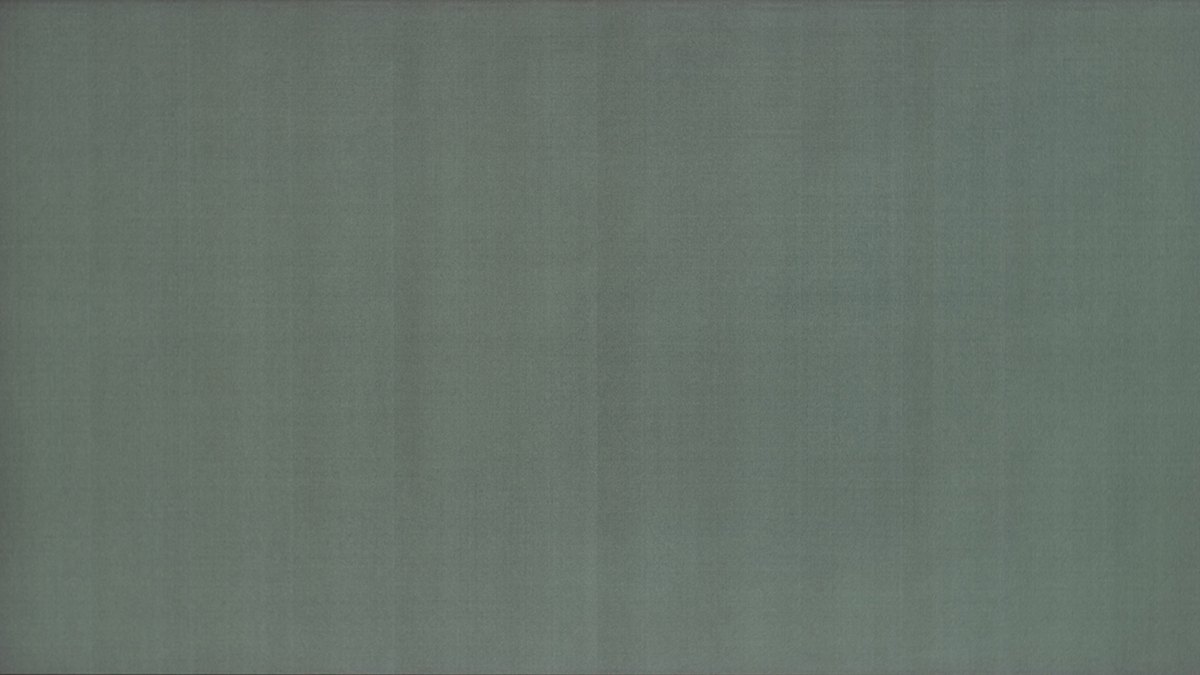
After panel refresh
LG 27GX700A – Rtings.com
New unit (before refresh cycle)
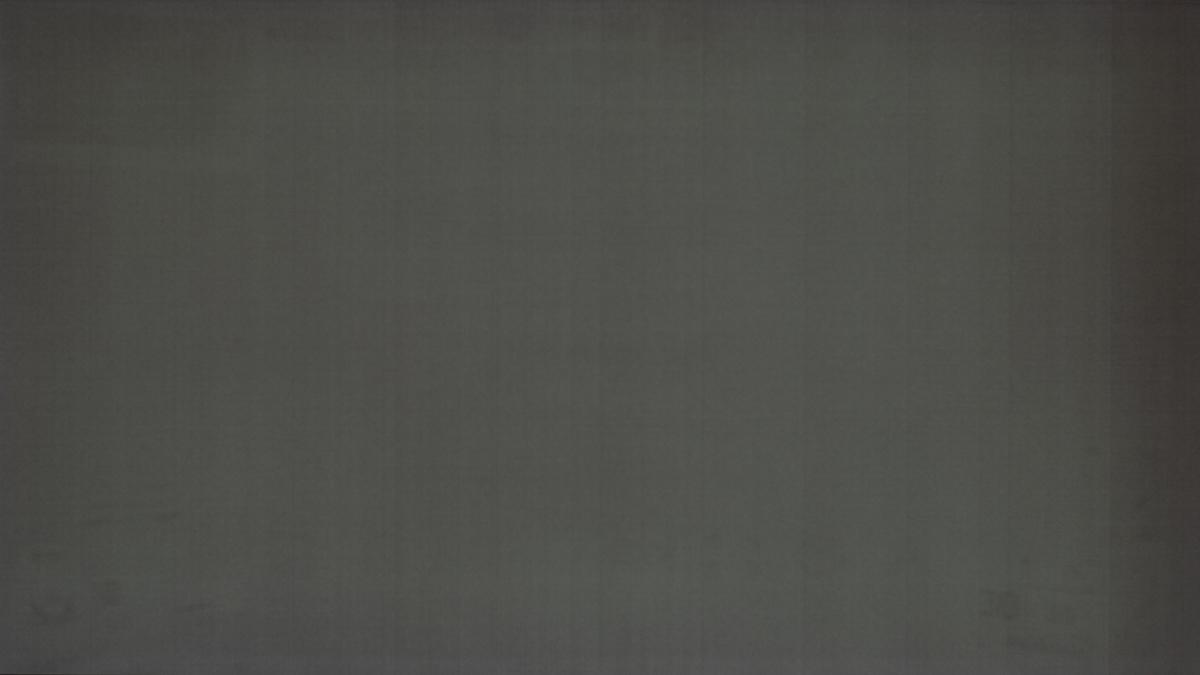
After first panel refresh
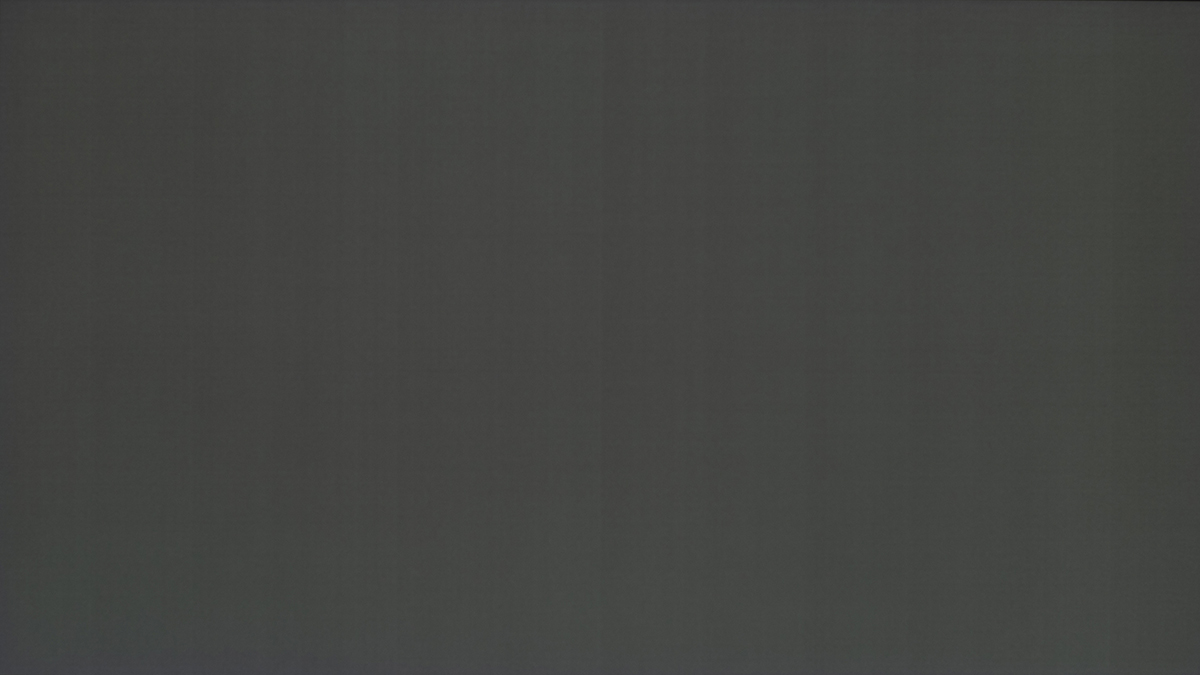
After second panel refresh
Manufacturing quality control and improvements
We’ve spoken to both Asus and Gigabyte in detail about this issue to get their feedback and address some questions. Here’s what they told us. Gigabyte tell us that:
Gigabyte response
For the newly produced MO27Q28G and the glossy version MO27Q28GR, we have already addressed this from the production side, and the vertical banding situation has been significantly improved compared to earlier batches. Regarding the dirty screen effect, based on our current production yield control, most of the units are well within acceptable levels. As with most display technologies, a certain degree of panel variation can still exist, depending on the individual panel characteristics.
Since the MO27Q28G adopts a brand-new generation panel, some early mass-production variations are inevitable and require ongoing refinement. We have already tightened quality control at the production line to ensure stable outgoing quality, and we have also escalated this concern to LG Display. LG Display is now giving this issue high priority and has started optimizing their production process to further minimize this phenomenon.
And, here’s what Asus told us about this situation:
Asus response
Our approach has been proactive from Day 1; we were closely monitoring community feedback from the start of the TrueBlack glossy launch [XG27AQWMG] to ensure our internal quality standards aligned with the real-world expectations of our players. The technical data we shared is a direct result of us immediately engaging LG Display to “dig out” the root cause.
Our strategy focuses on identifying and solving the root cause at the production level:
1. Firmware Reality: We want to be transparent—our study indicates until now that the probability of resolving this physical phenomenon purely via firmware is extremely low. We will not offer “software patches” as a distraction from the underlying physical variance.
2. Continuous Process Optimization: Instead, we are focusing all resources on identifying the root causes within the production process. This is an ongoing effort involving the continuous optimization of production lines, both at the panel source and our own assembly lines. We are working tirelessly to refine these processes to minimize deviation and improve the overall consistency of our displays.

Should you return your screen?
As we said earlier, we would strongly advise against running test patterns on your new screen when you first receive it, without first allowing for a period of bedding in and settling, running several panel refresh cycles and considering your actual, real-world usage. After this, if you feel that your sample is particularly bad or the issue is problematic during your normal usage then you you may be able to just return it to the retailer where you bought it for a refund or replacement, that is likely the simplest approach if you find it really problematic.
Asus have told us that “Regarding RMA, our stance is simple and centres on trust. We understand that every panel has unique characteristics, and every user has a different sensitivity to near-black uniformity under 1 nit. What is acceptable to one eye might be distracting to another. Therefore, we respect the user’s judgment. If any customer feels the Tandem OLED does not match their expectations or their understanding of ROG product quality, we invite them to contact our service team immediately. We are ready to facilitate communication, replacement, or refund services.“
Gigabyte have also told us the same thing and said that if the Tandem WOLED monitors do not meet your expectations then please contact their service teams for support.
A note on dithering compensation
This is worth referencing here briefly. In the OLED TV space one approach sometimes employed to help mitigate this issue is to use dithering and compensation cycles to mask or correct non-uniformity and help reduce the DSE and visible banding. Approaches like temporal dithering can help, but introduce their own visible artefacts when viewed up close such as flashing, patterns or chrominance overshoot near black. It’s a reasonable approach on TV’s as these issues are less noticeable from typical sofa viewing positions, but it’s not really a practical or desirable approach on a desktop monitor which you use from a much closer viewing position.
Conclusion and TL;DR
There’s a lot to take in here, but hopefully you’ve followed it all and it’s been interesting and useful. Here’s a summary to finish up, or for those who skipped right to the end:
- Some owners of recent Tandem WOLED monitors have reported issues with banding and dirty screen effect artefacts on their display, typically visible in dark content and most commonly identified using dark grey solid colour tests.
- This is typically visible for very dark, near-black content at very low luminance levels (<1 nit)
- Capturing the issue in a fair, realistic and consistent way is very tricky, so take user photos with a pinch of salt. There’s a lot of variables at play.
- This is caused by the driving currents on these OLED panels in very dark conditions, near-black. Measurements show a fixed, minor micro-current variation between different driving channels in these situations, and the very small variations in luminance that this causes may be visible in certain situations. The variation is minor, and so impossible to see in brighter situations, but accentuated in very dark content. This is an operational characteristic, not a manufacturing defect.
- While not a new issue, this seems to impact the latest Tandem WOLED panels more than on earlier Gen WOLED panels from what we can tell. It’s more pronounced according to reviewer tests, and more commonly reported by users.
- This issue varies between different samples, with some worse than others.
- This issue also varies depending on the refresh rate of the monitor, getting progressively better as the refresh rate is lowered. This means for low refresh rate devices like consoles, it’s likely to be far less of an issue as well.
- QD-OLED panels do not seem to suffer to the same extent, based on various testing and user feedback and so are likely a safer bet if you’re concerned.
- We’d strongly advise against going searching for this issue, especially when you first connect a new screen. OLED monitors need a time to settle and “bed in”, and you should consider real-world usage, not unrealistic test pattern scenarios.
- Running several panel refresh cycles is also recommended and can often help improve things.
- If you have a really bad example or are unhappy with your screen after these steps, you could consider returning your screen for a refund to the retailer or RMA to the manufacturer for a replacement / support.
- LG Display are aware of this issue, as are the various display manufacturers who use their panels, and measures are being taken to try and improve manufacturing and quality control.
We feel that this is an issue that buyers should be aware of when considering a new OLED monitor, especially new Tandem WOLED monitors it seems, but we would not let this put you off buying one of these overall very good new monitors. You should keep in mind that the issue is variable between samples, and there’s still many happy owners of these screens out there who are enjoying their new purchase. Make sure you consider actual, real-world usage and not just test patterns, and consider any user photos you might see online appropriately; they are hard to capture properly and will almost certainly be exaggerated and unrealistic. If you’re badly impacted by the issue in real-world usage then we would encourage you to consider a return or RMA though. We’ll consider how we fairly and accurately report on this issue in our future testing and reviews as well.
We may earn a commission if you purchase from our affiliate links in this article- TFTCentral is a participant in the Amazon Services LLC Associates Programme, an affiliate advertising programme designed to provide a means for sites to earn advertising fees by advertising and linking to Amazon.com, Amazon.co.uk, Amazon.de, Amazon.ca and other Amazon stores worldwide. We also participate in a similar scheme for Overclockers.co.uk, Newegg, Bestbuy , B&H and some manufacturers.