
[Updated for 2026] The Complete MSI OLED Monitor Range Round-up and Guide
Disclaimer: this article includes sponsored promotion, but all content, opinions and commentary are our own.
Originally published 30 May 2024, last updated May 2026
Introduction
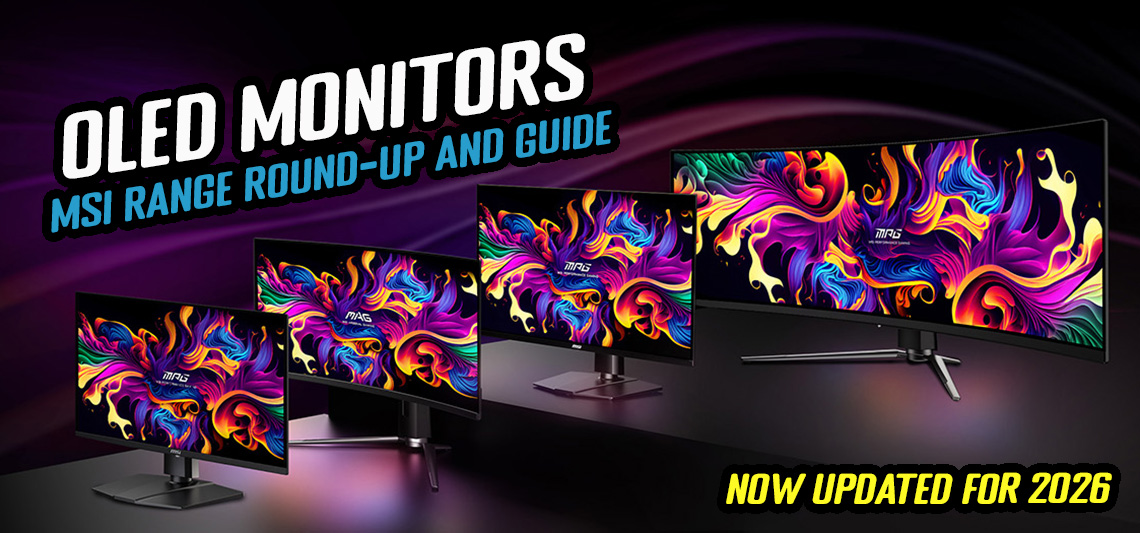
Over the last few years we’ve seen a wide range of new OLED monitors released from various manufacturers, and one of the most active in this space are MSI. A couple of years ago we provided a comprehensive round-up of all their key models, specs and features and we thought this was probably overdue a refresh. So now we’re updating our MSI OLED monitor guide which will explain the different ranges on offer, some of the key new features and technologies to look out for, and give you a summary of the main models by size that you might want to consider. We will also share our thoughts on the new monitors based on our reviews and testing, and even talk about some of the new models coming soon to look out for.

| #affiliate. We may earn a commission if you purchase from our affiliate links in this content – TFTCentral is a participant in the Amazon Services LLC Associates Programme, an affiliate advertising programme designed to provide a means for sites to earn advertising fees by advertising and linking to Amazon.com, Amazon.co.uk, Amazon.de, Amazon.ca and other Amazon stores worldwide. We also participate in a similar scheme for Overclockers.co.uk, Newegg, Bestbuy and some manufacturers. |
MPG vs MAG range explained

Up front we should make a distinction here between the MSI monitor product ranges. You will see OLED monitors being released in the MAG series which is their more “mainstream” line-up, as well as their MPG “premium” line-up. The screens often have very similar model names so be careful when selecting which one is right for you, but look out for the inclusion of “MAG” or “MPG” in there to identify which model is which.
Where two screens are available of the same size but in different ranges, the underlying panels and associated panel specs are normally the same, it’s just some of the additional added features and connections that vary. This leads to the MAG models being a lower cost than the MPG series, but they have a few things missing which may or may not be important or useful to you. Keep in mind as well that the MAG series are sometimes released first and so new models may be more widely available, so that’s another factor to keep in mind if you’re after a new screen now.

The differences between the MAG and MPG versions are generally in the following areas:
- Sometimes the MAG models have a lower refresh rate (but not always)
- The USB-type C connection might have a lower power delivery on the MAG models compared with their MPG equivalents
- Sometimes the MPG version will have a DisplayPort 2.1 port whereas the MAG version has DisplayPort 1.4
- The MAG models usually lack USB-A data ports, and as a result accompanying features like a KVM switch
- The MAG models won’t include their ‘AI Care Sensor’ feature which might be useful for OLED care and reducing the risks of image retention
- The MAG series do not support MSI’s ‘Gaming Intelligence’ software app. While early MSI MAG series models did not support firmware updates, MSI updated this after user/reviewer feedback and now both series support this which is good news.
The latest QD-OLED panels
One defining characteristic of all the new OLED monitors being released by MSI is the use of the latest generations of QD-OLED technology panels from Samsung Display. This is a competing option to the other widespread panel technology produced by LG Display which is called WOLED. Both technologies provide familiar benefits of OLED panels, including near-instant response times, per pixel level dimming, amazing contrast and blacks and super high refresh rates.
Penta Tandem QD-OLED

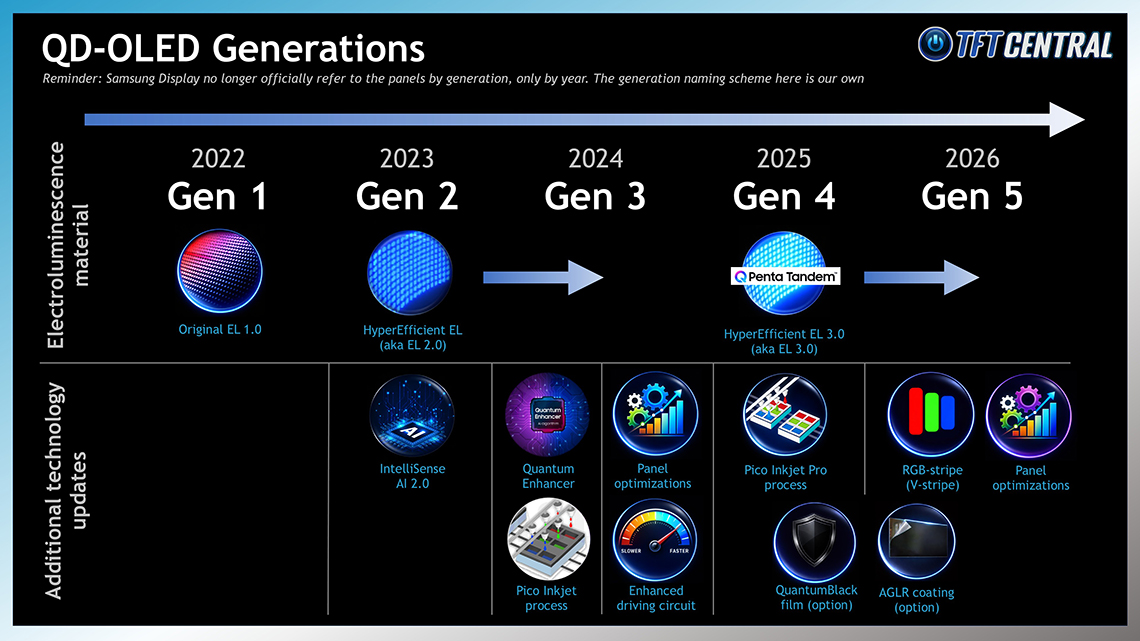
The latest generation of QD-OLED technology is referred to as “Penta Tandem QD-OLED”, signifying an updated and improved 5-layer structure and the latest OLED material, which helps maximise panel brightness, efficiency and longevity. Many of MSI’s latest 2026 monitors feature Penta Tandem QD-OLED panels across the 4th and 5th Gen panels, but if you want to know loads more about the different generations and panel technologies, you can check out our guide video here where we explain it in a lot more detail.
DarkArmor Film
Many of MSI’s latest Penta Tandem QD-OLED monitors feature a new panel film produced by Samsung Display, which they call ‘QuantumBlack film‘ but which MSI market under their own brand name ‘DarkArmor Film‘.
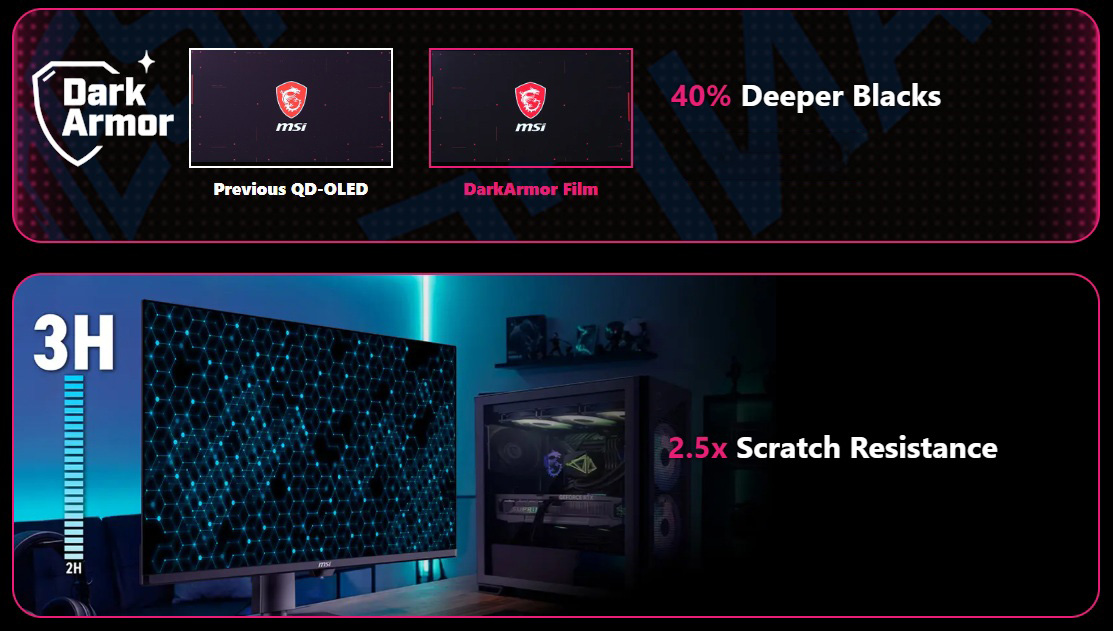
You will see this listed against several of their most recent monitors, and it offers several improvements. This includes most importantly an enhancement to the handling of ambient lighting, improving the black depth and contrast in well-lit rooms and reducing the purple tint that can appear on earlier gen QD-OLED panels. The film has the added bonus of enhancing panel hardness and scratch resistance by 2.5x as well. We’ve tested a couple MSI monitors featuring this film now, and you can find comparisons against earlier-Gen QD-OLED and against WOLED panels in our reviews such as this one.
TrueBright certification
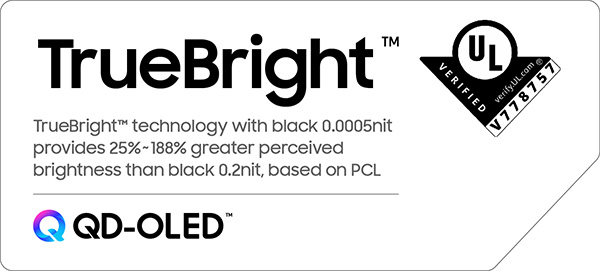
One important distinction MSI promote for their latest OLED monitor range is a topic we explored in detail last year, and that is perceived panel brightness. Samsung Display’s independently verified “TrueBright” certification process articulates how bright an OLED panel will appear to a user relative to a traditional LCD display. You can’t just rely purely on luminance (“brightness”) specs, the amazing contrast of OLED technology also has an impact here. For more information on the theory and studies behind this topic, see our detailed article here. You will see us reference the relevant TrueBright tier for the QD-OLED monitors we review.
Free from some often-discussed OLED challenges
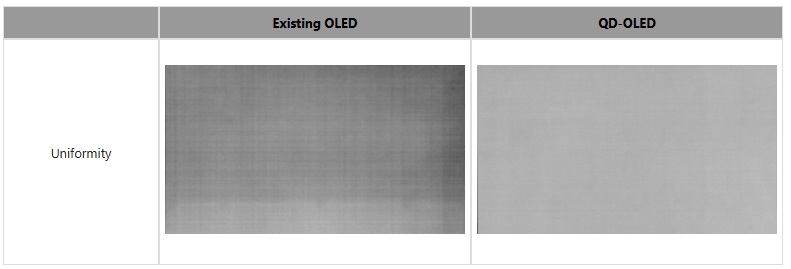
In recent times you may have seen people talk about a couple of OLED issues and challenges online; issues which don’t typically apply to QD-OLED panels and which MSI have recently promoted for some of their new models. The first is the “grey banding” issue which you see talked about for competing WOLED technology panels, where near-black detail and dark shades can lead to noticeable banding and a “dirty screen effect”, visible in certain darker gaming and usage scenarios. QD-OLED panels typically don’t suffer from these issues in the same way, and are far less prone to problems from the testing we (and others) have done.
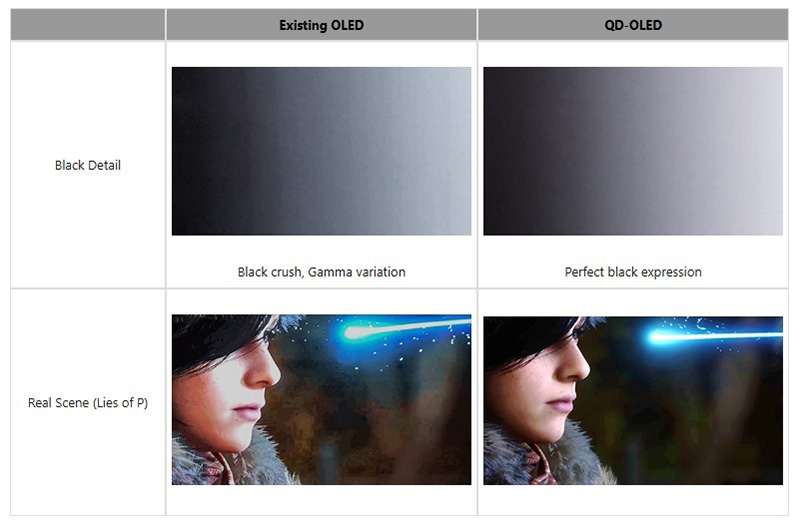
The second issue is related to “black crush” where near-black shadow detail gets lost in darker content and games. This can be a challenge on any OLED panel because of their true black baseline, but it is often more of an issue on WOLED panels because they have a variable gamma depending on the refresh rate of the screen. That can lead to complications with calibration and setup for different usage, and during VRR situations. QD-OLED panels don’t show that same variable gamma, and so can often perform stronger in this area, or at least more consistently across different refresh rate situations.
Related useful content:
- Exploring the “Grey Banding” Issue Affecting Some Tandem WOLED Panels
- Does OLED Have a Black Crush Problem? Understanding and Testing OLED Shadow Detail
Key monitors features explained
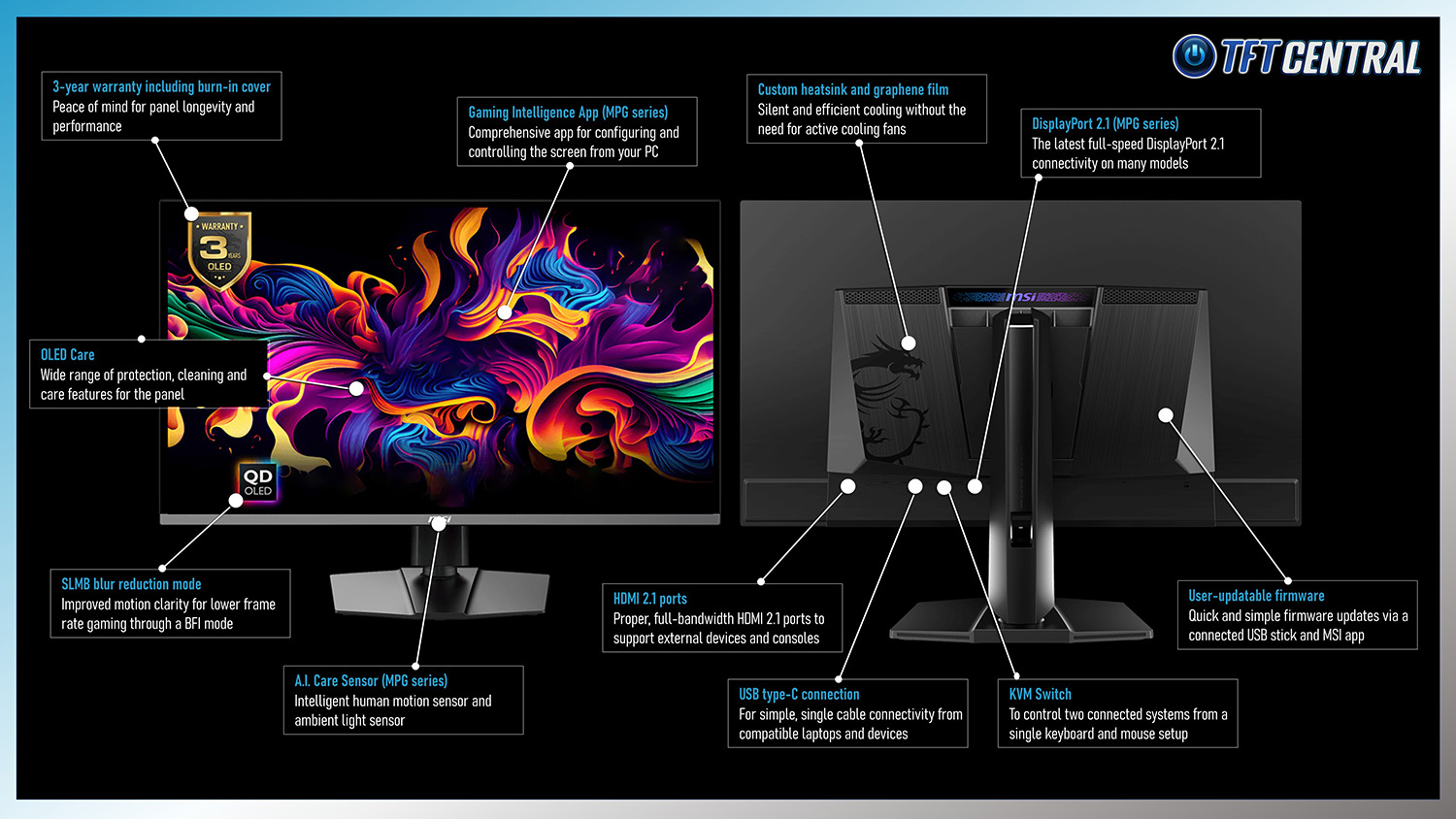
MSI’s OLED monitors have a wide range of extras and features that you will probably have heard about before, but may not fully understand their usage and benefits. We thought it would be useful to break them down here so you can decide if you need any of these on your screen, which in turn could help you decide between the different models available. Click on the infographic above for the full size version. Some features worth highlighting here are:
USB type-C connectivity

All MSI’s OLED monitors feature a USB type-C connection. It’s a small, physically reversable connection that can provide single cable connectivity from laptops, tablets, phones and other compatible devices. You can simply plug in that single cable from the laptop to the monitor which will then send video, data and power all over that single connection which makes it really easy to use, and very plug and play. That removes cable clutter and keeps your desktop simple and clear.
When you want it
If you’re connecting a laptop or other device which has USB-C output and want to have a simple, single cable connection
KVM switch

A built-in KVM switch in the monitor allows you to connect a single keyboard and mouse to the monitor itself (via the USB data ports included), and then control two connected systems from that single setup. You have one PC connected via DisplayPort or HDMI to the monitor for video, and then use the normal USB A > B cable to connect that PC up to the monitor for the data transmission. The other device, like a laptop for instance, can then be connected via the USB type-C connection which handles video and data (and power delivery too). You can then switch between which system the keyboard and mouse are controlling, which are connected up to the monitor’s USB data ports. Not everyone is going to need this feature of course, but it might be useful to some people.
When you want it
If you want to connect two systems/devices to the same monitor but only use a single keyboard and mouse to control both
OLED Care and the A.I. Care Sensor
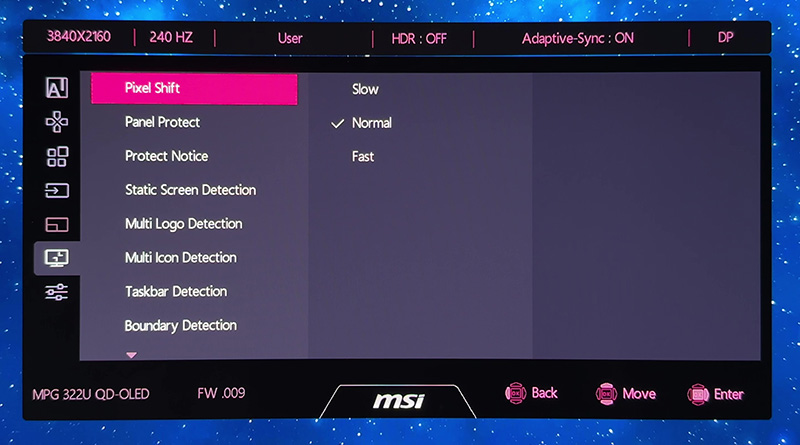
Every OLED panel needs to include some kind of care and maintenance features to look after the panel over time and enhance longevity. This is necessary to help mitigate the risk of image retention and burn-in, which is an inherent challenge with OLED technology when they are used for static content like you may commonly do with a monitor.
MSI provide a really extensive range of OLED care settings across their modern display range to help in this area, including their new multi-icon detection, boundary detection and taskbar detection options. All their monitors are also backed by a 3-year warranty which includes burn-in cover.

Many of their most recent MPG series screens (but not included on the MAG models) also include their new A.I. Care Sensor, an intelligent human motion sensor which can turn your screen off when you move away, and back on when you return. It can also control other fancy features like an ambient light sensor to alter the screen brightness and colour temperature depending on your room conditions. For more information about the A.I. Care Sensor see our short video here.
When you want it
Everyone should want panel protection features for OLED screens, but they’re especially useful if you want to use the screen for static content, office, Windows etc. The A.I. Care Sensor is a useful additional feature on their top-tier MPG models for some users
Gaming Intelligence app

This is MSI’s software app that you can install on your PC and which allows you to control the screen settings, modes and options quickly and easily from your PC without needing to fiddle around with the OSD menu. It’s quick and easy to use, and includes a few nice extras like being able to export and import your settings. The software can also be used to carry out firmware updates on compatible MPG series monitors. Note that the Gaming Intelligence app is not supported on the MAG range models in most instances, although they still offer firmware updates via another method.
When you want it
If you want simple and easy control over your screen settings and profiles along with advanced user features and customization
Choosing the right OLED monitor

We’ve reviewed many of MSI’s OLED monitors over the years. Overall performance characteristics are often very similar between the models we’ve tested, so in a way the choice can simply come down to which form factor, size, resolution and refresh rate you want for your use-cases. We found through our testing that all of the models had excellent response times, low input lag, good colour accuracy, working sRGB emulation modes and very good HDR performance and setup for instance. We’ll try and break down some of their key models here by size to help you find the right one for you.
27″ models
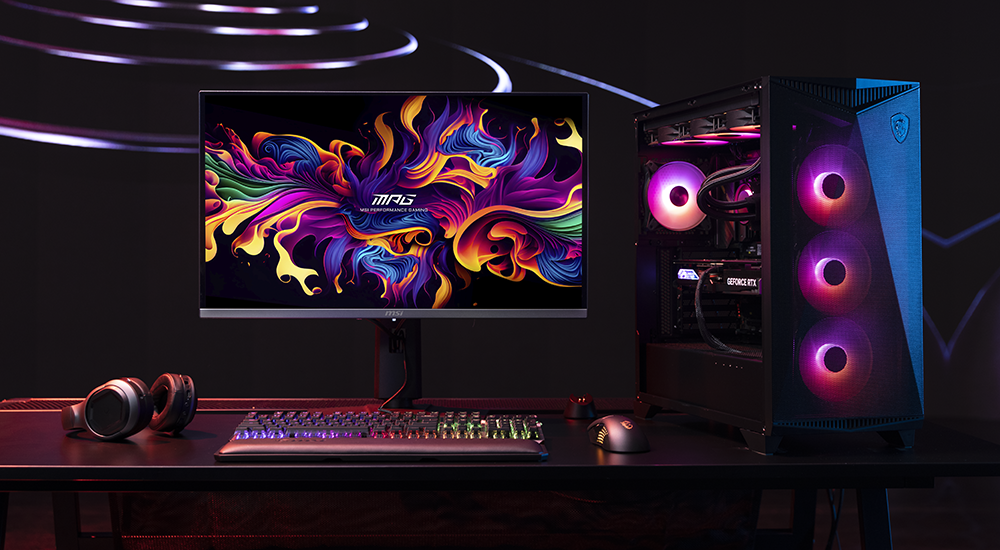
The most common, mainstream size would be a 27″ screen with a standard 16:9 aspect ratio. There are two resolution choices available in this size, 2560 x 1440 (1440p) or 3840 x 2160 (4K). The former is probably more suited to general users and for gaming, being much easier to power and offering higher refresh rate options as well. The latter provides a much sharper and clearer image thanks to its increased pixel density (~166 vs 110 PPI), and is aimed at highly detailed multimedia and productivity apps. The 27″ models are going to be ideal for those who don’t have the space for the larger screens, if you’re upgrading from perhaps a smaller ~24″ size, and just generally want what is the most common monitor screen size nowadays.

If you want a 1440p resolution model then there’s the flagship MPG 271QR X50 and equivalent MAG 272QP X50, both offering a massive 500Hz refresh rate – the fastest currently available from any QD-OLED panel. These models are all about speed for competitive and professional gamers, and also offer features such as an “SLMB” (Super Low Motion Blur) mode for improving the clarity of lower refresh rates. They’ve also got enhanced brightness compared with other 27″ QD-OLED monitors available thanks to some panel optimizations for this 500Hz panel, with DisplayHDR 500 True Black certification achieved.
If you don’t need the absolute fastest refresh rates then the super-popular MPG 271QRX is one of MSI’s original models and can likely be found at an attractive price point. It’s missing some of the most recent features like the A.I. Care Sensor, but it still offers a 360Hz refresh rate and some excellent performance.
Future model spotlight
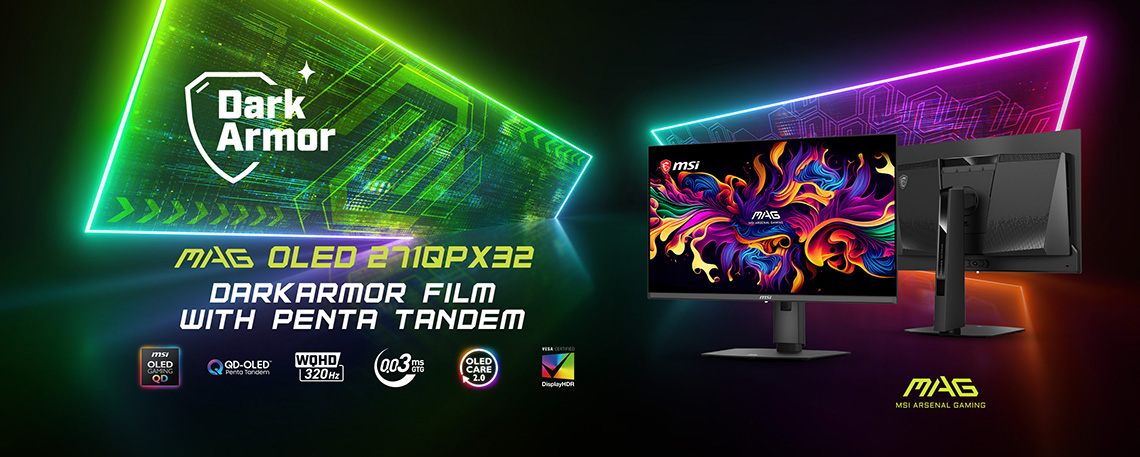
MSI MAG OLED 271QPX32
This model was announced as part of MSI’s Computex 2026 news and is an interesting future option you may want to consider. It’s the World’s first 27″ 1440p QD-OLED monitor to use the latest Penta Tandem QD-OLED panel technology, offering the improvements we talked about earlier such as the higher brightness and added DarkArmor film. This MAG series screen has a 320Hz refresh rate and certification under the VESA DisplayHDR 500 True Black tier. Further information available here.
If you want a 4K resolution 27″ model then there’s the MPG 272URX available, and the equivalent MAG 272UP X24. These offer a 4K resolution combined with a 240Hz refresh rate, but offer amazing sharpness and picture quality thanks to the high pixel density. The MPG model is one of our most recommended 27″ 4K OLED monitors on the market.
27″ model summary and links
| Series | Model | Resolution and Refresh Rate | Our review | Purchasing |
| MPG | MPG 271QR QD-OLED X50 | 2560 x 1440 @ 500Hz | Review here | Buy here |
| MPG 271QRX QD-OLED | 2560 x 1440 @ 360Hz | Review here | Buy here | |
| MPG 272URX QD-OLED | 3840 x 2160 @ 240Hz | Review here | Buy here | |
| MAG | MAG 272QP QD-OLED X50 | 2560 x 1440 @ 500Hz | Review here | Buy here |
| MAG 272UP QD-OLED X24 | 3840 x 2160 @ 240Hz | — | Buy here |
32″ models
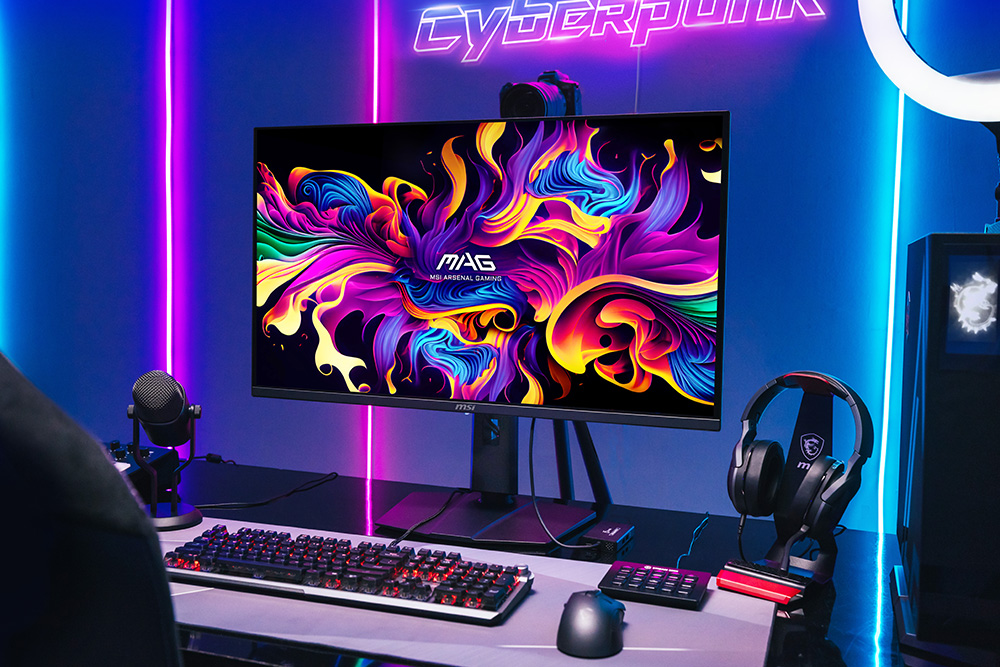
If you’re looking for a larger sized screen then there’s plenty of 32″ sized options to consider (technically they are 31.5″ in size). That will give you a larger screen for a more immersive experience and potentially more desktop space depending on your scaling settings. They’re also popular for gaming from a control pad or games console where you sit a bit further away from your desk, or for watching movies and video too.
These 32″ models all offer a 3840 x 2160 “4K” resolution and have a lower 240Hz refresh rate maximum, but this is still excellent in terms of motion clarity, and combined with that 4K resolution is a dream spec for many people. Powering a screen at this resolution and refresh rate is going to be a challenge though of course so make sure your system is up to scratch too.

The latest 32″ models from MSI are the MPG 322UR X24 and equivalent MAG 321UP X24 model. These feature the latest Penta Tandem panels and DarkArmor film, offering improved performance over the earlier models in their range from the last couple of years. These are definitely a nice upgrade and the MPG version also include DisplayPort 2.1 (UHBR 20) connectivity and (for the first time in the 32″ range) their A.I. Care Sensor.
Before that there were quite a few iterations of what was basically the same earlier-Gen QD-OLED panel, just with slightly different specs and formats. The original model was the very popular MPG 321URX but there was later a white enclosure version (MPG 321URXW), a curved version (MPG 321CURX) and then a version with DisplayPort 2.1 added (MPG 322URX). Those are still great screens and may be found at attractive price points now that the latest gen model is being released.
MAG versions of many of these are also available, including some which have a lower 165Hz refresh rate and so again may be found at even lower price points if you don’t necessarily need the faster support.
32″ model summary and links
| Series | Model | Resolution and Refresh Rate | Our review | Purchasing |
| MPG | MPG 322UR QD-OLED X24 | 3840 x 2160 @ 240Hz | Review here | Buy here |
| MPG 322URX QD-OLED | — | Buy here | ||
| MPG 321URX QD-OLED | Review here | Buy here | ||
| MPG 321URXW QD-OLED | — | Buy here | ||
| MPG 321CURX QD-OLED | — | Buy here | ||
| MAG | MAG 321UP QD-OLED X24 | 3840 x 2160 @ 240Hz | — | Buy here |
34″ ultrawide models

The next size up would be the 34″ ultrawide models and unlike the 27″ and 32″ options, these have a curved format. It’s a subtle 1800R curvature which we think is comfortable and appropriate on an ultrawide of this size and width, without feeling too aggressive or steep. It’s definitely better than the very steep 800R curvature you will see on some competing WOLED-based monitors in our opinion.
These screens have a 3440 x 1440 resolution and a 21:9 aspect ratio and they’re really well-suited to split screen multi-tasking, and for any games where this aspect ratio is supported. It gives you a nice wide field of view, and it’s really comfortable to work with for office applications.
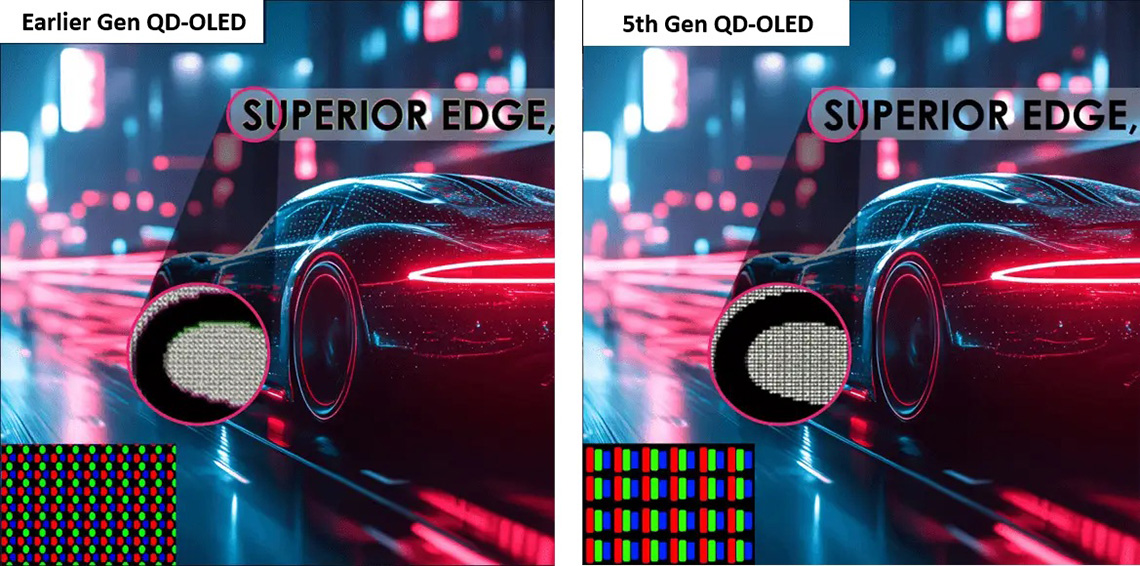
These models have gone through 3 different generations over the last few years, with the latest being the MPG 341CQR X36 which we think offers some substantial upgrades over the previous versions. This model features the latest 5th Gen Penta Tandem QD-OLED panel technology with improved brightness (including 1300 nits peak for HDR for the first time) and a higher 360Hz refresh rate. It also features the added DarkArmor film for improved black depth and panel hardness, and perhaps most interesting of all is that this is the first QD-OLED panel to offer an RGB-stripe sub-pixel layout. This updates the previous triangle-shaped layout from earlier panels, which improves text clarity and eliminated fringing artefacts. That’s a whole host of updates for this latest model.
The equivalent MAG series version is the MAG 341CQP X28 which has a lower 280Hz refresh rate and fewer features than the MPG model.
You may be able to find the previous gen model, the MPG 341CQPX at a decent price as well so that’s still worth considering. It’s got a 240Hz refresh rate, and uses a previous-Gen QD-OLED panel so it doesn’t offer the improved brightness, DarkArmor film or RGB-stripe pixel layout unfortunately. It was our previous long-standing top pick in the 34″ ultrawide OLED space though (now supplanted by the MPG 341CQR X36) so is well worth a look if you can find it at a good price point.
34″ ultrawide model summary and links
| Series | Model | Resolution and Refresh Rate | Our review | Purchasing |
| MPG | MPG 341CQR X36 QD-OLED | 3440 x 1440 @ 360Hz | Review here | Buy here |
| MPG 341CQPX QD-OLED | 3440 x 1440 @ 240Hz | Review here | Buy here | |
| MAG | MAG 341CQP X28 QD-OLED | 3440 x 1440 @ 280Hz | — | Buy here |
49″ super ultrawide models
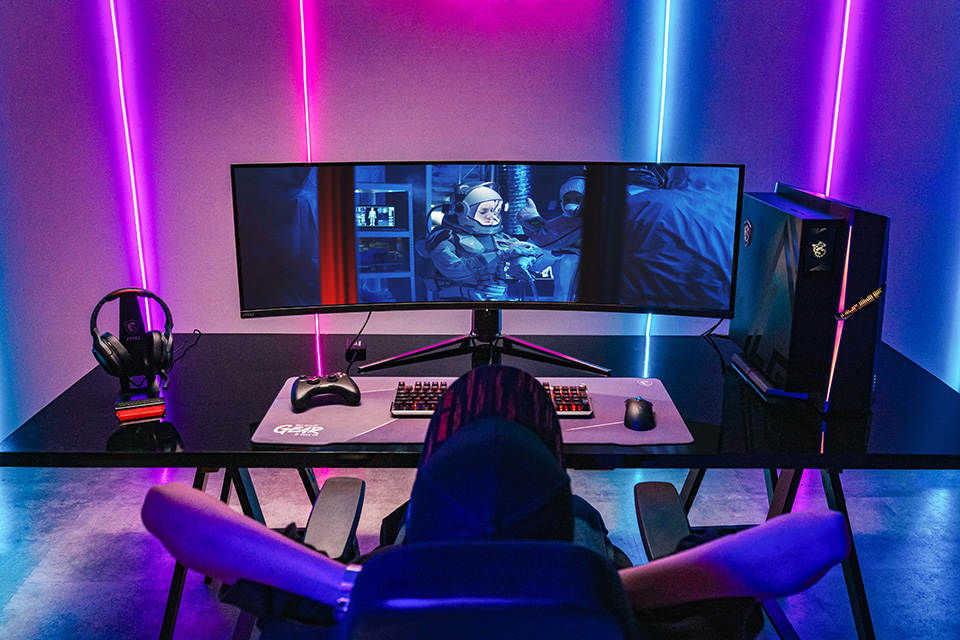
The largest size in the range, and currently the largest OLED monitor size you can buy, is the 49″ model. This option gives you a really huge screen size to work with and it has a 32:9 super ultrawide aspect ratio. It’s the same screen size and resolution area in fact as dual 27″ 1440p monitors, so the total resolution available here is 5120 x 1440. These models have an 1800R curvature again which is subtle and appropriate, and again we prefer this to more aggressive curves like 1000R that you will find on some 49″ LCD monitors.
It’s great for multi-tasking and split screen work, and also if you want to use the Picture in Picture (PiP) or Picture by Picture (PbP) functions to handle multiple inputs at once. Some games also support 32:9 aspect ratio as well, so if you’re in to flight simulators and racing games for instance where this is more common, it’s an excellent experience. This size is a great option if you’re thinking of upgrading from a dual monitor setup or want something that will handle productivity applications or multiple inputs really nicely.
There’s two models available in this size, both in the MPG range but the main difference is the refresh rate. The MPG 491CQPX is our top pick in the 49″ OLED market and offers a 240Hz refresh rate, while the MPG 491CQP has a lower 144Hz which is also worth considering if you can find it at an attractive lower price.
49″ super ultrawide model summary and links
| Series | Model | Resolution and Refresh Rate | Our review | Purchasing |
| MPG | MPG 491CQPX QD-OLED | 5120 x 1440 @ 240Hz | — | Buy here |
| MPG 491CQP QD-OLED | 5120 x 1440 @ 144Hz | Review here | Buy here |
Summary

Hopefully that provides a good explanation of all these modern features you see available on new OLED monitors, helping you to decide whether you want and need things like USB-C, KVM switches and the likes. MSI have released an impressive OLED monitor range over the last few years with excellent performance and features from our testing. Choosing the right screen for you really boils down to which size and resolution is going to be most suited to your uses, and your desktop space, and MSI have made it simple by keeping largely the same key feature set across all their models. If you want to save a bit of money, or can’t find the top-end MPG models available then the slightly lower spec MAG models provide a decent alternative as well.
We may earn a commission if you purchase from our affiliate links in this article- TFTCentral is a participant in the Amazon Services LLC Associates Programme, an affiliate advertising programme designed to provide a means for sites to earn advertising fees by advertising and linking to Amazon.com, Amazon.co.uk, Amazon.de, Amazon.ca and other Amazon stores worldwide. We also participate in a similar scheme for Overclockers.co.uk, Newegg, Bestbuy , B&H and some manufacturers.