
Gigabyte’s AORUS ELITE Series Explored and Tested (Plus a New Model Unveiled)
Disclaimer: this article includes sponsored coverage from Gigabyte, but all content, opinions and commentary are our own as always
Introduction
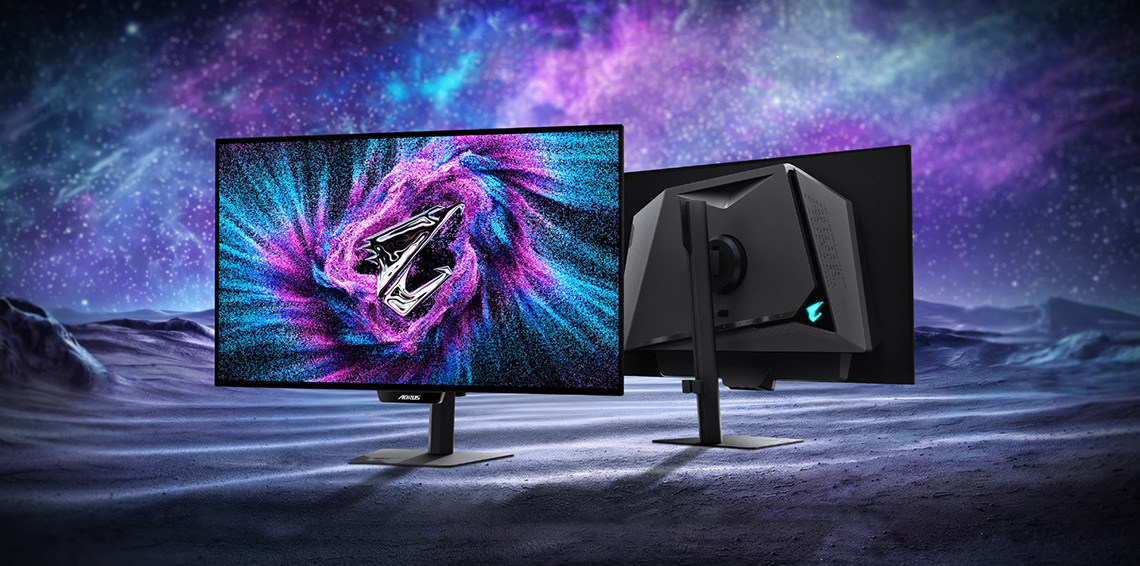
At Computex 2026 we saw Gigabyte unveil their new ‘AORUS ELITE’ series of monitors, a range of new premium displays in their line-up offering a new design aesthetic, new OLED care functions, new features and new capabilities. Most of these new screens announced so far are OLED monitors, but there was also an exciting Mini LED option unveiled, so the range will ultimately offer OLED and LCD options over time.
In this article we wanted to break down what’s new and different with this series, explore and test some of the new features, and summarise the screens we know about so far – including one new model that hasn’t been announced publicly until now! If you’re looking at a new monitor, then this will give you a lot more information about Gigabyte’s latest models to consider.
Only a couple of these screens have official product pages so far and are being released very soon, and we have also been sent the FO27Q28G, the AORUS ELITE series version of the very popular MO27Q28G (and GR version) that we’ve tested in the past, featuring a 27″ 1440p 280Hz Tandem WOLED panel. We’ll be reviewing that screen in full soon as well, but we’ll use it here to look more specifically at the new range updates.

A new design aesthetic
One of the most obvious changes is a new design aesthetic, which Gigabyte call “The Pulse of the Vanguard.” They go on to explain that “ELITE is the embodiment of energy and street-inspired aesthetics. Designed for the new generation of gamers, it captures the kinetic rhythm of the Falcon’s flight through a neon-lit skyline. With bold contours and high-contrast visuals, it is the symbol of those who dare to define their own path in the AORUS world.”
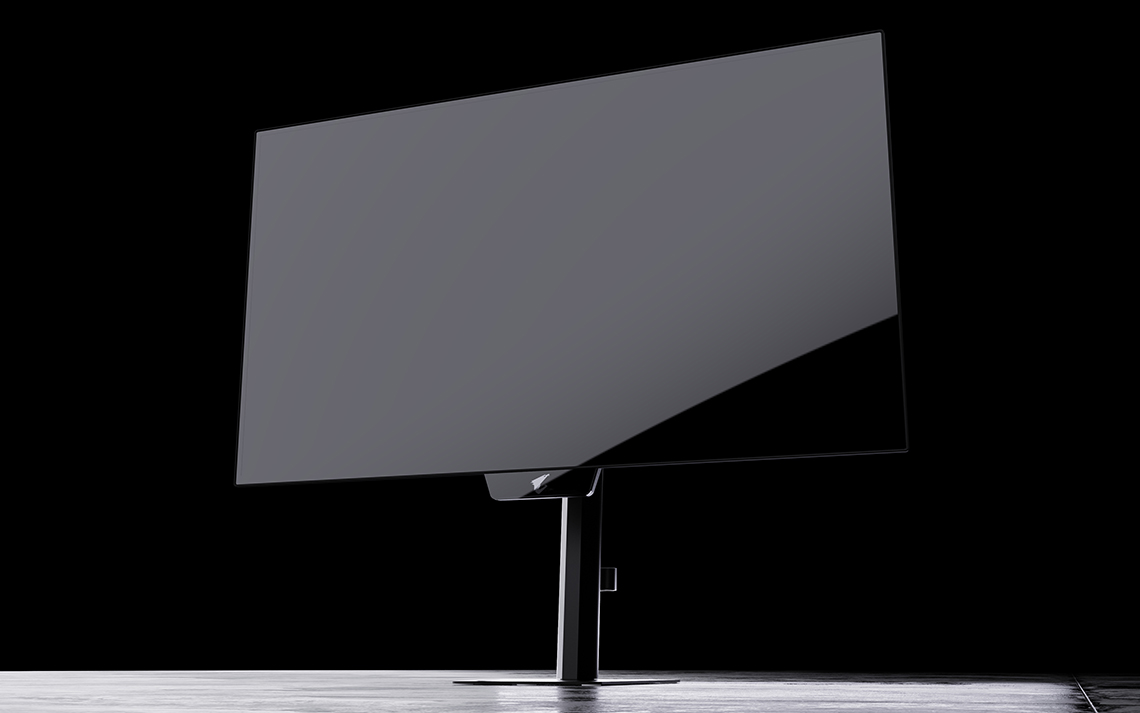
Marketing speak aside, what this means is that you’ve got a new rear enclosure, a new stand, and on the OLED models only (and perhaps not to everyone’s liking) a new chin on the bottom of the screen. This chin features their new OLED care sensor which we will talk about more in a moment so it’s there for a reason on the new range.
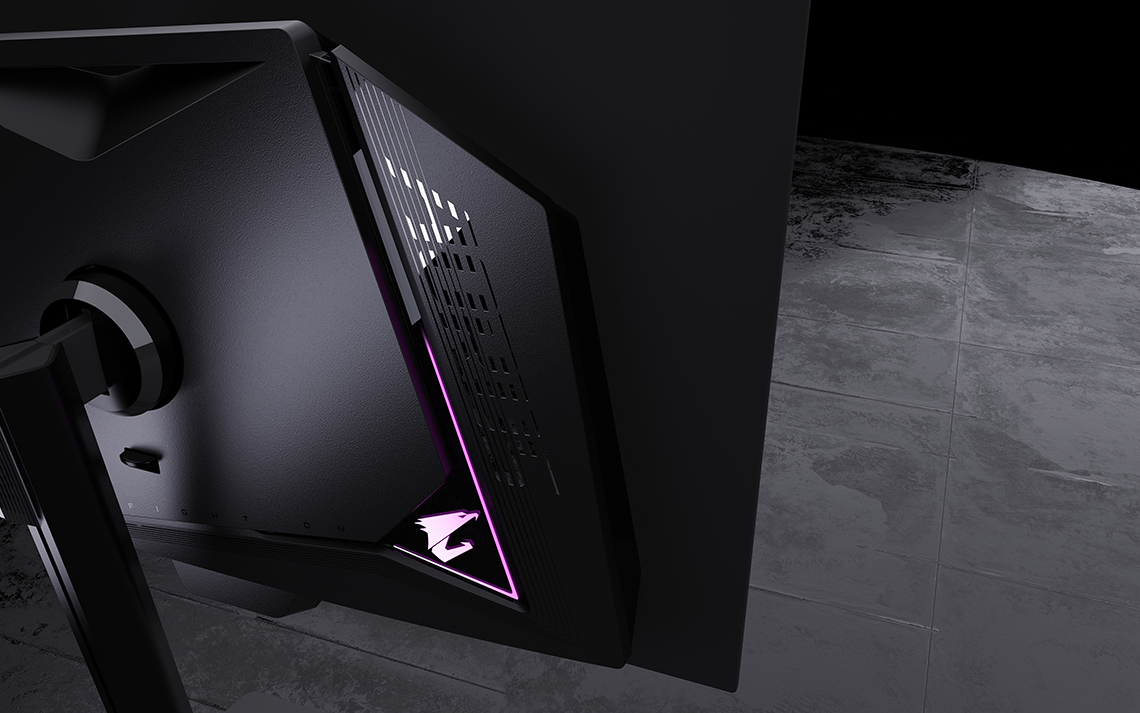
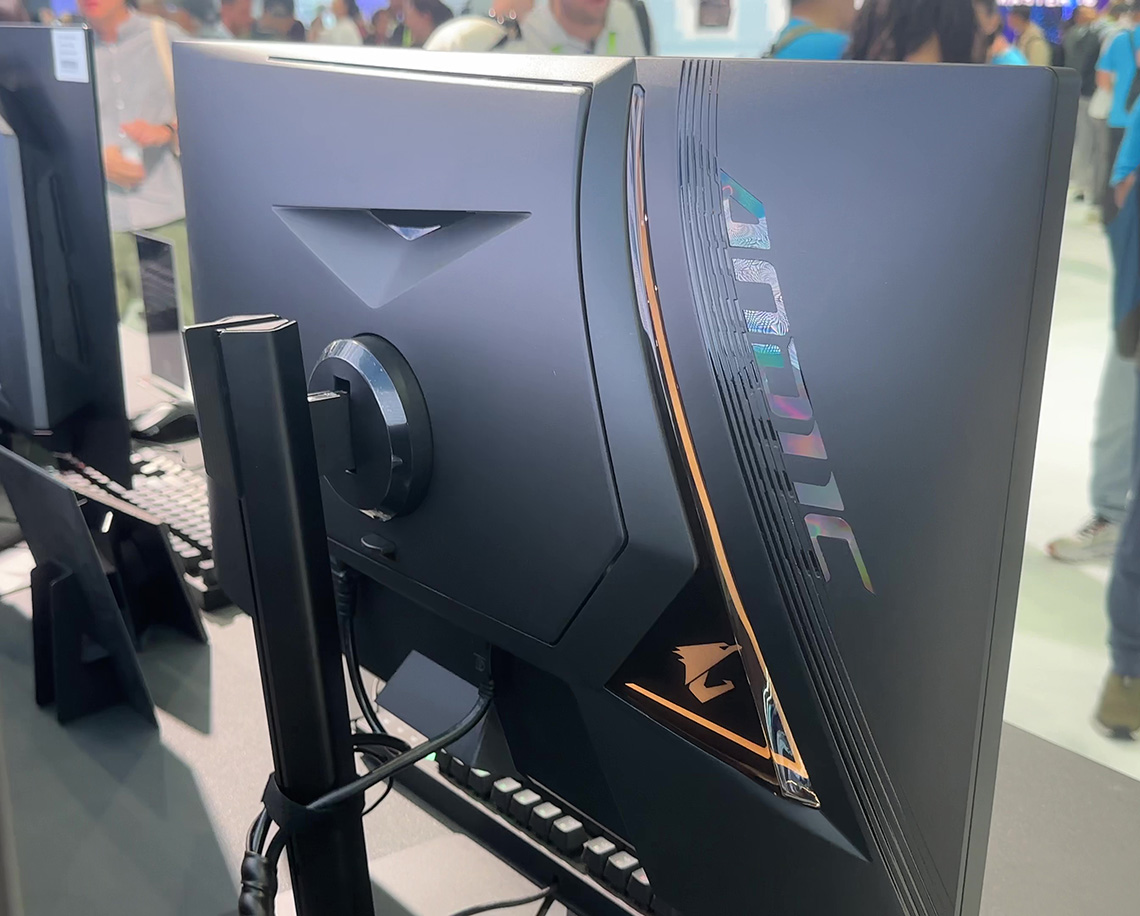
The rear of the screen has a chunkier, asymmetric black plastic enclosure, providing more space for the improved thermal design we will discussed in a moment. There’s a thin shiny section which includes a triangular shaped cut out where a Gigabyte logo RGB lighting feature is featured. You can disable that in the OSD menu if you want to.
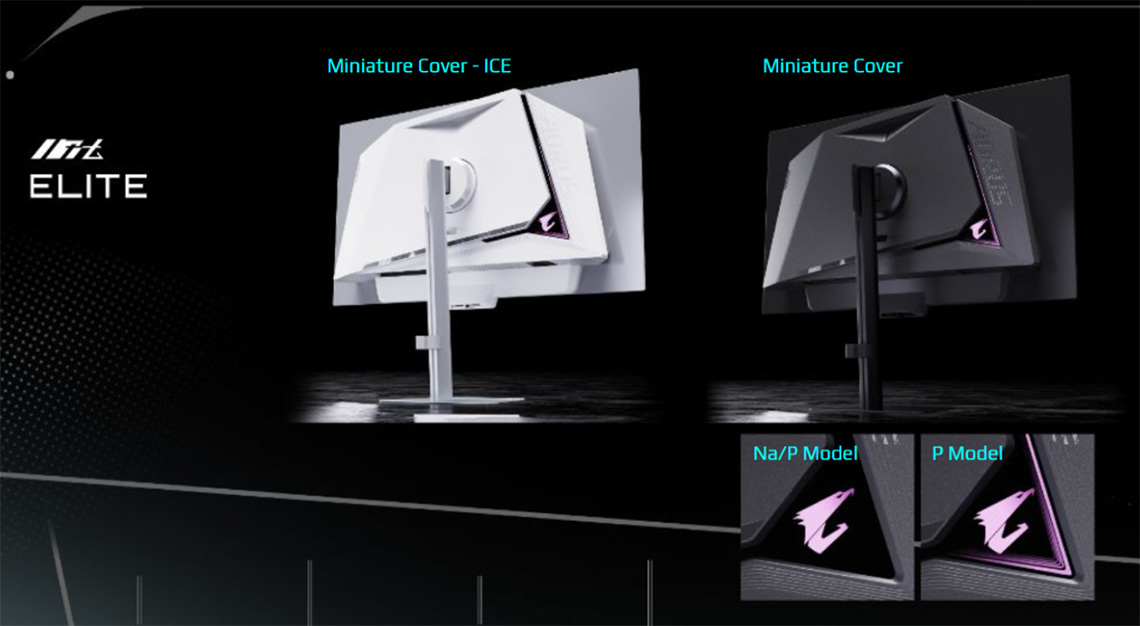
The RGB lighting feature varies slightly between different models. The main difference is that the P models feature an additional V-shaped illuminated element as part of the rear lighting design as shown above.
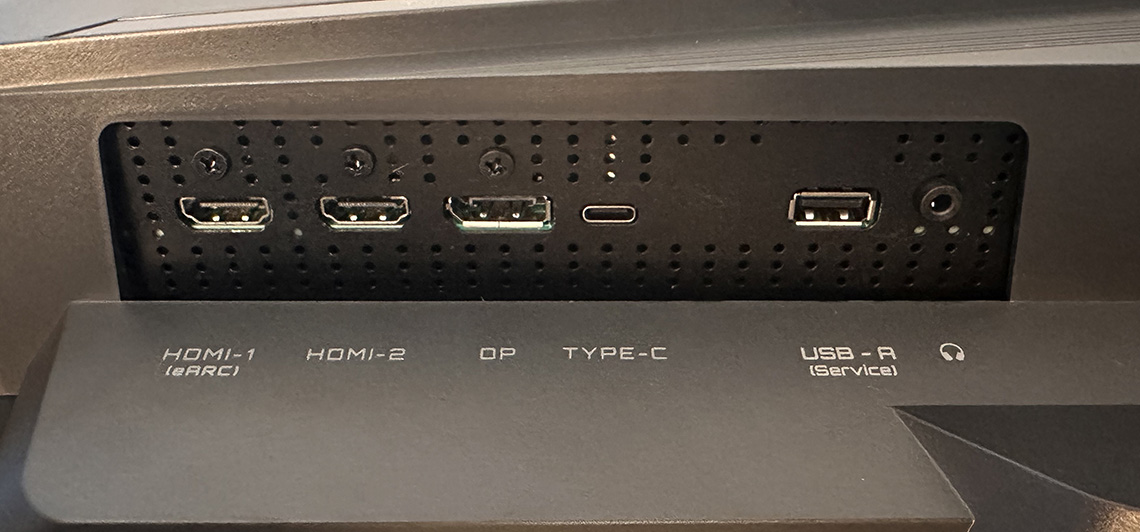
The connections are tucked away on the bottom edge of this central section. All the models announced so far feature 1x DisplayPort (varying versions), 2x HDMI 2.1 and 1x USB type-C (with DP Alt mode but varying power delivery). We will discuss how these vary across the different models later when we summarise and compare the line-up.
A headphone jack is featured on them all as well, and a couple of the models have integrated speakers for audio as well. We’ll provide a summary of features for each model later.
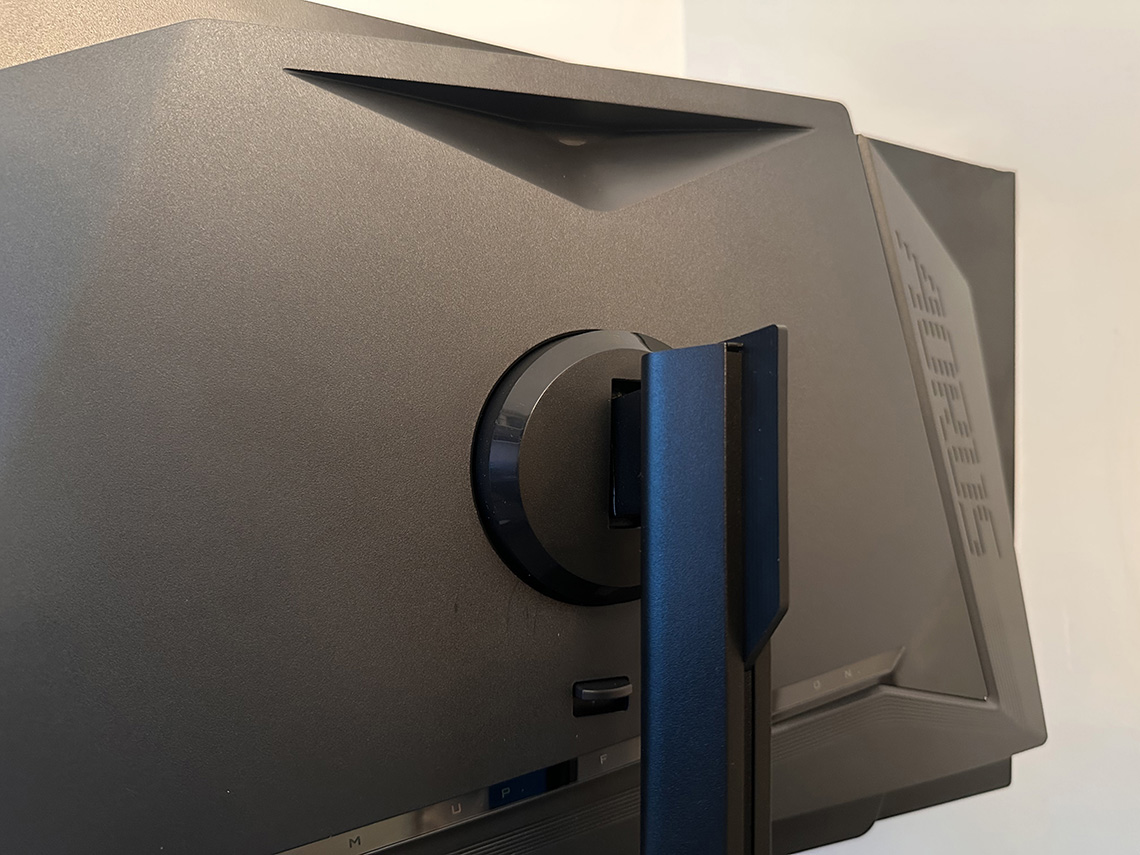
The rear enclosure also integrates a useful carry handle at the top, although one future design change we’d like to see considered is perhaps offering some quick access USB ports on the sides of this enclosure as there should be space.
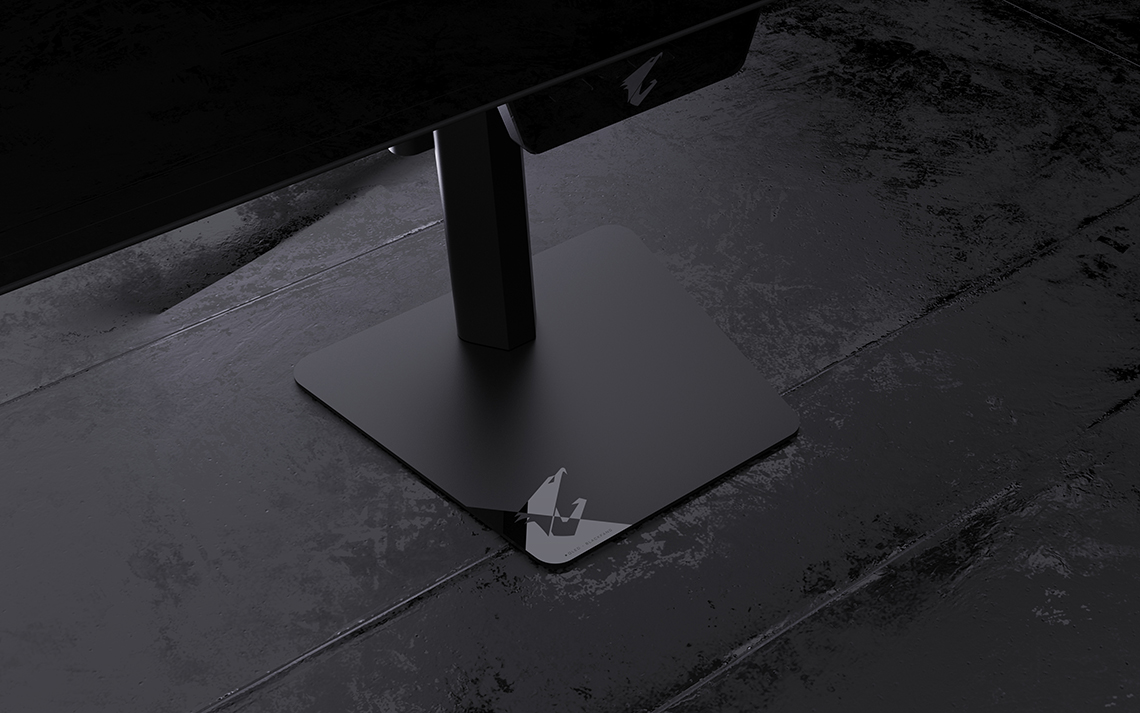
The stand provides a thin black metal arm which screws in to the metal foot. This is small and thin in footprint, leaving you with loads of desktop space for your peripherals. The foot has a mostly matte finish but you can see the front left section has a glossy logo emblem.
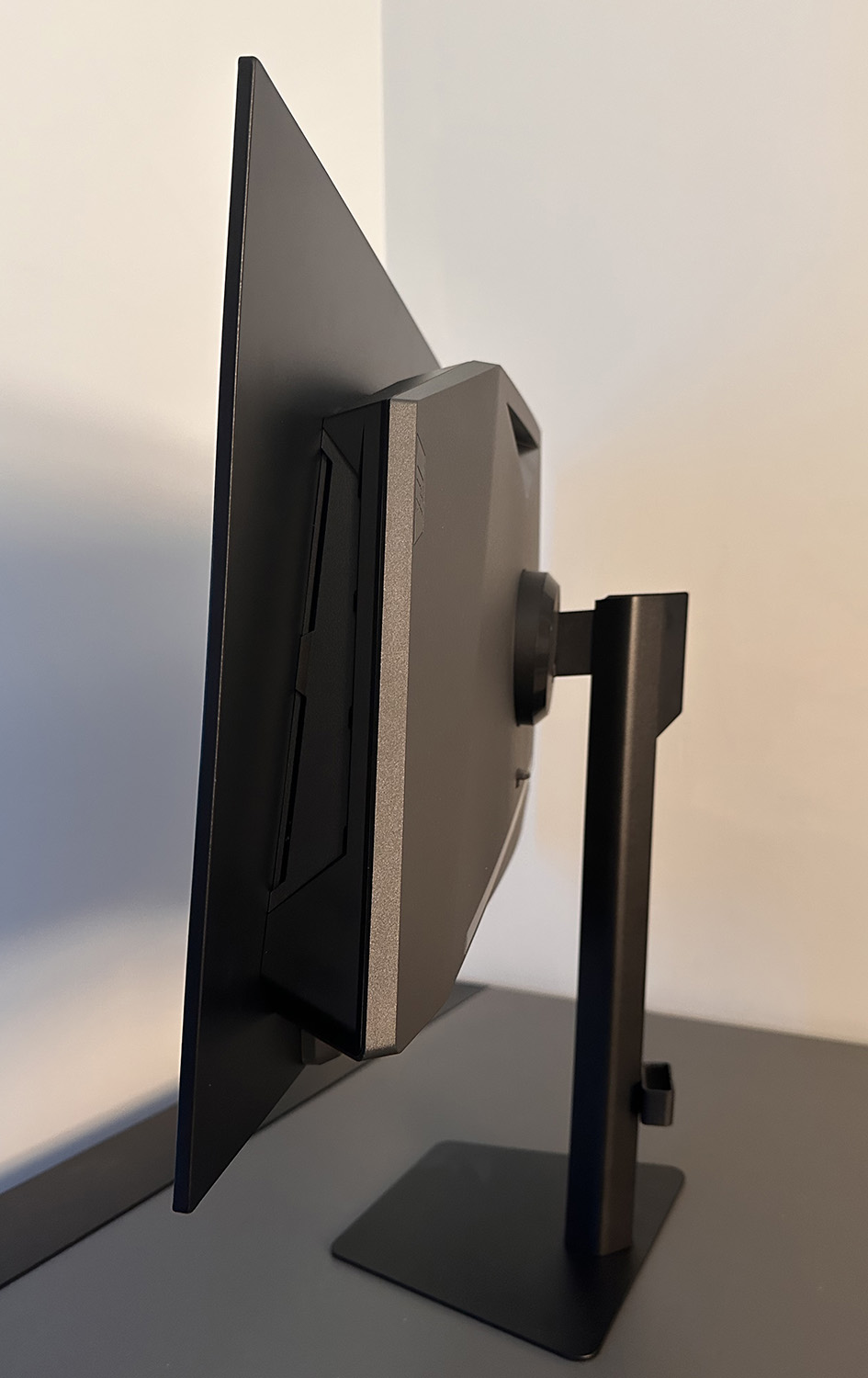
The stand arm has a fairly small circular attachment in to the back of the monitor with a quick release mechanism which makes set up quick and easy. It can be removed in favour of VESA 100 x 100mm mounting via a provided bracket if you’d rather. There’s a small plastic detachable cable tidy hook which clips to the back of the arm too, although because the arm is so thin, this sticks out a bit at the sides and fully hiding your cables may be more tricky than a thicker stand of course.
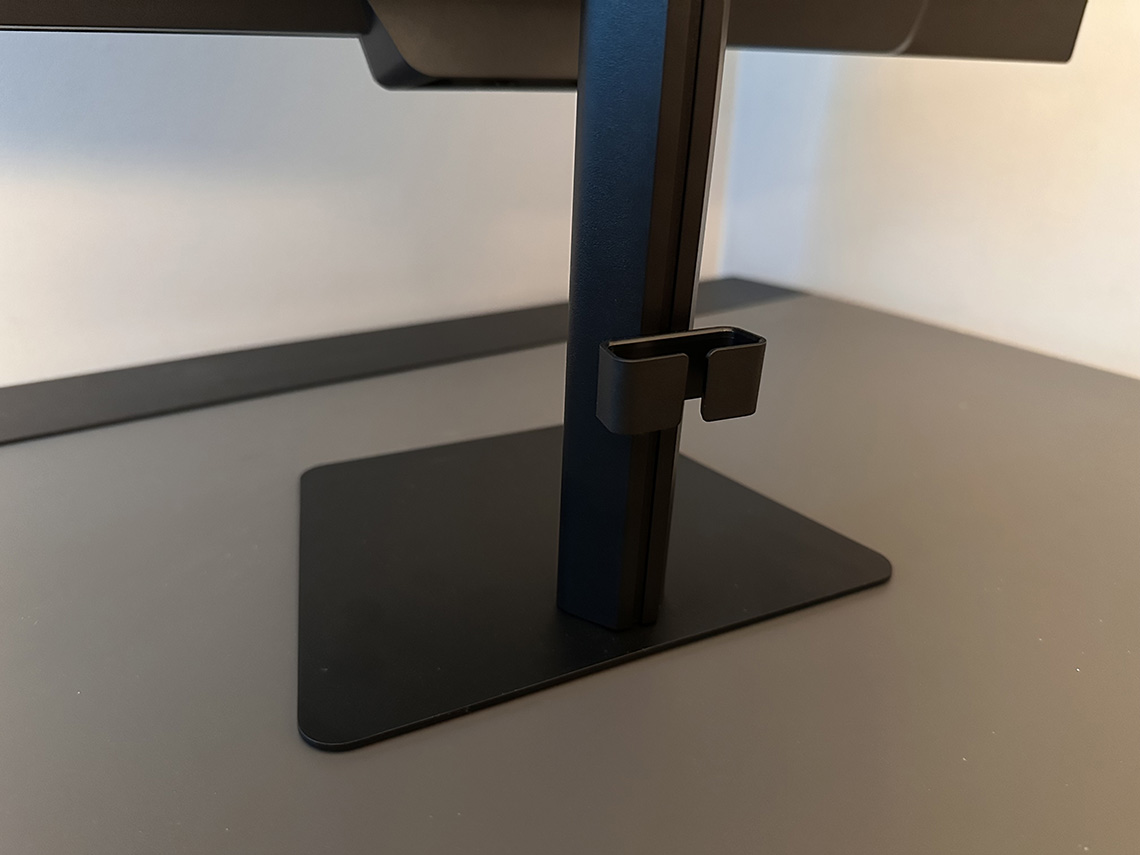
The stand offers a full range of tilt, height, swivel and rotate adjustments which is great. These are all pretty smooth to use, although side to swivel swivel is a little stiff on our sample of the FO27Q28G. The stand looks sleek and strong, although because of the small attachment area on the back it has a bit of wobble to it as you move it around or re-position it.
A white design range is also coming
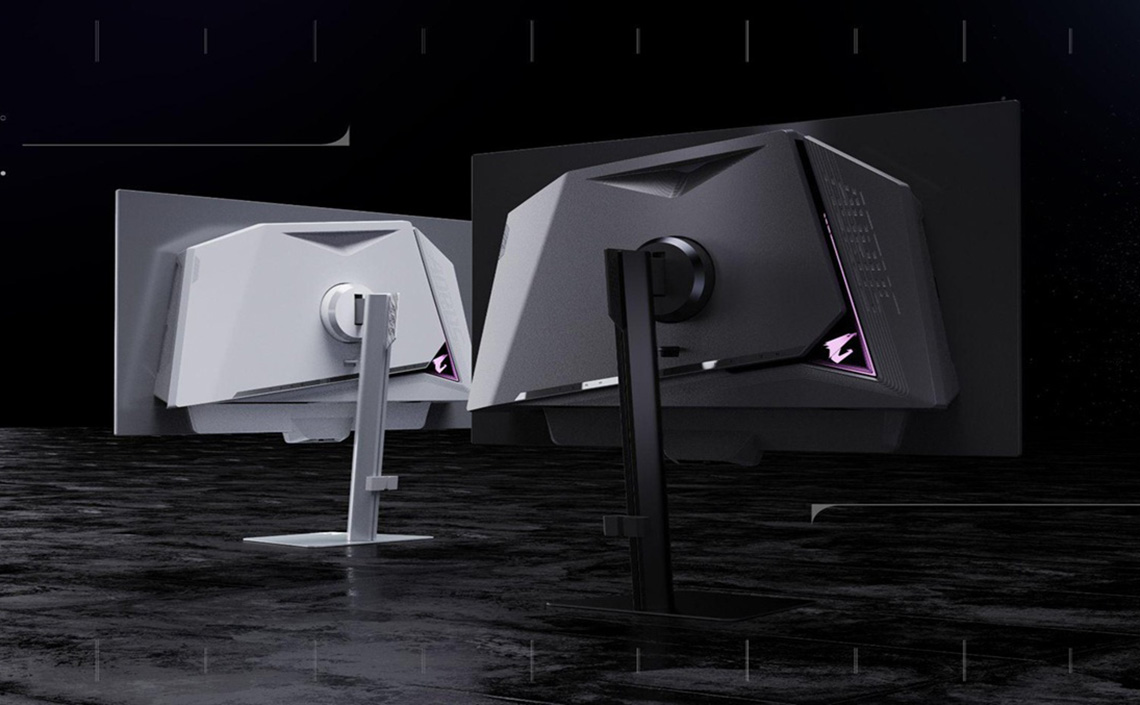
Some of the imagery provided by Gigabyte shows that there will be both black and white models in the range, but at this time we’ve only seen black designs offered when they were first showcased at Computex.
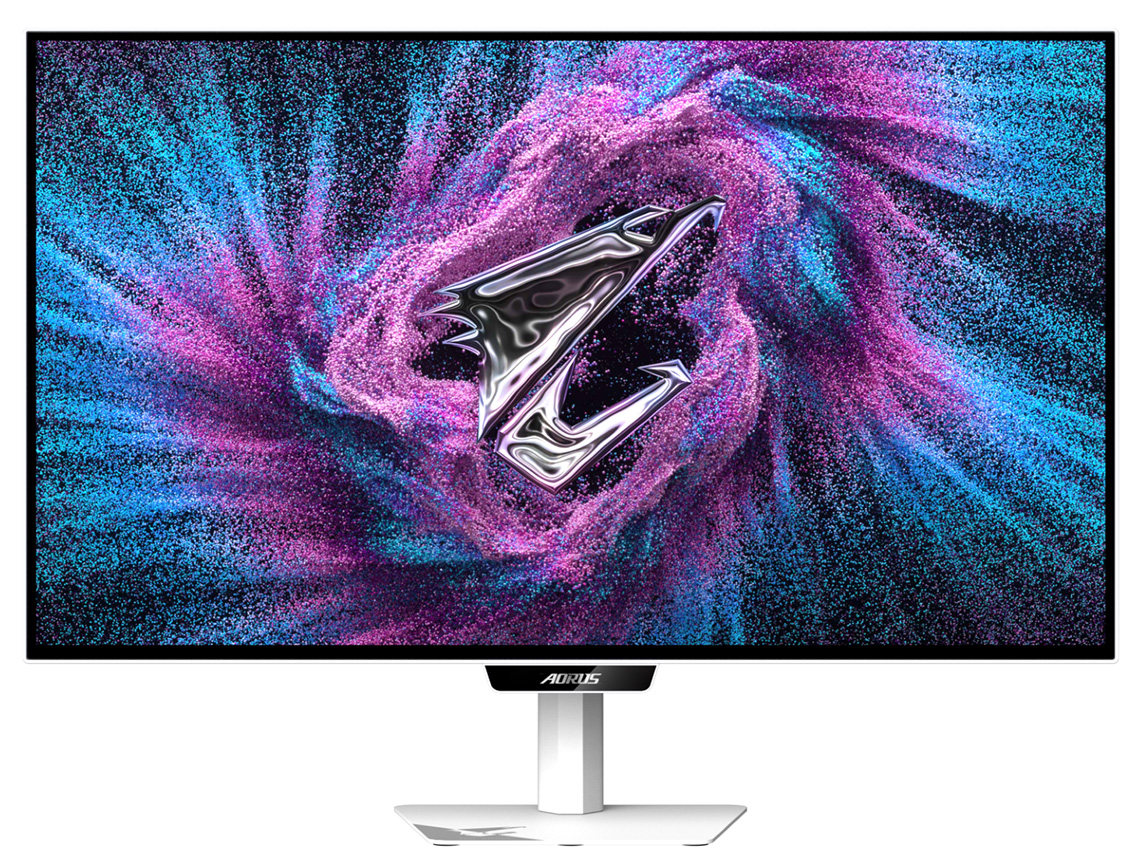
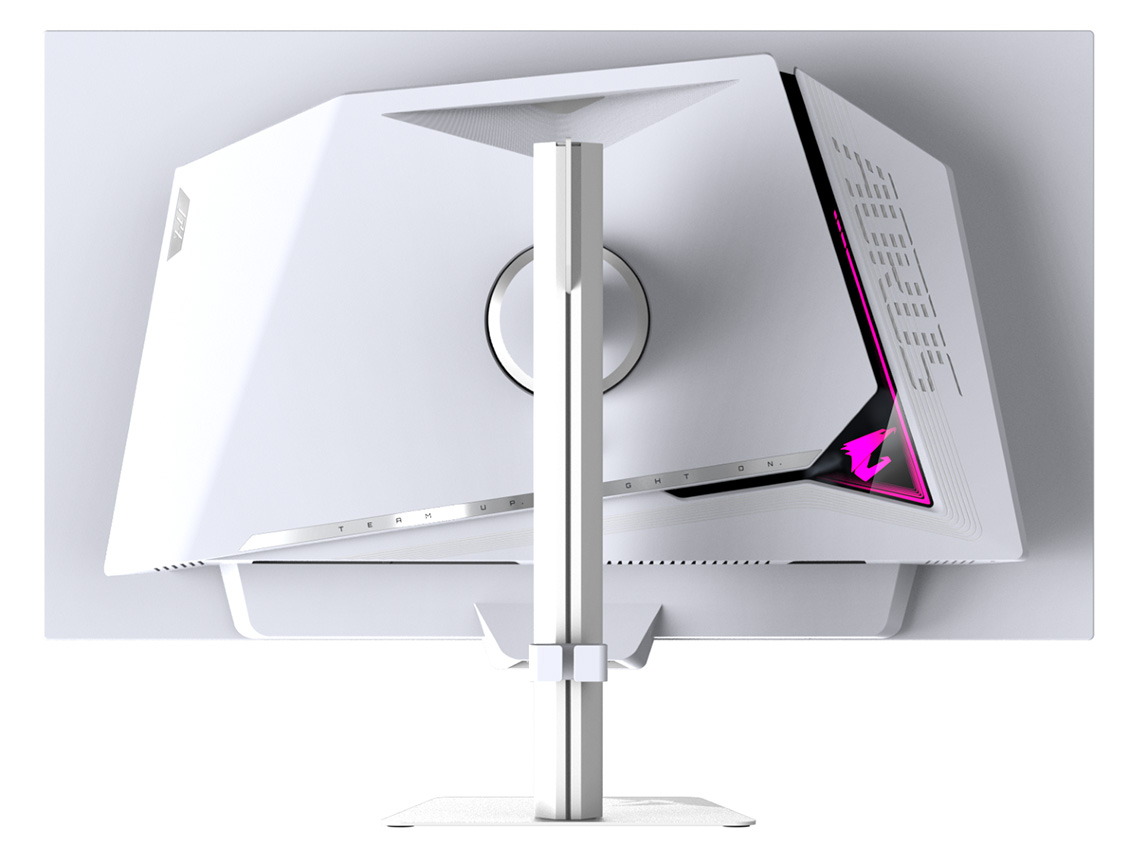
We have been given exclusive information about an upcoming new “ICE” model which will feature the white design, more on that newly announced model later.
LCD range design
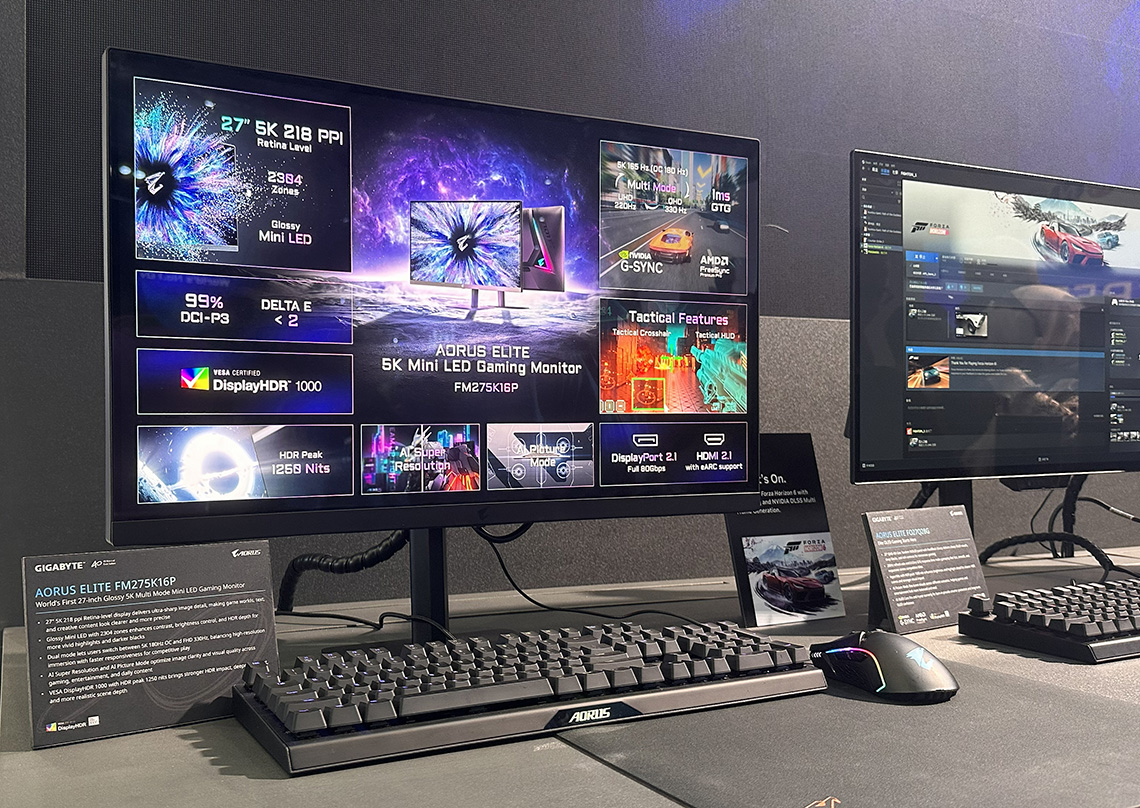
The above should be pretty consistent across the new OLED range, but the LCD range may vary slightly. There’s only been one LCD model announced so far, their 27″ 5K Mini LED monitor and this looks a little different. There’s no “chin” on the front as it does not feature the OLED Care sensor, and the rear enclosure is a little different in appearance. We’re told by Gigabyte that as the product is still under development, some design details may still be refined, and the final appearance will be confirmed at a later stage of the development process.
RealBlack Glossy coating featured
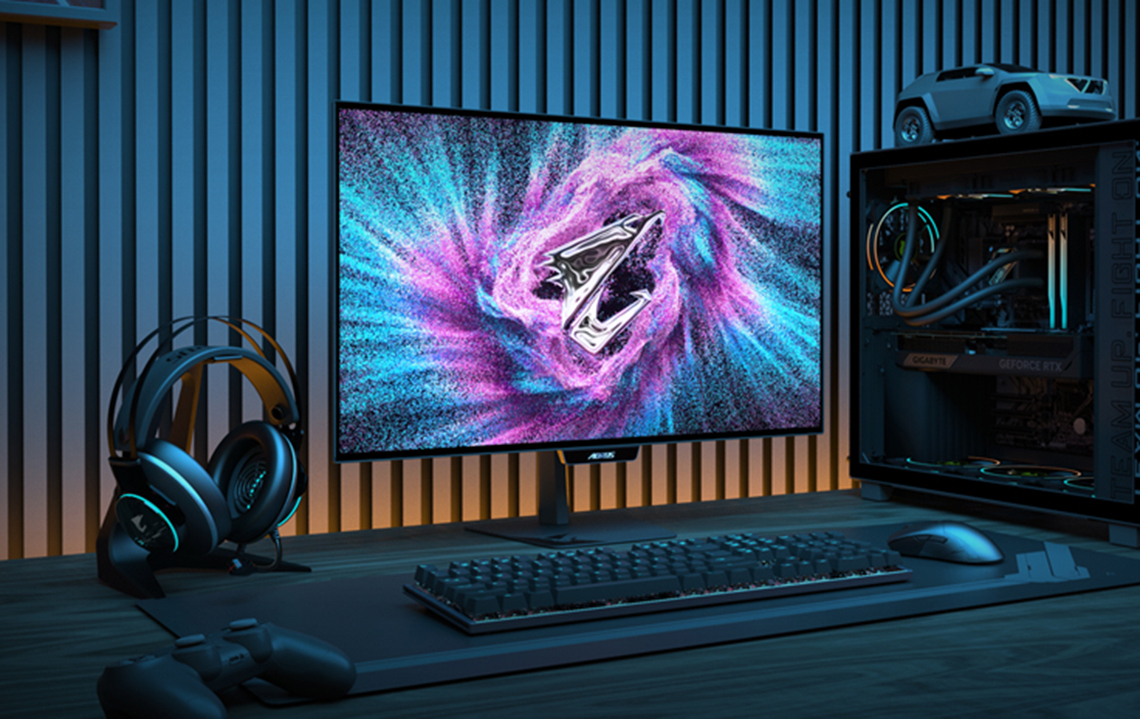
All of the AORUS ELITE series models announced so far will feature Gigabyte’s ‘RealBlack Glossy’ screen coating, offering a super-sharp and clear image, free from any grain. As ever, you need to be mindful of your ambient lighting and the positioning of the monitor relative to light sources and windows, but this coating has provided very popular on previous models in their range and it will be featured in the new ELITE series too.
AI OLED Care Pro and the new Sensor
The new-generation AORUS ELITE Series includes an updated ‘AI OLED Care Pro‘ feature set, built on an upgraded version of their previous ‘AI OLED Care’ features. This adds some additional panel care functions, but the key changes is the addition of their new OLED care sensor (official name TBC) which is built in to the bottom chin of their OLED displays.
Upgraded panel protection
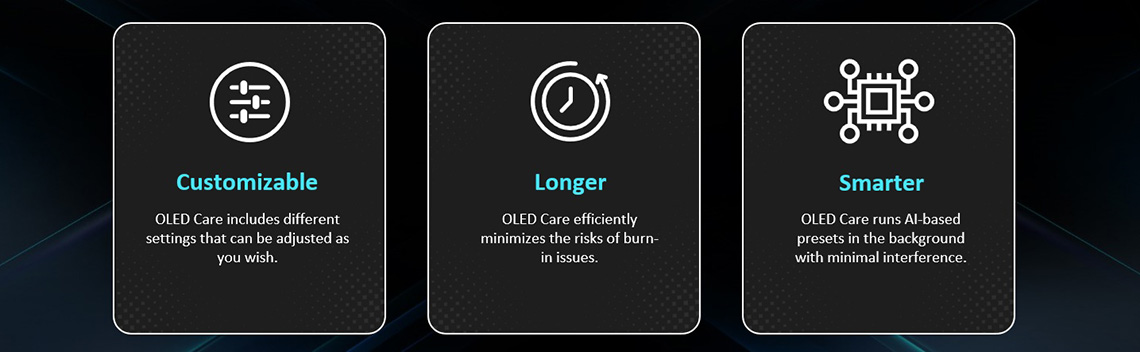
As Gigabyte say, the upgraded panel care feature “monitors bright zones in real time and automatically runs pixel cleaning when the monitor is idle or switched off, without interrupting gameplay or daily use. With new intelligent sensing features, AI OLED Care Pro helps further extend panel lifespan and maintain long-term OLED performance”
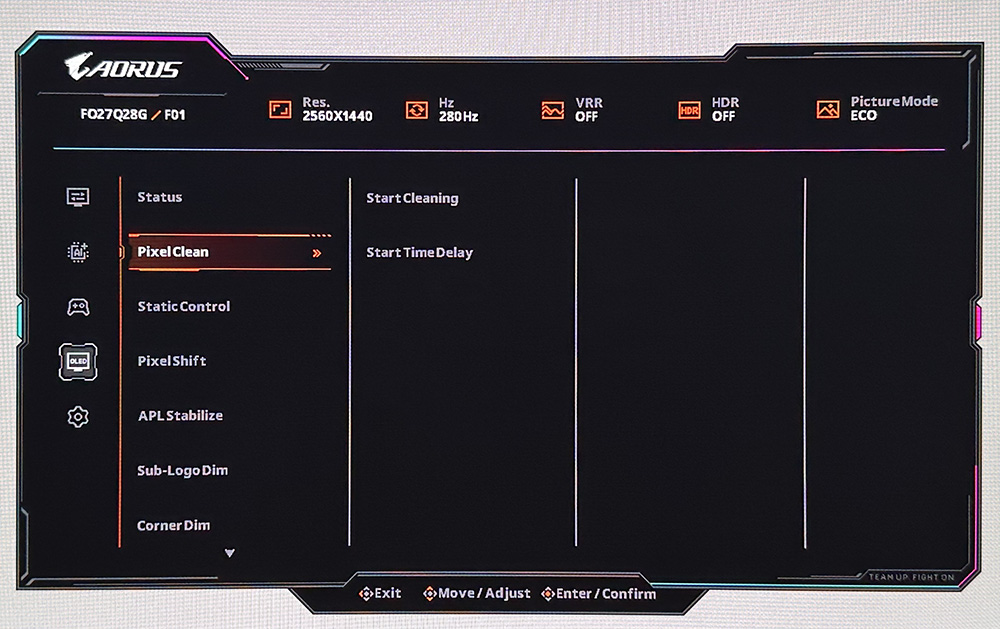
The following functions are also featured in the menu:
- Pixel clean – options to run manually and set start time delay
- Static control – options for on and off
- Pixel shift – options for normal or slow
- APL stablize – options for low, middle, high
- Sub-logo dim – options for on or off
- Corner dim – options for on or off
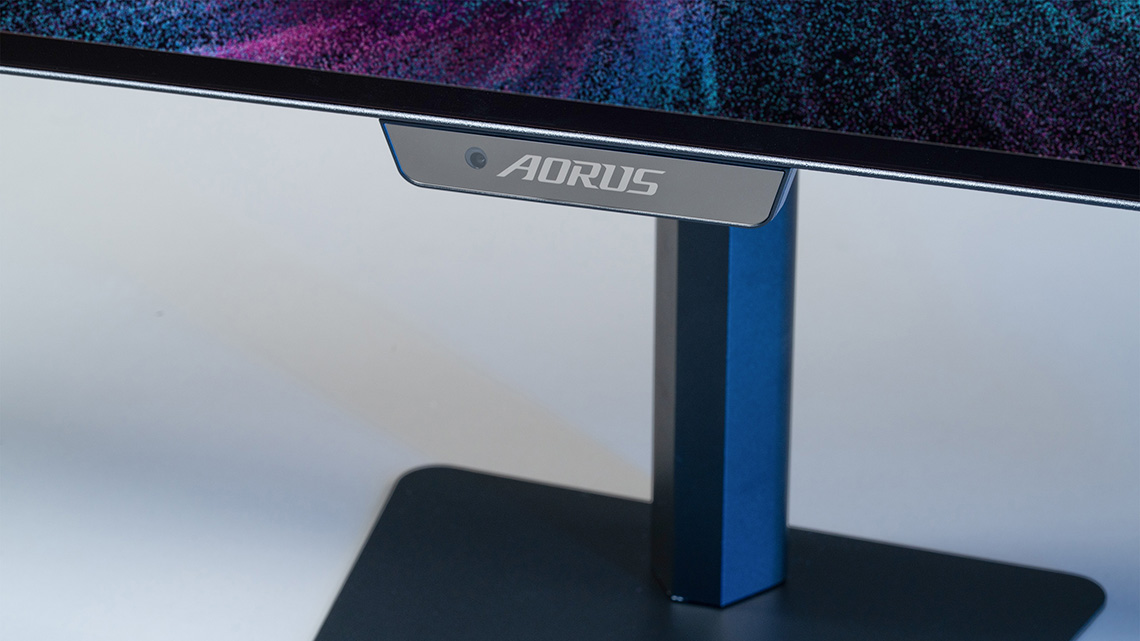
OLED care sensor
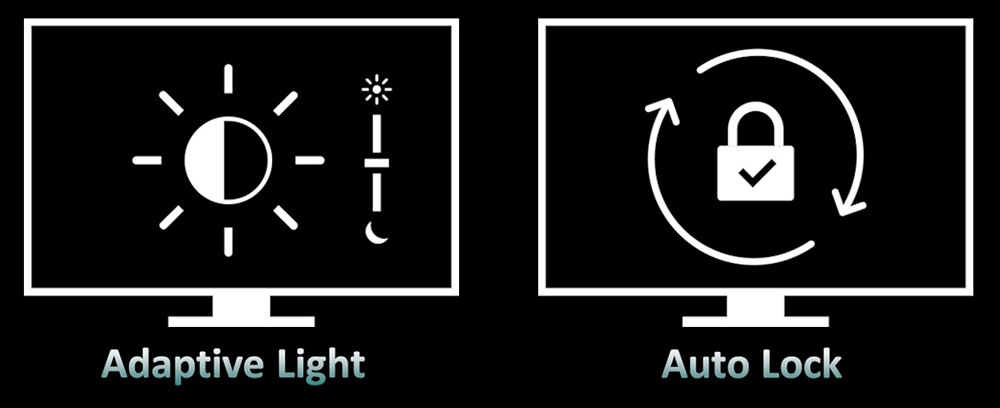
This is the key change with the new AORUS ELITE OLED models, a sensor built in to the front of the screen which utilises a small sensor like we’ve seen in recent times from MSI’s AI Care Sensor. Gigabyte confirmed to us that “the sensor is designed solely for real-time detection. All processing is performed locally on the monitor, and image data is not recorded or stored in any long-term storage, nor is it transmitted to external devices, cloud services, or external servers.“
The new sensor can support the following functions:
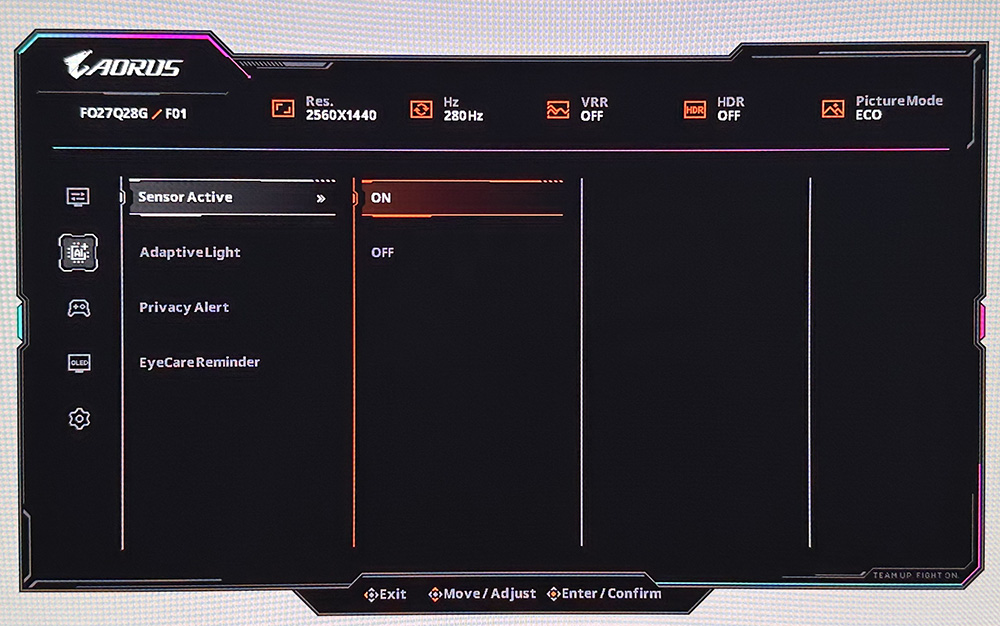
Auto Lock
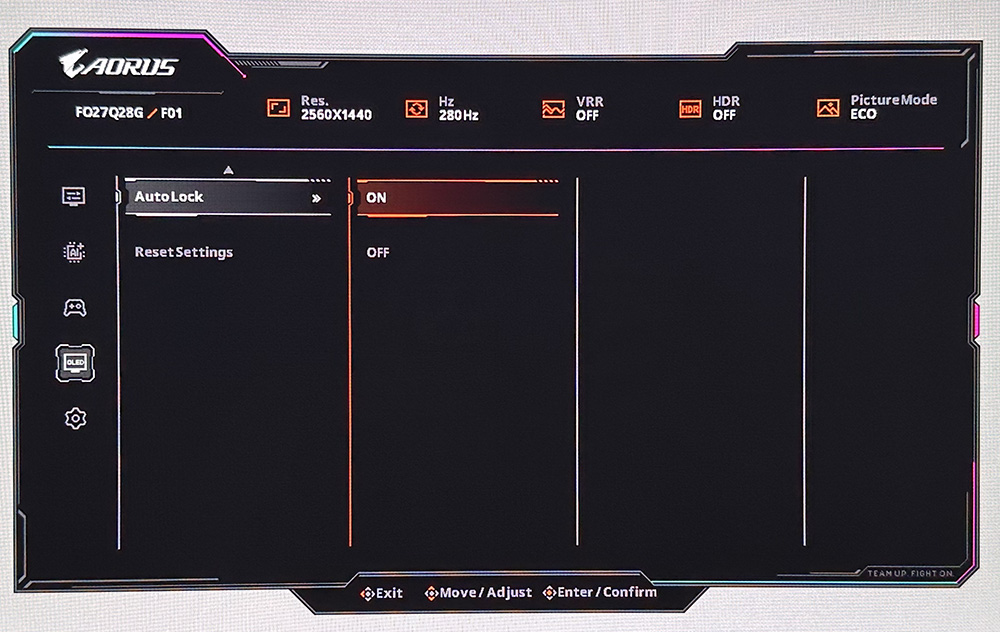
With built-in user presence detection, AORUS ELITE OLED models can automatically power down when users step away from the screen and then restore the display when they return. This helps reduce unnecessary panel usage during idle moments. You have to enable the sensor from the menu, and then the auto lock setting is within the OLED care sub-menu which you can turn on or off if you want (note the sensor can also be used just for Adaptive Light, explained below if you’d rather).
| AI Assistant sensor | |
| Time to Auto Lock | 15 seconds |
| Wake up time | 3 seconds |
| Detection distance | ~1.2m |
We tested this function and it seemed to work nicely. There’s a delay of around 15 seconds when you move away before the screen turns off. When you return it takes ~3 seconds to come back on which isn’t too bad and feels like it responds pretty quickly. It detects human presence vs other motion and will only turn on when a person sits in front of the screen. There is a detection distance of about 1.2m as well, but that and the off delay timer cannot be adjusted at this time.
Adaptive Light
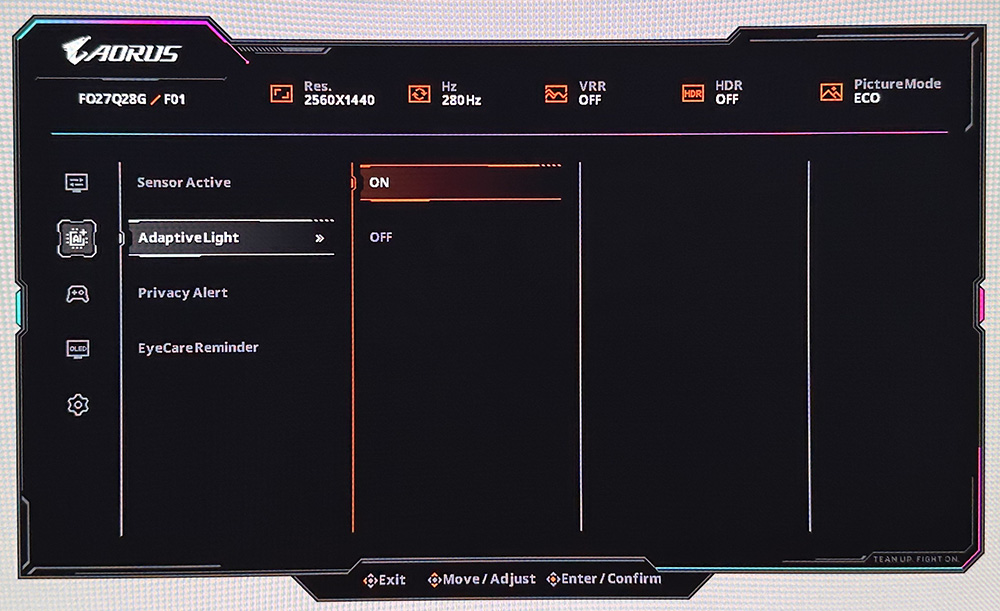
The other function of the sensor is ‘Adaptive Light’, and these new AORUS ELITE OLED models can adjust the monitor’s brightness based on changing room lighting, helping maintain a comfortable viewing experience while reducing unnecessary brightness stress on the panel. Once enabled, the brightness setting is greyed out, but the screen changes dynamically depending on your room conditions.
Enhanced Thermal Design
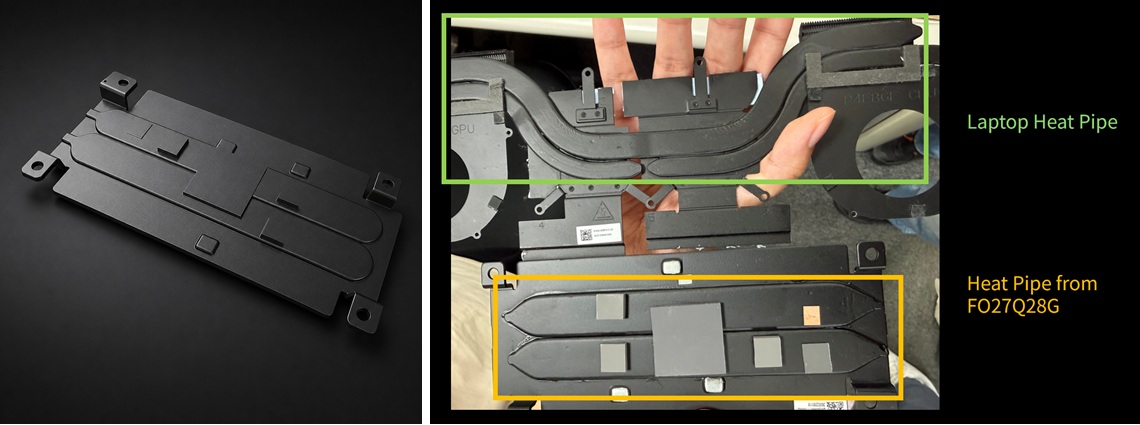
Along with the new AI OLED Care Pro feature set and sensor, the AORUS ELITE OLED models integrate new heat pipes and thermal materials in to the screen design to distribute heat more evenly across the panel. The design takes inspiration from the heat pipe architecture commonly used in laptops, and by integrating heat pipes in direct contact with the T-CON area, heat can be distributed more effectively across the thermal structure, helping maintain a more balanced and uniform temperature across the panel. This approach is designed to reduce localized heat build-up and improve overall thermal stability during extended use.
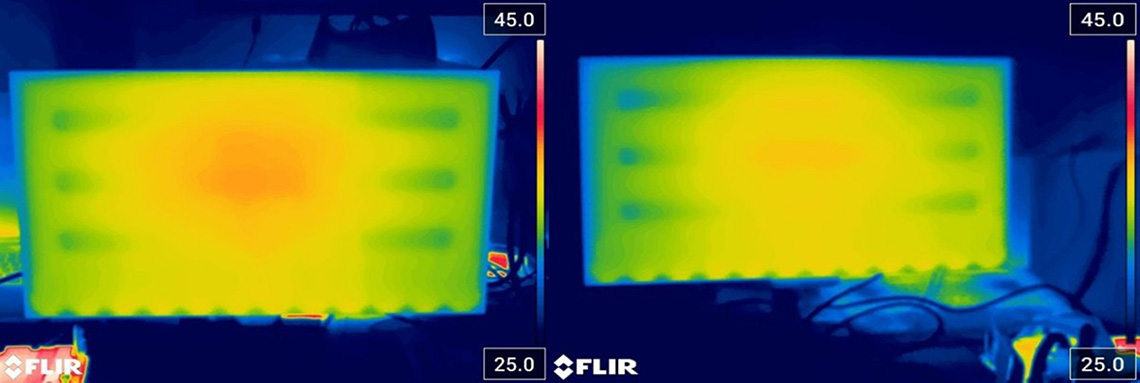
This helps reduce hot spots, lower overall temperature, and maintain more consistent OLED performance over time Gigabyte say. They call this new design approach ‘Cooling Force’.
Interestingly one benefit of this new cooling design is that it will allow Gigabyte to push panel performance and brightness further in the future where panels allow – their new OLED design is ready for this when they’re available.
Extended 4-year warranty
In the meantime, thanks to the new AI OLED Care Pro features, the new sensor and the updated thermal design, Gigabyte have started to offer a 4 year warranty on a couple of their new AORUS ELITE series models, an extra year on top of their standard 3 year warranty. That includes burn-in cover as well, so you get additional peace of mind from some of these new models. That’s the longest OLED warranty and burn-in cover we’ve seen to date.
The first two models to get formal product pages, the FO27Q28G and FO27Q24G (specs and details below) both get this extended 4 year warranty, as they are updates to tried and tested panels. Some of the other newer models may only receive a 3 year standard warranty.
HDMI eARC sound
Connectivity varies a bit between each model in the series, although they all offer DisplayPort, HDMI 2.1 and USB type-C connections. One new feature available across many of the AORUS ELITE series is eARC sound over one of the HDMI ports.
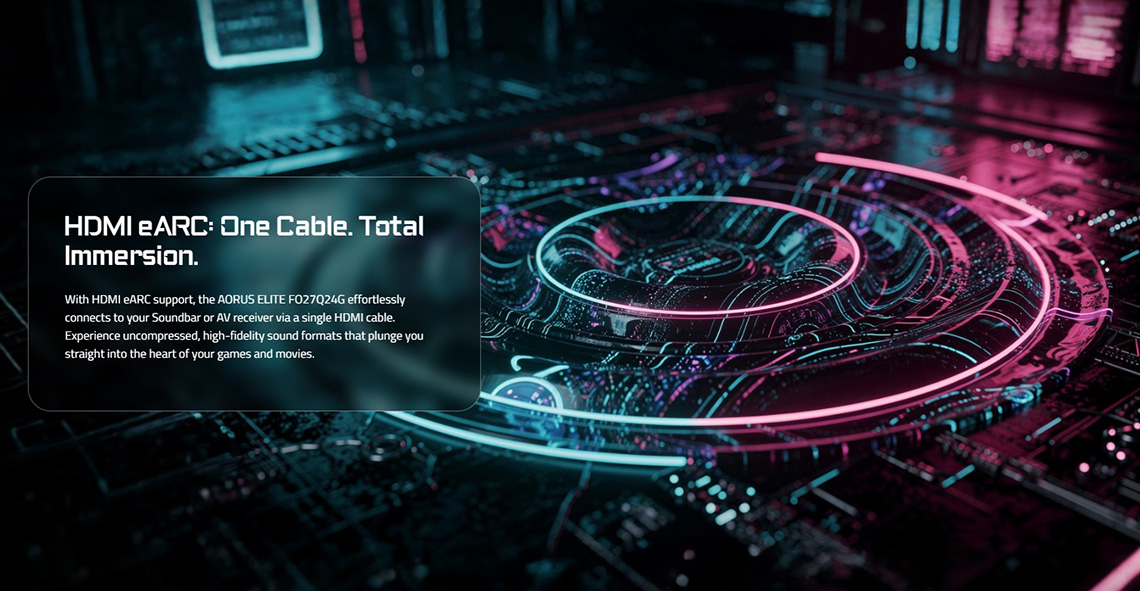
With HDMI eARC support, these news models can connect effortlessly to your Soundbar or AV receiver via a single HDMI cable. This allows you to experience uncompressed, high-fidelity sound formats for your games and movies. It’s still a pretty rare feature in the monitor market, so it’s nice to see this available on the new range.
New menu and Tactical gaming features
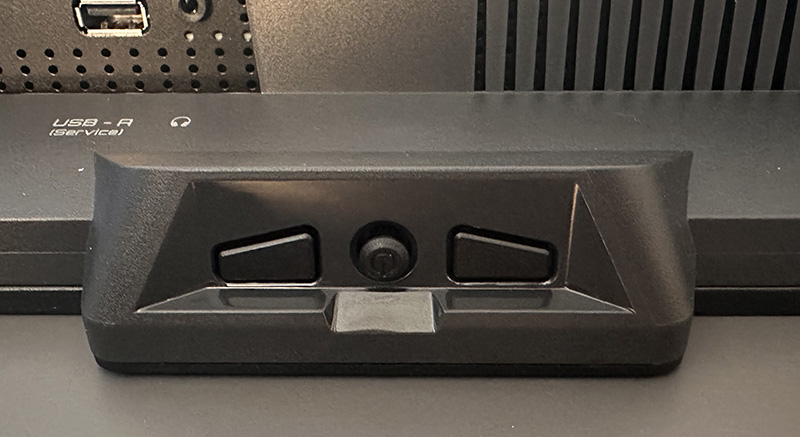
The new AORUS ELITE series features a new OSD menu design as well, controlled via a joystick toggle on the bottom of the screen. There are also a couple of pressable buttons, one for power and the other for the Tactical Switch (resolution switch).
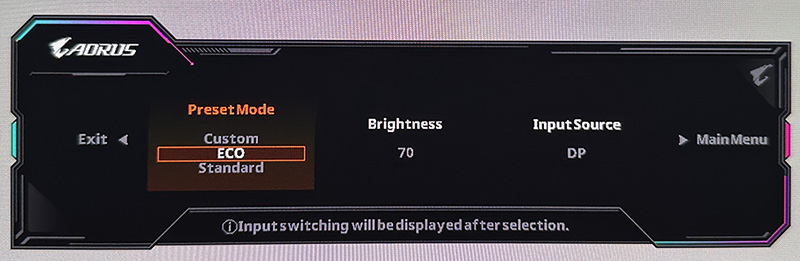
There’s a new quick launch menu available with easy access to a few common settings which is quite handy. The new Tactical gaming features available on the ELITE series are as follows:
Tactical HUD
Keep critical information in sight. With this feature you can select and mirror key screen areas, such as a mini-map, to a preferred position for faster information access.
This feature works nicely and you access it via the OSD menu. The first setting allows you to define the ‘capture area’, the part of the screen you want to mirror, using the joystick toggle to move a selection box your screen for the area you want to capture. Then using the ‘Display area’ setting you move it to where you want it to be anchored. So in theory if you’ve got a HUD in the top left corner of your game, but you want this displayed in the bottom right, you can mirror it there.
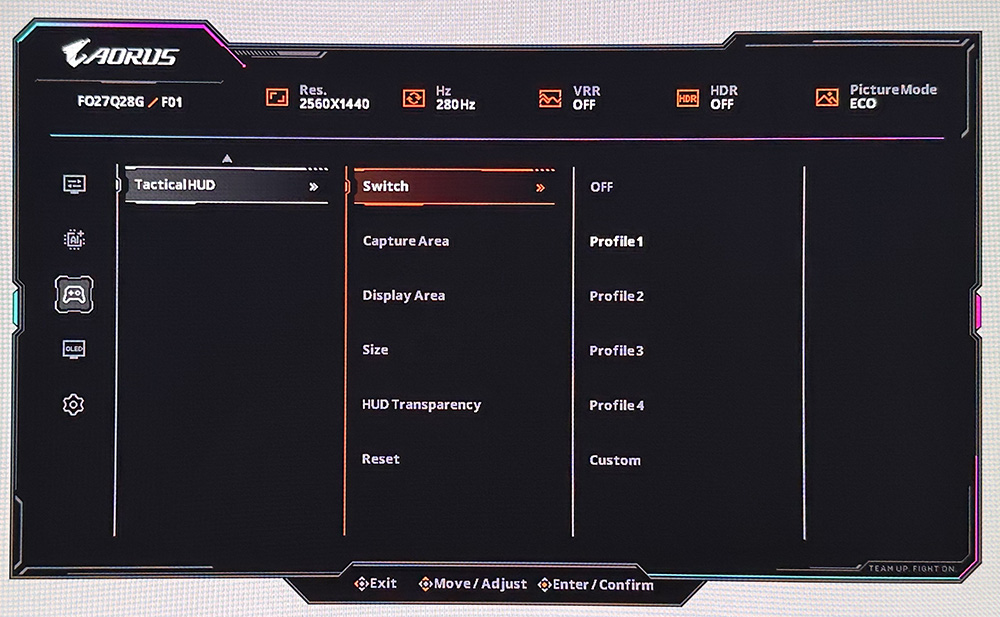
You can customise the size of the mirrored box area (small, medium and large), and set its transparency level too. There’s 5 different profiles you can save so you can easilyt switch between saved configurtions for different games.
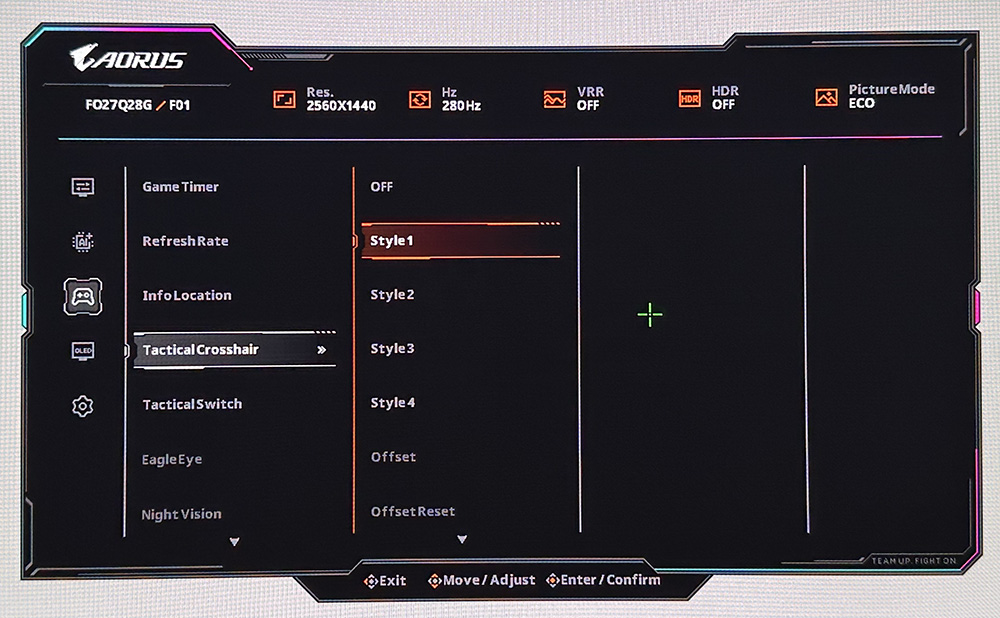
Tactical crosshair
Clearer aiming in changing backgrounds. This function automatically adapts the crosshair graphic colour when it blends into the background, keeping the aiming reference visible.
AORUS ELITE models announced so far
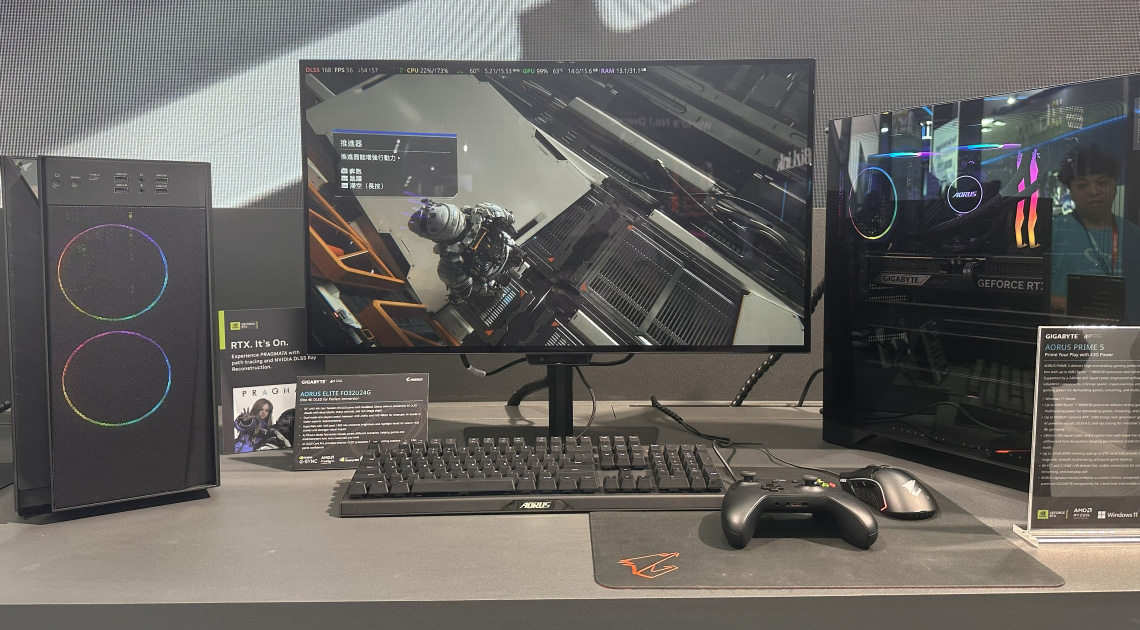
We’ll just recap the 6 models announced at Computex 2026 in June, including their key panel specs, resolutions and refresh rates and then their slightly differing connectivity options.
| Model | FO27Q28G | FO27Q24G | FO27Q54G | FO32U24G | FO32U24GP | F27-5K16MP |
| Panel tech | 27″ Tandem WOLED | 27″ WOLED | 27″ Tandem WOLED | 32″ Tandem WOLED | 32″ Tandem WOLED | 27″ IPS Mini LED |
| Resolution | 1440p | 1440p | 1440p | 4K | 4K | 5K |
| Refresh rate | 280Hz | 240Hz | 540Hz / 720Hz | 240Hz / 480Hz | 240Hz / 480Hz | 180Hz / 330Hz |
| Multi-mode |  | |  720p | 1080p | 1080p | 4K and 1440p |
| Connections | 1x DP 2.1 (UHBR 13.5) 2x HDMI 2.1 1x USB-C (15W) 1x headphone | 1x DP 1.4 2x HDMI 2.1 1x USB-C (15W) 1x headphone | 1x DP 2.1 (UHBR 13.5) 2x HDMI 2.1 1x USB-C (15W) 1x headphone | 1x DP 2.1 (UHBR 13.5) 2x HDMI 2.1 1x USB-C (65W) 1x headphone | 1x DP 2.1 (UHBR 20) 2x HDMI 2.1 1x USB-C (65W) 1x headphone | 1x DP 2.1 (UHBR 13.5) 2x HDMI 2.1 1x USB-C (15W) 1x headphone |
| eARC sound | | | | | | TBC |
| USB ports | 1x service only | 1x service only | 1x service only | 2x | 2x | 2x |
| Speakers | | | | 2 x 5W | 2 x 5W | 2 x 5W |
| Warranty | 4 year | 4 year | 3 year | 3 year | 3 year | 3 year |
More information and coverage of these models Computex 2026 here
To note a few distinctions:
- These are all OLED monitors apart from the F27-5K16MP which is a 27″ 5K triple-mode Mini LED monitor
- Only two of the 27″ OLED models have the extended 4 year warranty as those are based on existing, tried and tested OLED panels in the Gigabyte range. With the improved AI OLED Care Pro features and sensor, and the new thermal management design, Gigabyte are confident enough in performance and lifespan to offer the additional year on the warranty.
- The 32″ OLED and the 27″ Mini LED models offer integrated 2x 5W speakers, but these are not present on the other models.
- While several of the models support DisplayPort 2.1, only a couple of them have sufficient bandwidth to support the screen’s spec without needing DSC:
- FO27Q28G has DP 2.1 with UHBR 13.5 tier (54 Gbps) speeds and can support the spec without DSC if you want
- FO27Q24G has DP 1.4 only and so will need DSC
- FO27Q54G has DP 2.1 with UHBR 13.5 which is not sufficient to power the full spec without DSC. Even if they offered it, UHBR20 would be barely enough and would only fit with custom, adjusted timings from the manufacturer. So really it makes little difference on this model
- FO32U24G has DP 2.1 with UHBR 13.5 tier (54 Gbps) speeds but this is not enough to power the spec without DSC
- FO32U24GP is the updated version which has DP 2.1 with UHBR 20 tier speeds (80Gbps) and this can support full spec without DSC
- F27-5K16MP has DP 2.1 with UHBR 13.5 tier (54 Gbps) speeds but this is not enough to power the spec without DSC. Even UHBR 20 would not be sufficient to it makes no difference here.
A newly unveiled model – the FO27U24GP ICE
We’re pleased to share with you in this article a new model that has not been publicly announced before. The Gigabyte AORUS ELITE FO27U24GP ICE is an upcoming 27″ screen with a 3840 x 2160 “4K” resolution Tandem WOLED panel from LG Display. It features an RGB-stripe sub-pixel layout, a 240Hz native refresh rate and a dual-mode function supporting 480Hz at 1080p. This is Gigabyte’s equivalent to the Asus ROG Swift PG27UCWM which was recently released to market.
The “ICE” in the product name represents the white design aesthetic for this model, which white system enthusiasts will obviously welcome. Full specs and details are still being finalised, so these could be subject to some final tweaks, but the screen is expected to offer VESA DisplayHDR True Black 400 certification, 1000 nits peak HDR brightness (1.5%) and 99% DCI-P3 colour gamut.
Connectivity will include 1x DisplayPort 2.1 (UHBR20), 2x HDMI 2.1 and 1x USB type-C (65W) along with 2x USB-A data ports and a headphone jack. There will also be 2x 5W integrated speakers on this one as well as a fully adjustable stand with tilt, height, swivel and rotate; and it will be backed by their 3 year warranty.
Updates on pricing and availability
We’ve had some updated information from Gigabyte on expected release dates and target pricing for each model, including the new FO27U24GP ICE.
Please note that availability may vary by region and the pricing listed is global retail price MSRP:
- FO27Q28G – mass production has already started and it’s due to land in Europe around September but this may vary by region. Priced at $599 USD.
- FO27Q24G – mass production has already started and it’s due to land in Europe around September but this may vary by region. Priced at $449 USD.
- FO27Q54G – due to be released in Q4 at $849 USD
- FO27U24GP ICE – expected to go in to mass production in mid October, so likely to be released in early Q1 2027. Pricing TBC
- FO32U24G – mass production is due to start end of Aug and so it’s expected to be available in Q4 sometime, estimated around November. Priced at $899 USD.
- FO32U24GP – expected a bit later than the G model, in late Q4, likely December. Price is TBC
- F27-5K16MP – this one has slipped back and isn’t expected to be released until Q1 2027 now, pricing TBC.
You can keep a track of latest news, pricing and availability on our monitor tracker page here.
We may earn a commission if you purchase from our affiliate links in this article- TFTCentral is a participant in the Amazon Services LLC Associates Programme, an affiliate advertising programme designed to provide a means for sites to earn advertising fees by advertising and linking to Amazon.com, Amazon.co.uk, Amazon.de, Amazon.ca and other Amazon stores worldwide. We also participate in a similar scheme for Overclockers.co.uk, Newegg, Bestbuy , B&H and some manufacturers.